



In this article
You don’t need a long list of chord shapes to start writing. Learn what the notes do, then change one thing at a time and listen.
Start with a root note, then add a third and a fifth. Those three notes make a triad. For C major, play C, E and G. Lower E to E♭ and you have C minor.
One note can change the feel.
Keep C as the root and compare these five chords. Watch which notes move, then play each example to hear the change.
C major
C, E and G. A major third above the root gives this triad its major quality.
These examples are not Captain Plugins audio.Ready to play
Build a chord in four steps.
Choose a root note.
The root gives the chord its letter name. C major and C minor both have C as their root. Start with C on a keyboard or in your piano roll so the next steps are easy to see.
Add the third and fifth.
For a major triad, count four semitones up from the root, then another three. C to E is four; E to G is three. A semitone is the move to the very next piano key, including the black keys.
To make C minor, move E down one semitone to E♭. Keep C and G where they are. That change in the third is the difference between major and minor.
Move the notes, keep the chord.
C–E–G, E–G–C and G–C–E all contain the same notes. They are different inversions of C major. Changing the lowest note changes the voicing, not the chord’s root.
Read each stack from bottom to top: lowest note to highest note.
Put a few chords in order.
Try C–Am–F–G, with one chord per bar. These chords use notes from C major. Once the sequence works, experiment with its rhythm and move notes by an octave to make the transitions smoother.
A chord reference you can use.
Each formula measures semitones from the root. Change the starting note and the same spacing gives you the same chord type.
| Chord type | Semitones from root | Notes |
|---|---|---|
| Major | 0 · 4 · 7 | C · E · G |
| Minor | 0 · 3 · 7 | C · E♭ · G |
| Dominant 7th | 0 · 4 · 7 · 10 | C · E · G · B♭ |
| Diminished | 0 · 3 · 6 | C · E♭ · G♭ |
| Augmented | 0 · 4 · 8 | C · E · G♯ |
A C7 chord is a dominant seventh: C–E–G–B♭. Cmaj7 is different: it uses B natural.
Try it in Captain Chords.
Use Captain Chords in Captain Plugins 8 to work with these ideas in your DAW. Choose a key and scale, build a progression, then adjust the notes and rhythm while you listen.
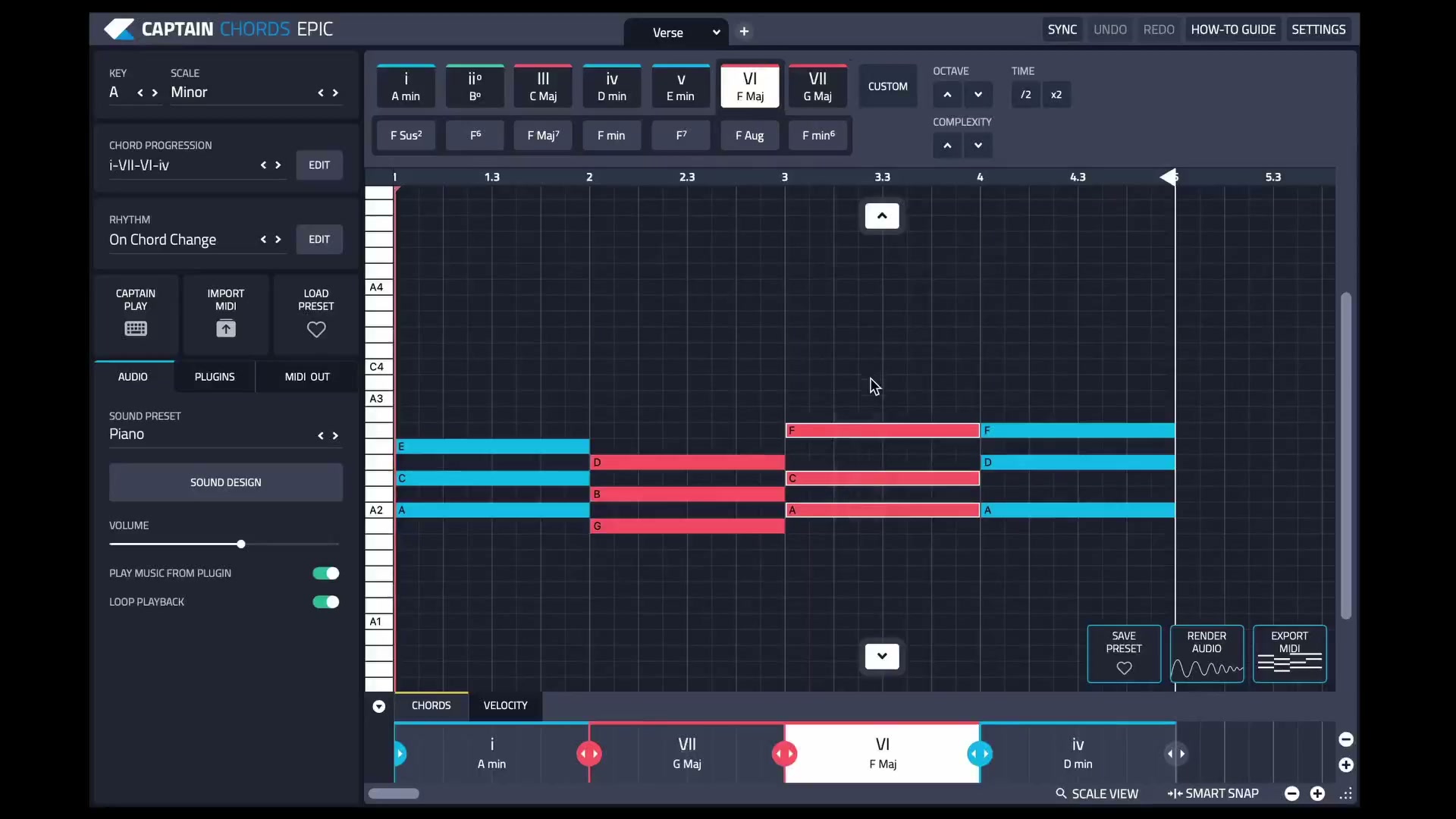
Start in C major to follow the lesson, or choose the key you’re already writing in.
Add chords and listen to the sequence. Keep the rhythm simple while you choose the harmony.
Experiment with voicing, note length and rhythm. Change one thing, then listen in context.
See the current canvas workflow.
Watch the Captain Plugins 8 update video for a closer look at working with selections and editing on the canvas.
Listen for what the song needs.
Keep the first version simple.
Three notes are enough. Get the progression working before adding sevenths, extensions or a busier rhythm.
Check the bass note.
The lowest note has a big effect on the sound. If a chord feels heavy or crowded, try changing the inversion or moving the chord higher.
Use smaller movements.
Keep shared notes in place between chords where it sounds good. Moving the other notes a short distance often makes a progression feel more connected.
Listen with the melody.
A chord that works on its own may clash with a vocal or lead. Check the parts together. If you’re starting with a vocal, try the Wingman vocal-to-chords workflow.
Common questions
What is the difference between a chord and a progression?
A chord is a group of notes heard together. A progression is a sequence of chords over time. C major is a chord; C–Am–F–G is a progression.
Do chords always have three notes?
No. A triad has three distinct notes, but chords can include more. For example, C7 contains C, E, G and B♭. Doubling C in another octave changes the voicing without adding a new chord tone.
Is the root always the lowest note?
Only in root position. In a first-inversion C major chord, E is the lowest note, but C is still the root. The notes C, E and G still define the chord.
Do I need to read sheet music to use Captain Chords?
You can work with chord names and the piano roll without reading staff notation. Understanding roots, intervals and inversions helps you make more deliberate choices as you write.