


How to build chords around a vocal in Wingman
Capture a vocal phrase in Wingman, audition chord and bass ideas against it, then edit and export the parts you want to use.
Updated · Wingman 3.0
Can Wingman help build chords around a vocal?
Yes. Play a vocal or acapella into Wingman in your DAW, use the captured audio to generate chord and bass ideas, and audition them with the vocal. Edit the harmony and rhythm before exporting your chosen parts. These are accompaniment suggestions, rather than a transcription of the original song’s chords.
See the workflow in Wingman 3
Follow the relevant part of the official walkthrough, then use the steps below with your own audio.
Watch this section in the official Wingman 3 walkthrough. The demonstration uses Logic; the musical controls are shown inside Wingman.
When to use this workflow
This workflow is useful when the vocal is the most important part of the track and you want the chords, bassline, and production idea to support it.
Good starting points
- An acapella
- A vocal stem
- A topline melody
- A vocal sample
- A full song with vocals
What you can create
- Chords that support the vocal
- Basslines that fit the progression
- Remix starting points
- New harmonic ideas
- MIDI or WAV parts for your DAW
What you need before you start
Wingman 3.0 installed as a plugin inside a supported DAW.
A vocal, acapella, vocal stem, or full track with a clear vocal part.
A section of the vocal that clearly represents the melody or hook you want to build around.
Refine chord changes around the vocal phrase
Wingman 3 adds more control over where and how the chords change. Compare the Advanced timing choices, then edit a chord or its inversion if it competes with a held vocal note.
Split or resize a chord to move the change point, or try a short passing chord between two stronger moments. Keep the full vocal phrase playing while you judge the edit. Once the harmony works, a recorded guitar performance can provide a different accompaniment texture from a pad or pluck.
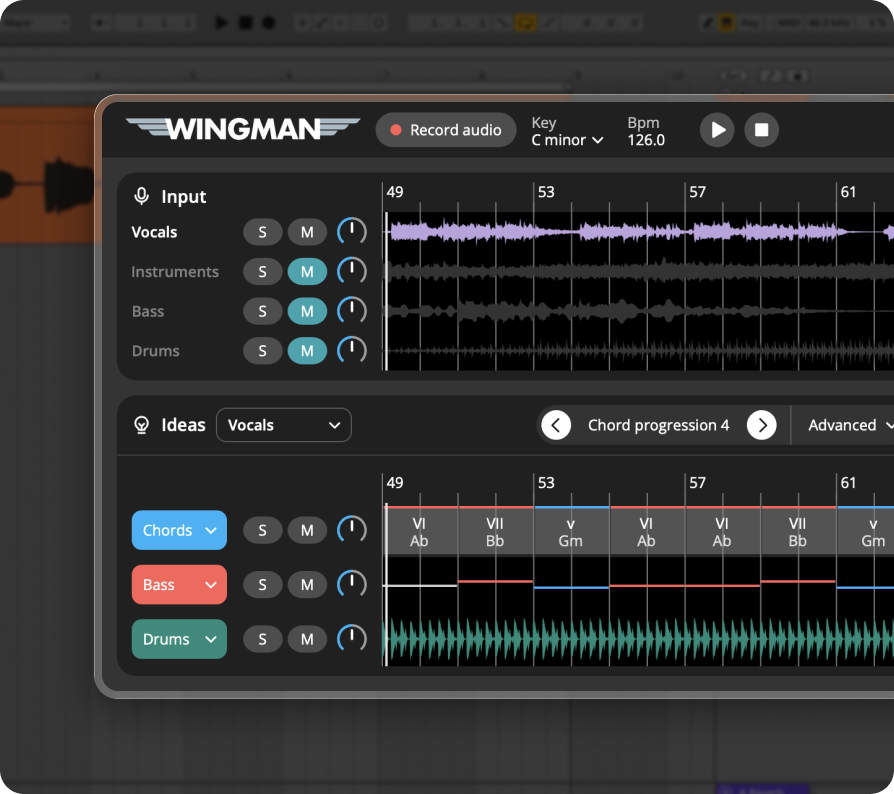
How to build chords around a vocal
Add the vocal to a track in your DAW
Start by placing the vocal, acapella, or vocal sample on a track in your DAW. Choose a section that has a clear melody, hook, or phrase.
Use an isolated vocal or vocal stem when possible. If you start with a full song, follow the stem separation workflow to prepare a clearer source.
Record the vocal into Wingman
Set up Wingman to receive the vocal track’s audio in your DAW, then use Record Audio to capture the section you want to build around. If you need help with placement or routing, follow the Wingman DAW setup guide.
Work from the captured phrase in Wingman 3
Check the source audio, then audition only the parts you need. Keep listening to the original phrase as you refine the result.
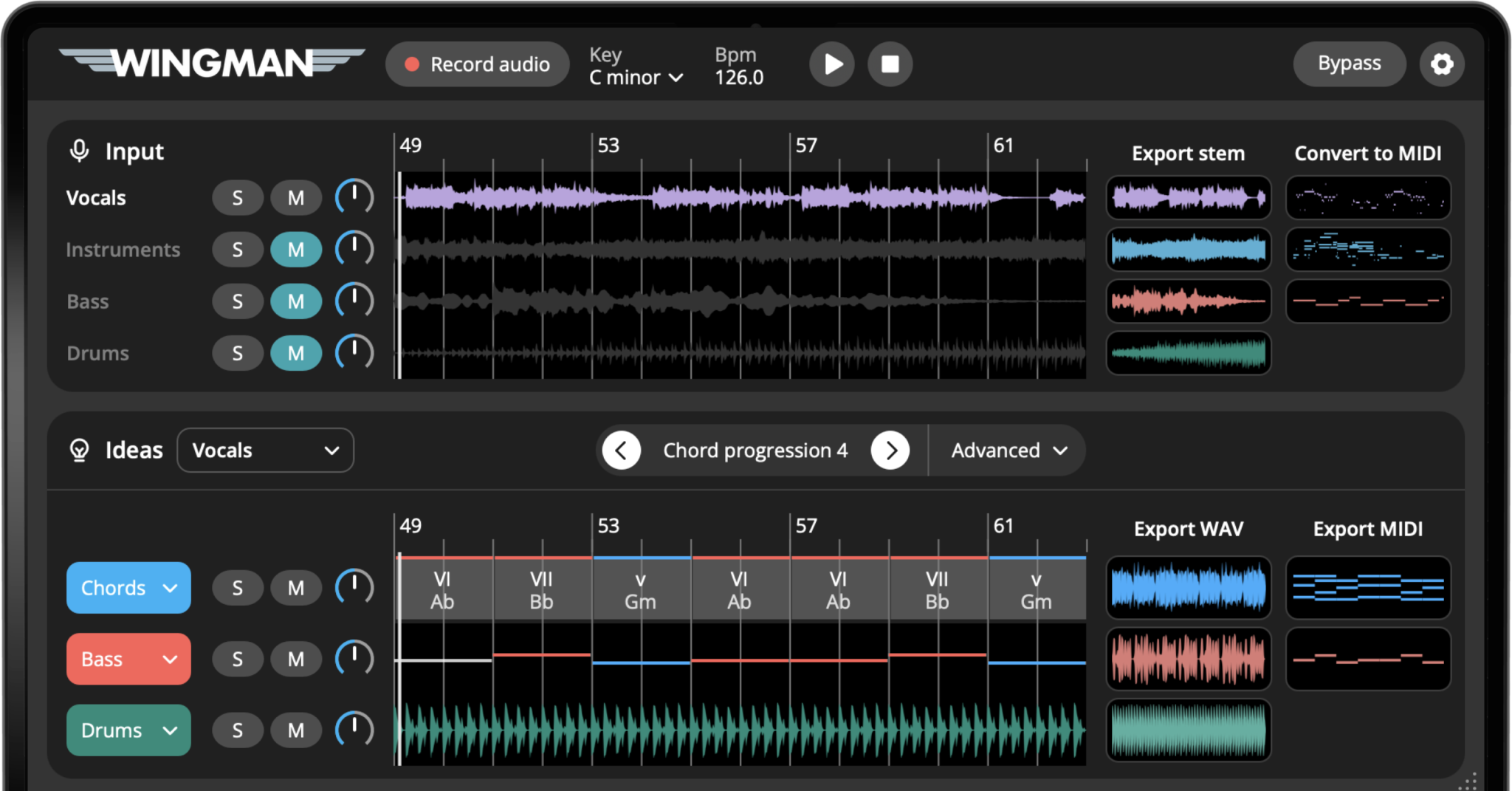
Check the captured vocal phrase
Listen back to the captured audio and check that it includes the vocal phrase you intended. Use the vocal as the starting point for generating accompaniment, then audition each suggestion with that same phrase.
If the phrase is incomplete or hard to hear, capture it again before comparing chord ideas.
Generate chords that support the vocal
Explore the chord progressions Wingman suggests. Listen for a progression that makes the vocal feel natural, emotional, and supported.
A good chord progression should help the vocal feel stronger without getting in the way of the melody.
Edit the chords to match the emotion of the vocal
Click individual chords to try alternatives. You can keep the harmony simple, make it more emotional, or experiment with more advanced chord choices.
Small chord changes can completely change how a vocal feels, so take time to audition different options.
Add a bassline that follows the vocal and chords
Once the chords feel right, add a bassline idea. The bassline should support the chord progression while leaving enough space for the vocal to stay clear.
Shape the rhythm so it fits the vocal phrase
Use rhythm presets, accents, and rhythm editing tools to make the chords and bass move naturally with the vocal. Try different rhythmic patterns until the production feels locked to the phrase.
Change the sound and export the idea
Once the harmony and bassline feel right, choose sounds that fit the style of your track. You can use Wingman’s built-in sounds or your own VST synths.
When you are ready, export the chords and bassline as MIDI or WAV and continue arranging the production in your DAW.
Tips for better results
Let the vocal lead the harmony
When building around a vocal, the chords should support the melody instead of fighting it. If the vocal feels crowded, try a simpler progression.
Use space in the arrangement
Vocals often need room. Try using fewer notes, simpler rhythms, or softer sounds so the vocal remains the focus.
Try emotional alternatives
Small changes in chord choice can make the same vocal feel darker, brighter, more uplifting, or more dramatic.
Frequently asked questions
Yes. Wingman can listen to a vocal, acapella, or vocal stem and suggest chord progressions that support the vocal melody.
Yes. You can load an acapella into your DAW, record it into Wingman, and generate chord and bassline ideas around it.
Yes. Wingman is useful for remixing because it can help you create new chords, basslines, MIDI, and audio ideas around a vocal.
A vocal stem or acapella is usually the clearest starting point. If you only have a full track, choose a section where the vocal is easy to hear.
Yes. You can export generated chords and basslines as MIDI or WAV and continue working with them in your DAW.
Write accompaniment for your vocal.
Use Wingman to generate chords, basslines, rhythms, and sounds that support the vocal in your DAW.
Updated