


How to create a remix from an acapella in Wingman
Use the acapella as the lead, build a new chord and bass backing, then arrange the remix in your DAW. Wingman helps with the parts; you decide how the track develops.
Updated · Wingman 3.0
How do you start a remix from an acapella?
Place the vocal in time in your DAW, capture a representative phrase in Wingman, and audition new chords and bass against it. Export the parts you like, then build the arrangement around the vocal’s verse, hook and pauses.
If you only have the full track, start with the stem-separation guide. For the chord-writing step alone, see Build chords around a vocal.
See the workflow in Wingman 3
Follow the relevant part of the official walkthrough, then use the steps below with your own audio.
Watch this section in the official Wingman 3 walkthrough. The demonstration uses Logic; the musical controls are shown inside Wingman.
When to use this workflow
Use this workflow when you have a vocal you want to remix, but you need a new harmonic and rhythmic foundation around it. Wingman helps you move from “just an acapella” to a usable production idea.
Good starting points
- An acapella
- A vocal stem
- A vocal sample
- A topline idea
- A vocal isolated from a full song
What you can create
- New chords around the vocal
- A bassline that supports the remix
- Rhythmic chord patterns
- MIDI parts for your DAW
- A full remix starting point
What you need before you start
Wingman 3.0 installed as a plugin inside a supported DAW.
An acapella, vocal stem, vocal sample, or isolated vocal loaded on a DAW track.
A section of the vocal that clearly represents the hook, chorus, verse, or phrase you want to remix.
Build a new backing without crowding the vocal
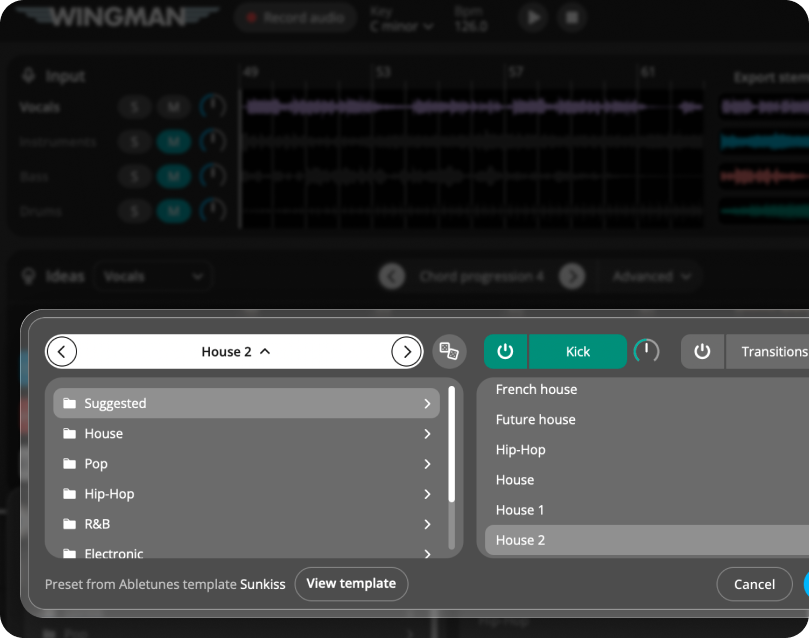
Wingman 3 lets you develop more of the backing inside the plugin. After choosing chords and bass, mute the original drums if you are replacing them and audition a new kit in the Drums channel.
Use its A, B and C variations to change density between sections. Recorded guitar parts can follow the progression as an alternative texture to a synth. Keep the vocal playing as you compare parts, then export the pieces you need for arrangement in the DAW.
How to create a remix from an acapella
Add the acapella to your DAW
Set your project tempo and align the vocal phrase with the arrangement before generating a backing. Check the vocal’s timing by ear; a free-time or drifting performance may need editing. Pick the hook or phrase you want the new harmony to support.
Record the acapella into Wingman
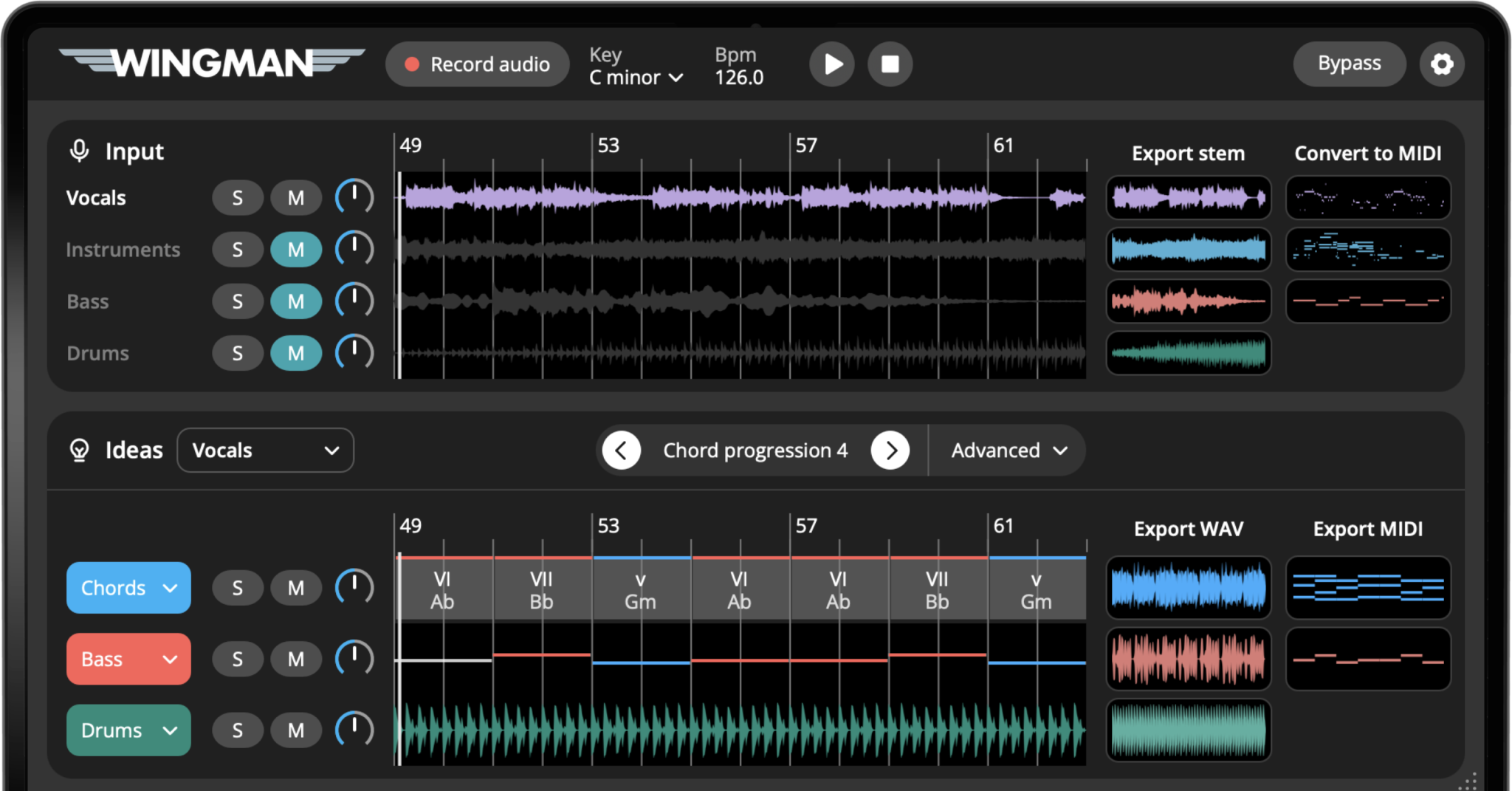
Add Wingman to the track and use Record Audio to capture the vocal section. Wingman uses the recorded audio as the musical context for the ideas it suggests.
Work from the captured phrase in Wingman 3
Check the source audio, then audition only the parts you need. Keep listening to the original phrase as you refine the result.
Generate chord progressions around the vocal
Audition the suggested progressions with the vocal. Listen to sustained and accented notes, and choose the harmonic mood of the remix. You can use a different backing from the original without crowding the topline.
Edit the chords until they fit the vocal
Click individual chords to try alternatives. You can keep the progression simple or use more expressive chords if the vocal needs a stronger emotional lift.
The best progression should support the vocal melody without making it feel crowded or unnatural.
Check the basslines Wingman generated
Wingman automatically suggests basslines that work with the musical idea. Listen through the generated bassline options and choose one that supports the progression and gives the remix the right groove.
Shape the rhythm and groove
Use rhythm presets, accents, and rhythm editing tools to make the chords and bassline move with the vocal. Try different rhythmic patterns until the remix feels locked to the phrase.
Choose sounds for the remix
Change the sounds for the chords, bass, and instruments so the idea fits the style of remix you want to create. You can use Wingman’s built-in sounds or your own VST synths.
This is where the remix can start to feel like a new production instead of just chords under a vocal.
Export the idea into your DAW
Use the MIDI and WAV export guide to move the chosen parts into your session. Then arrange the remix: leave space under verses, develop the hook, add drums and transitions, and check every section against the vocal.
Tips for better remix results
Let the vocal stay in front
The acapella is usually the emotional center of the remix. Keep the chords and bass supportive so the vocal still feels clear.
Try a different mood from the original
A remix does not need to copy the original harmony. Try chords that make the vocal feel more uplifting, darker, smoother, or more energetic.
Use MIDI for flexibility
Export MIDI if you want to keep editing the notes, change instruments, or build a more detailed arrangement inside your DAW.
Frequently asked questions
Yes. Wingman can listen to an acapella or vocal stem and suggest chord progressions that support the vocal melody.
Yes. Wingman can help you build new chords, basslines, rhythms, and MIDI ideas around a vocal or acapella.
An acapella or vocal stem is usually the best starting point. If you only have a full song, you can separate the vocal stem first and then build the remix around it.
Yes. You can export chords and basslines as MIDI so you can continue editing the remix in your DAW.
Yes. You can use Wingman’s built-in sounds or use your own VST synths as part of the workflow.
Turn an acapella into a full remix idea.
Use Wingman to create chords, basslines, rhythms, sounds, and MIDI around your next vocal.
Updated