



In this article
Start with chord tones at important moments, then connect them with rhythm, repetition and passing notes. Over Am–F–C–G, try E–F–E–D as targets. They belong to the changing chords and form a compact melodic line.
Hear the examples.
Choose an example, then press Play. Compare the notes as well as the sound.
Am–F–C–G
A minor-centred four-chord starting point. The melody and phrasing help establish the key.
These are not Captain Plugins audio.Ready to play
Mark the important notes and moments
Write the progression’s chord tones beside each bar: Am is A–C–E, F is F–A–C, C is C–E–G and G is G–B–D. Choose a target for each change, then sing a phrase around those notes.
Targets are useful starting points, not a rule that every strong beat must contain a chord tone. A deliberately held tension can be expressive. Begin simply so you can hear what changes when you move a target.
Connect targets by step
Over Am, C–D–E connects two chord tones through D. At first keep D short and hear how it leads to E. Then try a longer D and notice how its tension becomes more prominent.
A passing note may belong to the key but not the current chord. Notes outside the key can also work with deliberate approach and resolution. Judge their placement and duration instead of treating a scale highlight as a verdict.
Repeat a rhythm and change its ending
Make a two-bar rhythmic motif, including at least one rest. Repeat it over the next two chords, changing the pitches or final note as needed. Recognisable rhythm helps the listener follow the phrase through harmonic changes.
Hum the line before adding more notes. If it becomes difficult to remember, simplify it. Move an awkward leap by an octave or change the target note, then compare which version still feels like the same idea.
Leave room for the other parts
Listen to the top voice of the chords as well as the lead. Two active lines in the same register can compete. Simplify the chord voicing, shorten its note or move the lead rather than only increasing its level.
If you already have a recorded melody, the workflow runs in the other direction: keep the melody and find suitable harmony underneath it. The Wingman melody-to-chords workflow covers that starting point; this lesson begins with chords.
Keep the notes in view.
| Chord | Chord tones | Example target |
|---|---|---|
| Am | A · C · E | E |
| F | F · A · C | F |
| C | C · E · G | E |
| G | G · B · D | D |
Try it in Captain Chords.
Build the harmony in Captain Chords and develop the lead in Captain Melody or your DAW. Keep both playing while you edit the target notes, then export the parts to continue arranging.
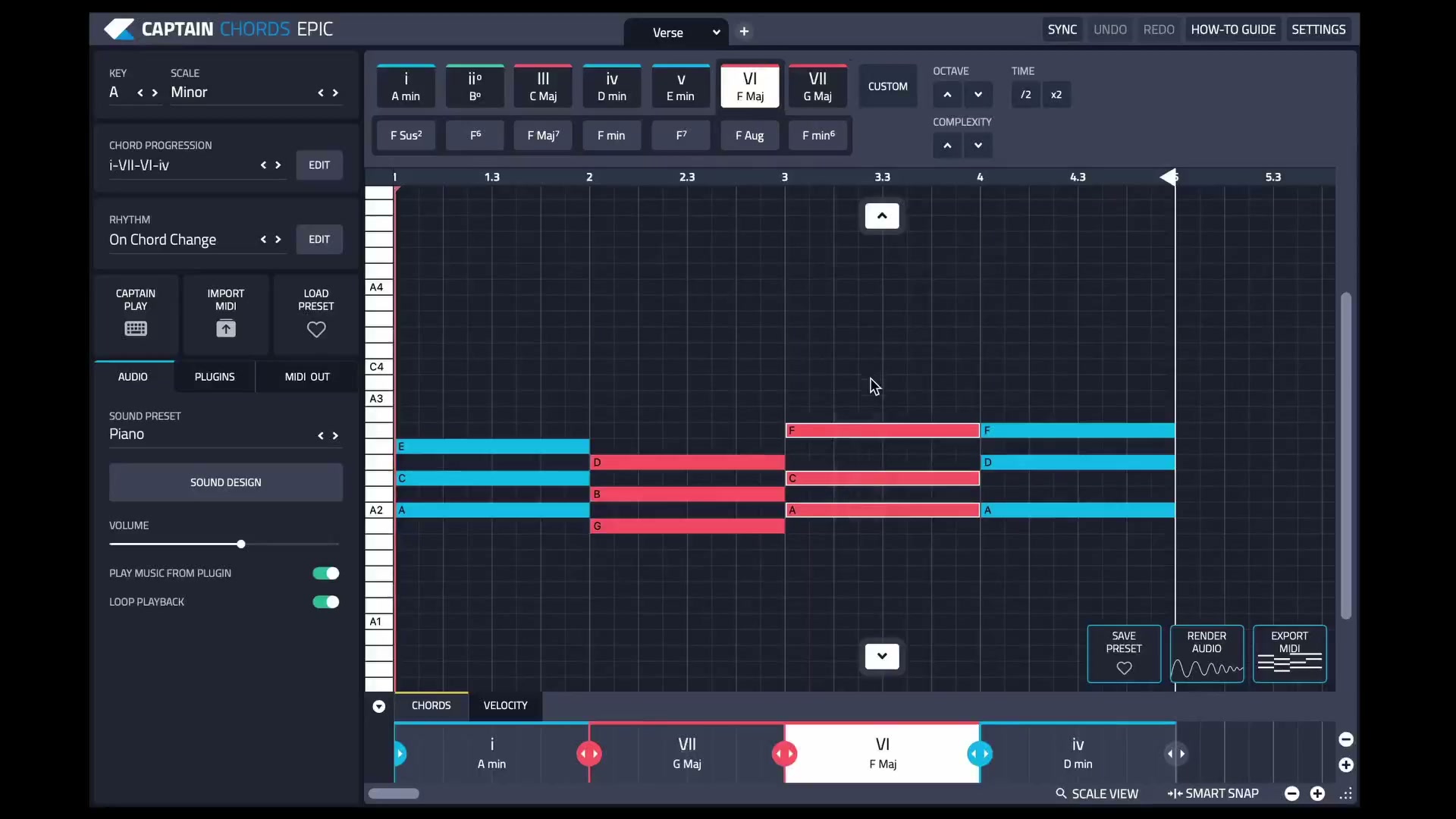
See the current editing workflow.
The Captain Plugins 8 update video shows the canvas and selection-based editing.
Already have the melody as audio? Explore accompaniment ideas around the recording.
Turn a melody into chords and bass in WingmanCommon questions
Must every melody note be in the chord?
No. Passing notes, neighbours and held tensions can give the line character. Their timing and resolution affect how they sound.
Should the melody copy the bass roots?
It can sometimes, but thirds, fifths and other notes can make a more independent line. Try several targets.
How can I work from an existing recording?
Keep the strongest recorded phrase and audition accompaniment beneath it. Use the Wingman workflow linked below for that audio-first approach.