


How to Add Rhythm to Chords in Wingman
Keep the chords that work and change how they are played. Compare rhythm presets with your drums and vocal, then refine the pattern in your DAW.
Updated · Wingman 3.0
How to Add Rhythm to Chords in Wingman
In Wingman 3.0, start with a chord progression and audition chord rhythm presets with the track playing. Listen to the gaps, note lengths and relationship to the kick and vocal. Choose the pattern that supports the groove, then export MIDI if you want further control over notes, timing and velocity in your DAW.
See the workflow in Wingman 3
Follow the relevant part of the official walkthrough, then use the steps below with your own audio.
Watch this section in the official Wingman 3 walkthrough. The demonstration uses Logic; the musical controls are shown inside Wingman.
When to use this workflow
Use this workflow when your chords are harmonically correct, but the performance feels too static. The problem may not be the chord progression itself — it may just need better rhythm, spacing, or accents.
Good starting points
- A basic chord progression
- A loop that feels too stiff
- Long sustained chords
- A vocal-based progression that needs movement
- A remix idea that needs more groove
What you can create
- Rhythmic chord patterns
- More bounce and movement
- Chord parts that fit the drums
- Accented grooves
- MIDI or WAV parts for your DAW
What you need before you start
Wingman 3.0 installed as a plugin inside a supported DAW.
A chord progression inside Wingman, either generated from audio or created as part of your workflow.
A track context, such as drums, bass, vocal, or a loop, so you can judge whether the rhythm feels right.
Separate chord timing from chord rhythm
Wingman 3 gives you two different ways to change movement. Advanced chord timing controls how often the harmony changes. Rhythm presets and accents control how the selected chord part is played.
Choose the harmonic pace first, then compare rhythm presets against the vocal, bass and drums. In the walkthrough, the producer adjusts the octave and accents after choosing a rhythm. If the result is too busy, simplify one part before changing the progression.
How to add rhythm and bounce to flat chords
Start with a chord progression
Begin with a chord progression in Wingman. This can come from a melody, vocal, loop, acapella, or an idea you created directly inside the plugin.
At this stage, focus on whether the chords fit emotionally and harmonically. The rhythm can be shaped after the progression feels right.
Listen for what feels flat
Play the chords with your track and listen for the problem. Do the chords feel too long? Too repetitive? Too stiff against the drums? Too busy under the vocal?
Open the rhythm tools in Wingman
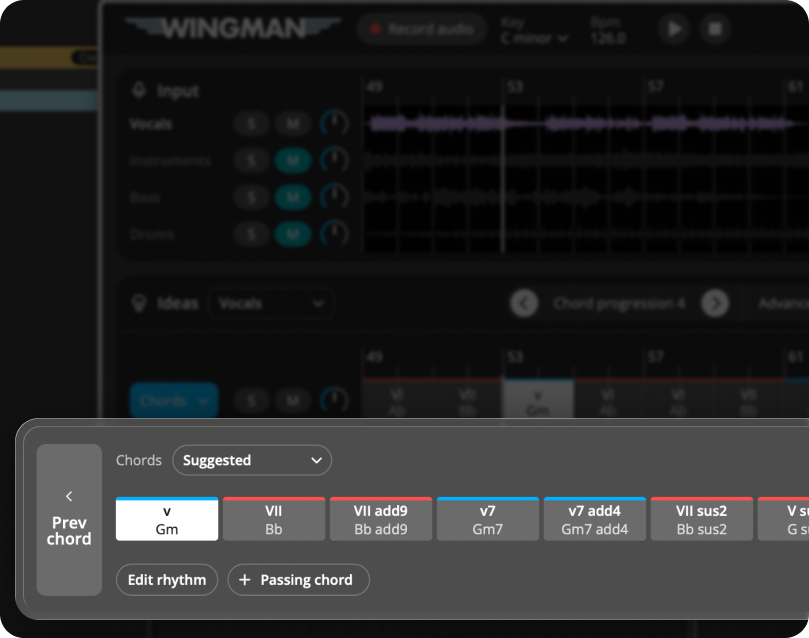
Use Wingman’s rhythm tools to change how the chords are played. Instead of holding every chord for the full bar, you can create movement with shorter notes, repeated hits, syncopation, and accents.
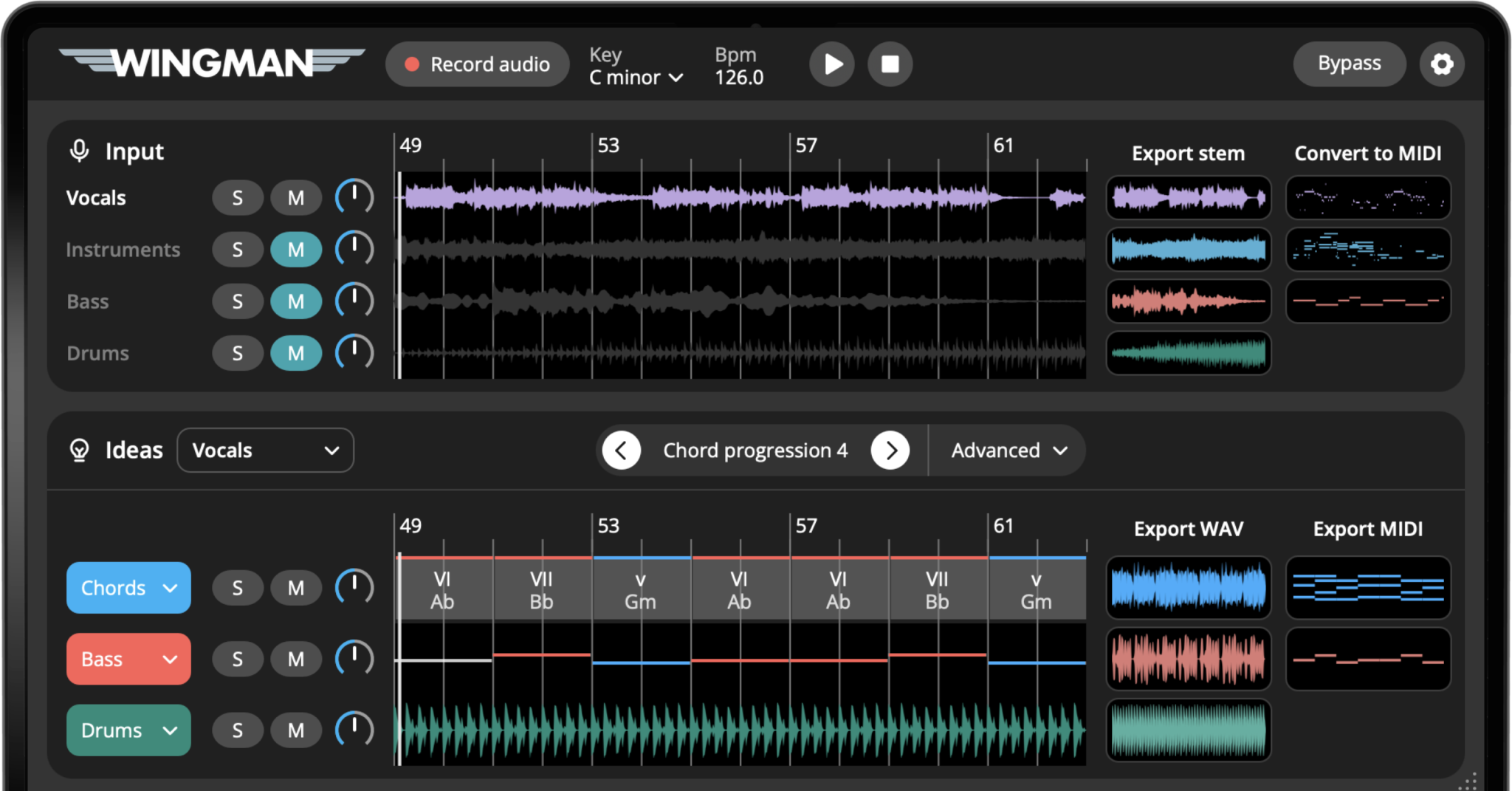
Work from the captured phrase in Wingman 3
Check the source audio, then audition only the parts you need. Keep listening to the original phrase as you refine the result.
Try rhythm presets
Start by auditioning rhythm presets. This is the fastest way to hear how the same chords can feel completely different with a new pattern.
Some presets may make the chords feel more energetic, while others may create a smoother or more relaxed groove.
Edit accents and note placement
Compare the rhythm and accents available in Wingman. For detailed note placement, velocity or timing changes, export the MIDI and edit it in your DAW’s piano roll. Keep the progression fixed while judging the rhythm.
Match the chord rhythm to the bassline
Listen to chords, bass and drums together. They do not need to play every hit at the same time: leave space for the kick and the vocal. Choose a rhythm that works across the whole phrase, not just the first bar.
Choose a sound that supports the rhythm
The sound you choose affects how rhythmic the chord part feels. A short pluck will make the pattern feel tighter and more percussive, while a pad will feel smoother and more sustained.
Try different sounds before deciding whether the rhythm needs more editing.
Export the final chord rhythm
Once the chord part has the right movement, export it as MIDI or WAV and continue arranging it in your DAW.
Export MIDI if you want to keep editing the notes, velocity, timing, and instrument. Export WAV if you want to capture the sound and move quickly.
Tips for better chord rhythm
Do not change the chords too early
If the harmony fits but the track feels boring, try changing rhythm, accents, and sound before replacing the progression.
Leave space for the vocal
If the track has a vocal, avoid chord rhythms that are too busy. The best rhythm often supports the vocal without competing with it.
Use sound choice as part of the rhythm
A short, tight sound makes rhythmic patterns more obvious. A long pad can smooth out the same pattern and make it feel less busy.
Frequently asked questions
Yes. Wingman includes rhythm tools that help you turn static chord progressions into more rhythmic musical parts.
Rhythm presets let you quickly audition different chord patterns so you can find a groove that fits your track faster.
Yes. You can adjust the rhythm and accents to make the chord part feel more connected to your drums, bassline, or vocal.
If the chords fit your track but feel boring, try changing the rhythm first. A better rhythm can make the same progression feel much more energetic.
Yes. You can export the chord part as MIDI or WAV and continue editing it in your DAW.
Make your chords move.
Use Wingman to add rhythm, bounce, accents, and energy to chord progressions that feel too flat.
Updated