


How to Edit Individual Chords in Wingman
Keep the progression that mostly works. Change the chord that needs attention, then compare it with your vocal or melody and check the bass underneath it.
Updated · Wingman 3.0
How to Edit Individual Chords in Wingman
In Wingman 3.0, audition a progression with your source audio and identify the chord you want to change. Try an alternative at that moment, listen across the chords on either side and check the bassline. Refining one change helps you hear its effect without replacing the whole backing.
See the workflow in Wingman 3
Follow the relevant part of the official walkthrough, then use the steps below with your own audio.
Watch this section in the official Wingman 3 walkthrough. The demonstration uses Logic; the musical controls are shown inside Wingman.
When to use this workflow
Use this workflow when your chord progression is close, but not perfect. Maybe the chorus needs more lift, the verse needs more tension, or one chord clashes with the vocal melody.
Good starting points
- A chord progression that mostly works
- A vocal progression with one awkward chord
- A remix idea that needs a new mood
- A loop where the harmony feels too plain
- A song section that needs more emotional movement
What you can improve
- Chord choices that clash with the melody
- Progressions that feel too predictable
- Sections that need more lift or tension
- Transitions between song sections
- The emotional direction of the track
What you need before you start
Wingman 3.0 installed as a plugin inside a supported DAW.
A chord progression inside Wingman that you want to refine.
A track context, such as a vocal, melody, loop, drums, or bassline, so you can judge whether the edited chords still fit.
Use the expanded chord controls in Wingman 3
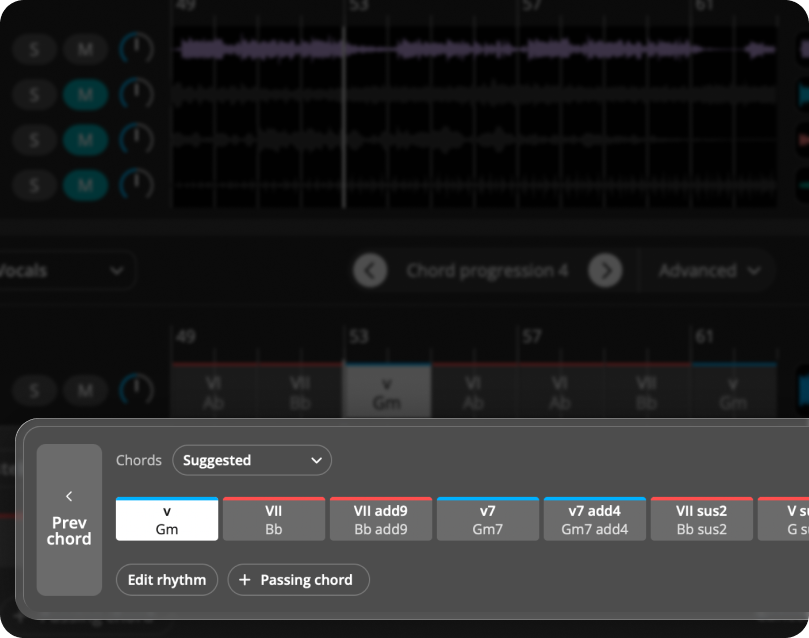
Select the chord you want to refine and compare alternatives, including the In Scale choices shown in the walkthrough. Try the available voicings and change the inversion before assuming you need a different chord.
Use Add Passing Chord to test a short connection between changes, or split, resize and delete chords when the timing needs attention. The Advanced options also change the overall rate of chord movement. Listen with the source phrase and bass after each edit so you can hear what that single change contributes.
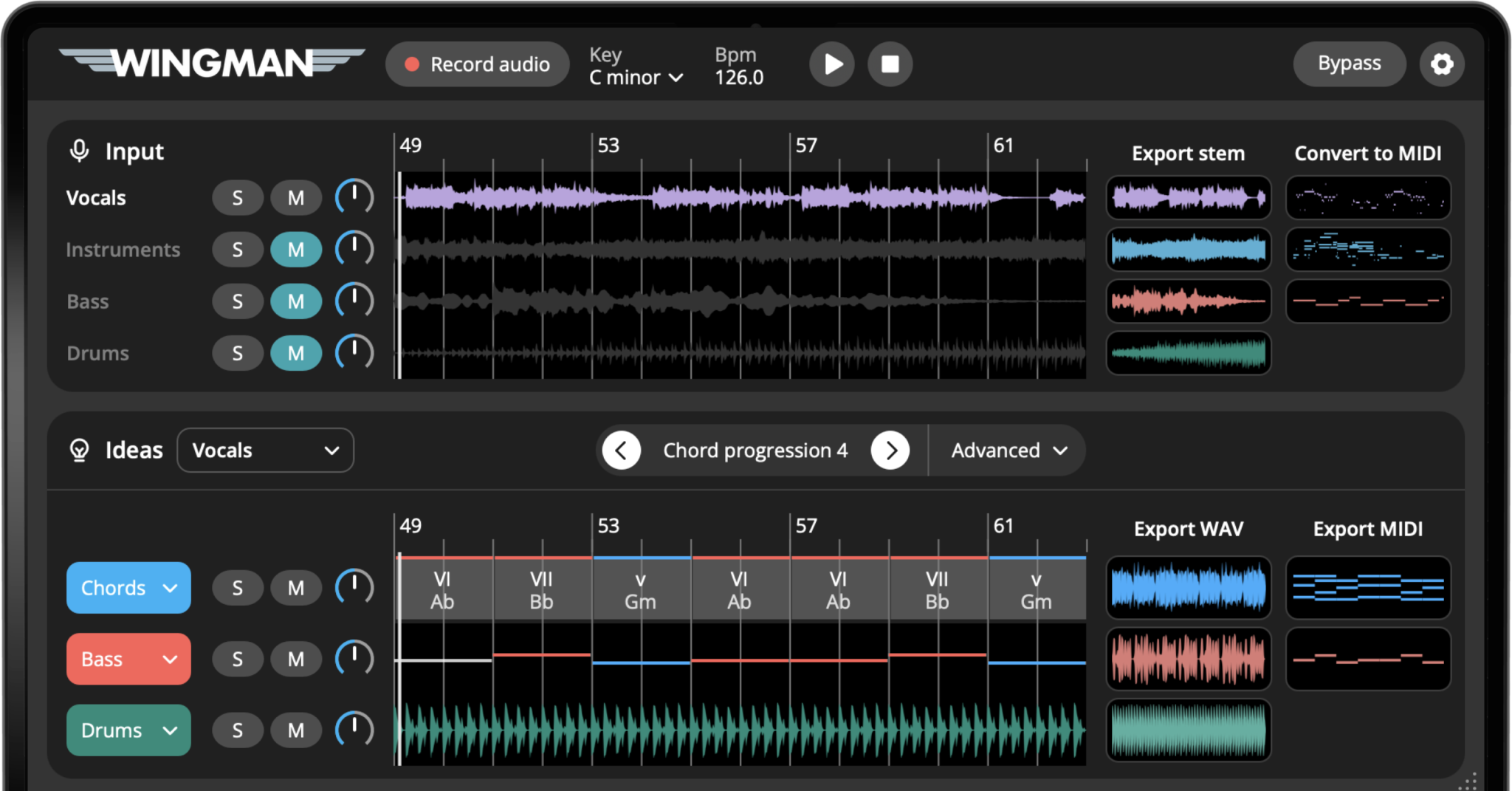
How to change chords without losing the vibe
Start with a progression that is already close
Begin with a chord progression in Wingman that mostly supports your track. It does not need to be perfect, but it should have the basic mood or direction you want to keep.
This workflow is about refinement, not starting from zero.
Identify the chord that feels wrong
Play the progression with your vocal, melody, loop, or track idea and listen for the moment that feels off. One chord may feel too tense, too soft, too dark, too bright, or out of place.
Work from the captured phrase in Wingman 3
Check the source audio, then audition only the parts you need. Keep listening to the original phrase as you refine the result.
Try alternate chord options
Click the chord, compare In Scale alternatives and audition the available voicings. Change the inversion when the notes are too high or the jump into the next chord feels awkward. In Wingman 3, use Add Passing Chord to try a brief connection, or split, resize or delete the selected chord to change its timing.
Compare the new chord to the original vibe
After trying an alternate chord, listen to the full progression again. The new chord should fix the problem without making the entire section feel like a different song.
If the track loses its mood, try a subtler option.
Check the chord against the vocal or melody
Loop the phrase with the original vocal or melody playing. Listen to long and accented notes over the revised chord, then compare the change into and out of it. A chord can fit the overall key while changing the tension at a specific moment.
Adjust the rhythm if the chord feels too strong
Sometimes the chord choice is right, but the way it is played feels too heavy. Try changing the rhythm, note length, or accents before replacing the chord again.
A shorter chord hit, softer rhythm, or different accent pattern can make the same chord fit better.
Update the bassline if needed
After editing the harmony, audition the bass against the revised chord. Review its notes and rhythm using the available controls or exported MIDI. Do not assume an earlier bassline still supports every chord change.
Export the refined progression
Once the progression keeps the original vibe but fixes the problem chord, export it as MIDI or WAV and continue producing in your DAW.
Export MIDI if you want to keep editing notes and chords later. Export WAV if the sound, rhythm, and effects are ready to use as audio.
How to know what kind of chord change to try
Different chord edits create different emotional results. Use these ideas when deciding what to change.
If the section feels too flat, try:
- A chord with more tension
- A brighter chord option
- A stronger change before the chorus
- A more rhythmic chord pattern
- A different bass movement under the chord
If the section feels too busy, try:
- A simpler chord choice
- Less movement between chords
- Shorter chord hits
- More space under the vocal
- A softer sound or fewer accents
If the vocal feels unsupported, try:
- A chord that better supports the vocal note
- A smoother transition into the chord
- A softer chord sound
- A simpler bassline under the vocal
- Less rhythmic activity during the phrase
If the progression loses energy, try:
- A stronger bassline
- More rhythmic chord movement
- A brighter chord color
- A more direct transition
- A tighter sound with less reverb
Tips for changing chords without losing the track
Change one thing at a time
If you change chords, rhythm, sound, and bass all at once, it becomes hard to know what improved the track. Start with one chord change.
Listen in context
A chord can sound good on its own but feel wrong under the vocal or melody. Always judge the edit with the full track idea playing.
Keep the emotional goal clear
Before choosing a new chord, decide what the section needs: more lift, more tension, more darkness, more softness, or more energy.
Frequently asked questions
Yes. You can refine chord progressions by trying alternate chord options and changing specific moments instead of replacing the entire progression.
Not always. If the progression mostly works, it is usually better to edit the specific chord that feels wrong first.
Yes. A small chord change can make a section feel brighter, darker, more emotional, smoother, or more energetic.
Sometimes. If the chord changes, the bassline may need a small adjustment so the low end still supports the harmony.
Yes. You can export the edited chord progression as MIDI or WAV and continue working on it in your DAW.
Refine your chords without starting over.
Use Wingman to edit chord progressions, try alternatives, update the bassline, and export the final idea into your DAW.
Updated