


Chord generator for your DAW.
Choose a key, build the harmony and hear it with your track. Captain Chords gives you editable chords, progressions and rhythms inside your DAW.
What is a chord generator?
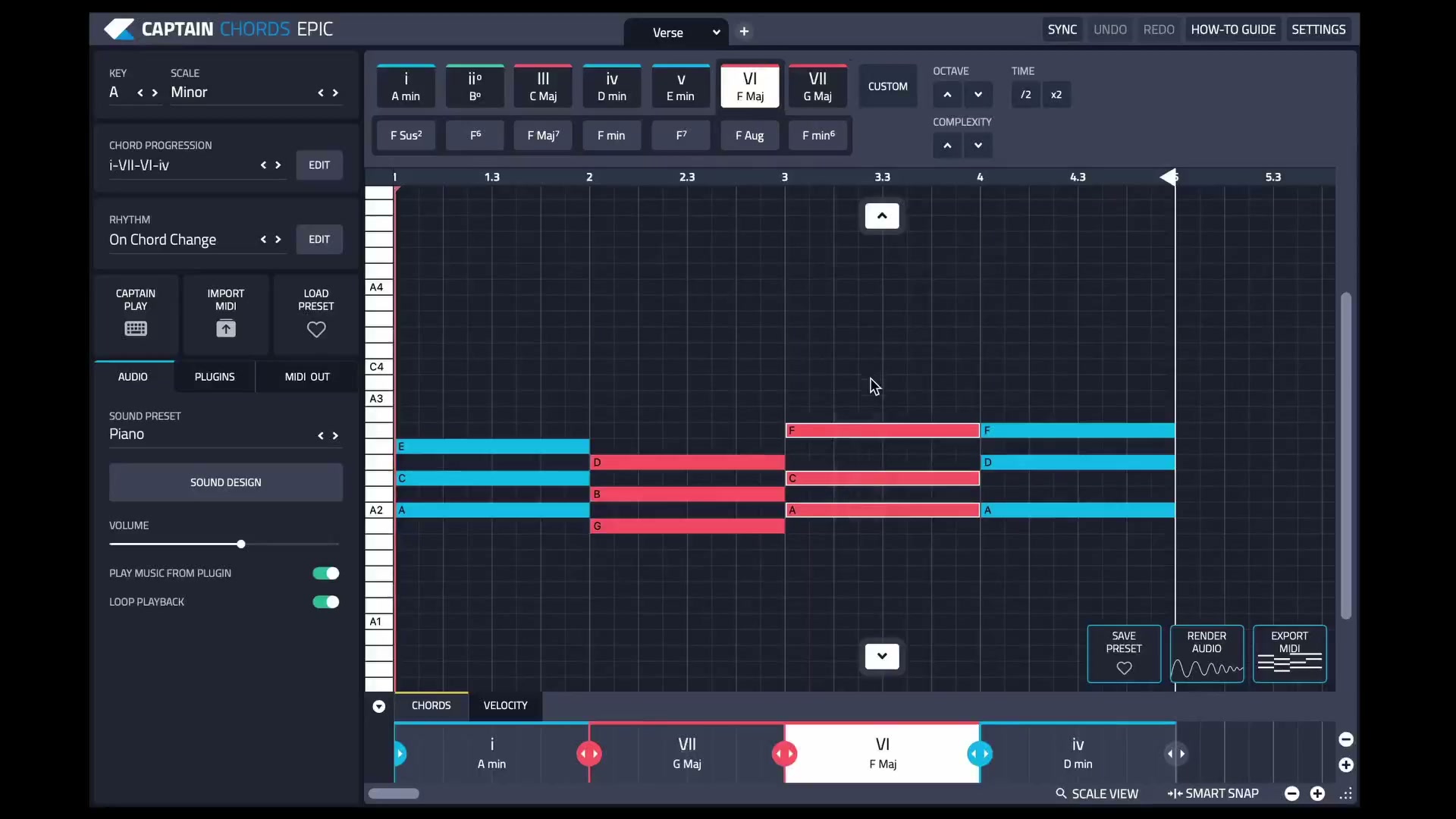
A chord generator helps you build chords and hear how they sound. In Captain Chords, choose a key and scale, add chords to the canvas, then edit their notes, timing and rhythm to suit your track.
You can start with an empty canvas or a progression preset. Keep what works, change the chords that don’t, and audition the result with the rest of your music.
From a key to a usable chord part.
Choose your key and scale.
Set the key and scale for the track. If you are writing around a vocal or sample, check its musical key before building the harmony.
Add chords or try a progression.
Use the chord buttons to build a sequence, or audition a progression preset as a starting point. Listen to the chord changes with your melody or loop.
Shape the voicing and rhythm.
Try inversions, suspended chords or extensions. Adjust note timing and rhythm so the chord part leaves space for the vocal, bass and drums.
Develop the other parts.
Connect Captain Deep and Captain Melody to work from the chord progression. Keep auditioning the parts together as you build the idea.
Export into your arrangement.
Export the chord part as MIDI to edit or play with another instrument in your DAW, or render audio when you want to keep the sound from Captain.
Editing in Captain Plugins 8.
The current canvas workflow lets you revise a selected part of the idea without replacing everything around it. Apply a new progression to the selected notes; adjust the footer while retaining the notes on the canvas.
Starting with a recorded vocal?
Captain is useful when you want to compose and edit the chord part yourself. If you want accompaniment suggestions based on existing audio, follow our guide to build chords around a vocal in Wingman. It shows how to audition harmony ideas against the recording before developing the arrangement.
Choose the workflow that fits your starting point.
Start in Captain for hands-on chord writing. Start with the Wingman guide when the vocal or audio is the part you already have.
Frequently asked questions.
Do I need to know music theory?
You can audition chords and progression presets without writing every note from scratch. Listening to the result and learning how the chords relate will help you make more deliberate choices.
Can I edit the generated chords?
Yes. A preset is a starting point: change the chords, voicing, timing and rhythm, then refine the MIDI in your DAW.
Does choosing a key guarantee the chords fit a sample?
No. The sample’s melody and harmony still matter. Check the key first, then audition the chord changes with the actual passage you will use.
Where can I check compatibility and setup?
See the current Captain Plugins product page for purchase information and the Captain Chords how-to guide for setup, routing and export instructions.