


Chord progression generator for your DAW.
Try a chord sequence in your key, change its voicing and rhythm, and build a part that works with your melody. Start with a preset or write it from scratch in Captain Chords.
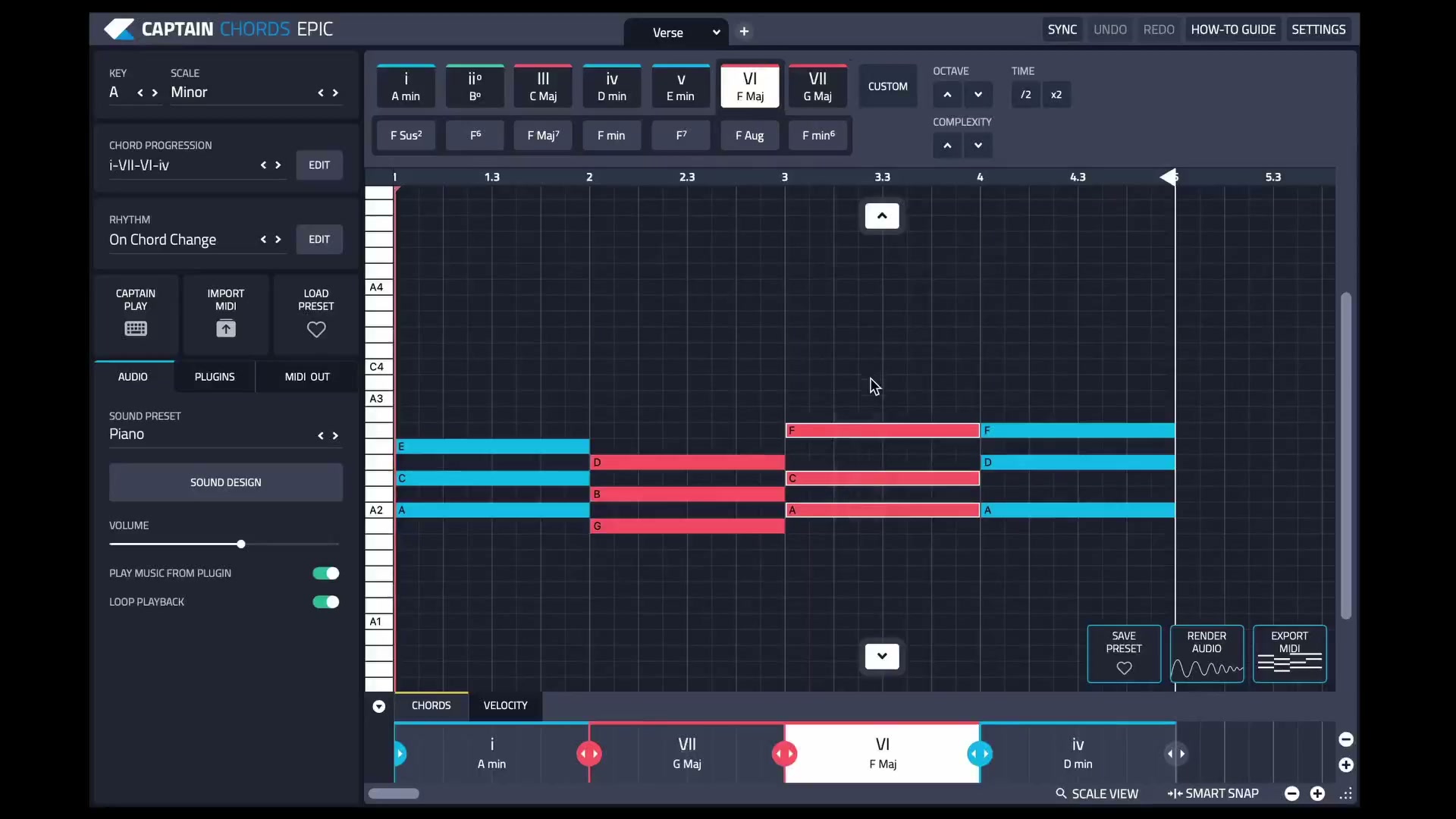
What does a chord progression generator do?
A chord progression generator gives you a sequence of chords to start from. Captain Chords lets you try progressions in your chosen key, then change the chord order, voicing and rhythm until the sequence fits your track.
The progression provides the harmonic movement. Your edits decide how it supports the melody, where it builds tension and how it resolves.
Build a progression you can arrange.
Set the musical key.
Choose the key and scale in Captain Chords. When you have an existing melody or vocal, check that starting point against the audio.
Audition a short sequence.
Try a progression preset or add chords yourself. Start with a short loop so you can hear how each change supports the phrase.
Change the chords that need work.
Select the notes you want to revise, then try a different progression for that selection. Experiment with inversions or chord extensions where the melody needs a different color.
Make the rhythm work with the track.
Adjust chord timing and rhythm around the drums and vocal phrasing. A progression that sounds right as long notes may need a different groove in the finished track.
Build sections and export.
Use workspaces for sections such as verse and chorus. Develop bass and melody with Captain Deep and Captain Melody, then export MIDI or audio into your DAW arrangement.
Start simple, then change one thing.
For a practical listening exercise, try Am–F–C–G in A minor. Keep the same sound and rhythm while you test a different chord order or inversion, so you can hear what each edit changes.
A four-chord starting point
This is an example to try, rather than a formula that fits every song. Play it with your melody and listen especially to the last chord and the return to the first.
Refine the progression in Captain Plugins 8.
Version 8 improves the canvas editing workflow: progression changes respect your note selection, footer edits retain canvas notes, and the playhead follows the DAW position even while paused.
Need chords for a vocal you already have?
A progression needs to work with the singer’s notes and phrasing. Our guide to build chords around a vocal in Wingman gives you an audio-first route for trying accompaniment ideas against the recording. For hands-on composition, keep developing the chord sequence in Captain Chords.
Frequently asked questions.
What is the difference between a chord and a progression?
A chord is a group of notes played together. A progression is a sequence of chords, with timing and movement between them.
Can I change the key after creating a progression?
Yes. Captain Chords lets you try a progression in different keys and scales. Recheck the result against any existing vocal, sample or other fixed audio.
Should the verse and chorus use the same chords?
They can, but they do not have to. Try changes in chord order, rhythm, register or instrumentation before assuming you need an entirely new progression.
Can I use another instrument for the finished part?
Yes. Export the MIDI to your DAW and use the instrument you want. The Captain Chords how-to guide also explains instrument routing and audio export.