


How Harmonic Mixing Improves Your DJ Sets
Updated
Harmonic mixing gives you a useful starting point when two melodic tracks will overlap. It helps you organize possible pairings, rehearse longer blends and plan a set with alternatives. Song selection and timing still decide whether the transition works.

Give melodic transitions more room
When basslines, chords or vocals sit comfortably together, you can experiment with a longer overlap. You may be able to bring in percussion first, exchange basslines at a phrase boundary and let the new melody take over gradually.
Compatible keys do not guarantee a clean blend. Two busy vocals, different chord changes or an awkward phrase boundary can still compete. Listen to the sections you intend to use.
Build a useful shortlist with Camelot notation
From 8A, start with 8A, 7A, 9A or 8B. The same-key, adjacent-number and same-number A/B routes make it easier to see closely related options without remembering every traditional key relationship.
Use the Camelot Wheel reference for the notation and the practical Camelot workflow for the listening steps.
Compare energy and tempo as well as key

A harmonically compatible track can still arrive with the wrong intensity for the moment. Mixed In Key 11 key, BPM and Energy Level results help you compare options before the gig. Check the part you will play, because an intro can feel very different from its drop.
Prepare more than one route through the playlist. Keep the track that suits the crowd even when it calls for a shorter transition instead of a long harmonic blend.
Use key analysis with a listening check
If a recording changes key or the detected label does not fit the section you chose, the planned blend may sound different from the shortlist. Rehearse important transitions at your actual performance tempo and key-lock settings.
Read the current key detection software comparison for published test evidence and limitations. Accuracy results depend on the tested music and evaluation method; they are not a guarantee for every recording.
Preview combinations in Pro
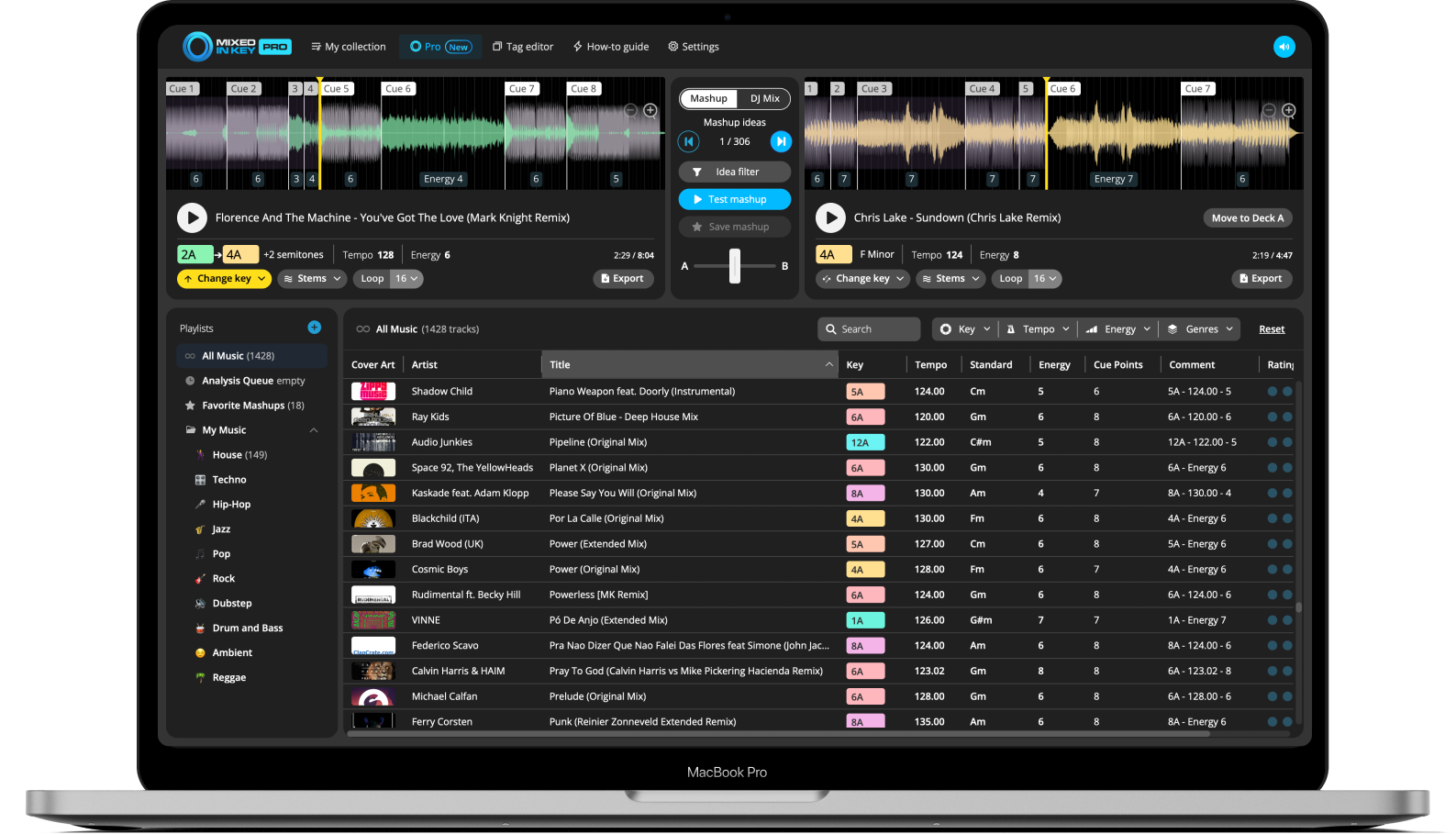
Standard provides library analysis and preparation tools. Pro adds mashup suggestions, deck players, stem playback and key changes. Use those tools to hear a vocal or instrumental pairing before exporting material for a DAW arrangement.
For an energy change, try an advanced move on the exact phrases and compare it with a smoother route. A key-number jump alone does not guarantee a more energetic mix.
Keep the set musical
Record a rehearsal and listen away from the decks. Check whether the track choices support the direction of the set and whether any long overlap becomes distracting. Keep the transitions that help the music, even when they are technically simpler.
Prepare your music with Mixed In Key 11
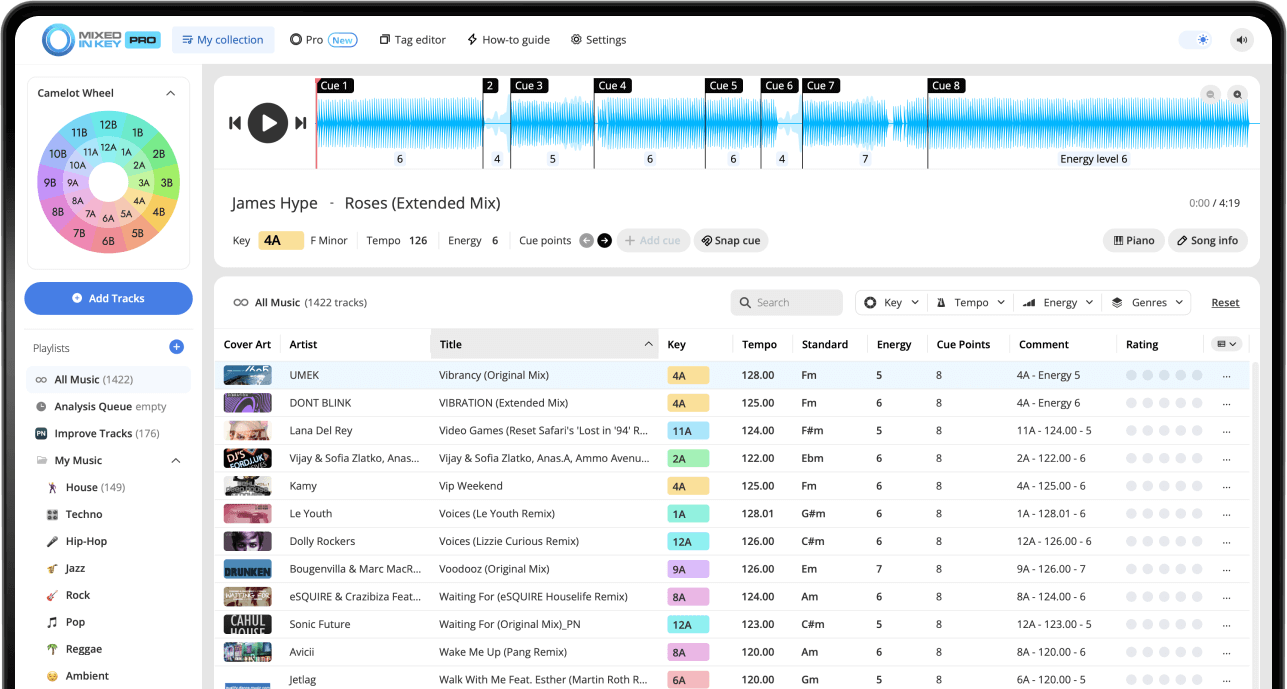
Mixed In Key 11 Standard and Pro analyze musical key, BPM, Energy Level and automatic Cue Points. Use those results to organize your collection and prepare transitions. Review cues against the beat grid, then follow the integration guide for your DJ software.
Pro adds mashup suggestions, deck players, stem playback and key changes so you can audition combinations before finishing them in your DAW.
Put it into practice
Original article by Adam Hignell.