


Harmonic Mixing Explained
Updated
Harmonic mixing means choosing tracks whose musical keys work together during the transition. It is most useful when basslines, chords or vocals overlap. Compatible key labels help you choose a pairing; your ears decide whether the actual blend works.

What does it mean for tracks to be in key?
A track’s key describes its tonal center and the notes that tend to support it. Tracks in the same or closely related keys often give you more room for a melodic blend. That does not mean every note or every section will fit: recordings can change key, use borrowed chords or contain vocals that compete.
Use the label to narrow your options, then listen to the intro, breakdown or other phrases you plan to overlap.
Use Camelot notation to find your first options
The Camelot Wheel shows minor keys with A and major keys with B. For a track in 8A, begin by auditioning 8A, 7A, 9A or 8B. Same-key, adjacent-number and same-number A/B moves are practical starting points.
8A is C minor and 8B is E-flat major. These relative keys share a key signature, but the arrangements can still clash. Keep listening to the parts that are playing together.
Check BPM, phrasing and key lock
Line up a useful phrase boundary and compare the rhythms. Two tracks with compatible keys can still feel wrong if a vocal enters halfway through another vocal or a new bassline arrives at the wrong moment.
Changing playback speed can change pitch unless your setup uses key lock or a similar mode. Rehearse at the tempo and settings you intend to use on stage.
Why the key result matters

Mixed In Key 11 analyzes tracks before the gig so you can sort a library by musical key and compare possible transitions. If a label is wrong or describes only part of a recording, the shortlist may be less useful. Check important blends by ear rather than treating any algorithm as a guarantee.
See our key detection software comparison for the published comparison study, its test context and the differences between tools. We do not turn a result on one music collection into a promise of perfect accuracy on every track.
Use advanced moves deliberately
Moving +2 while keeping the letter, such as 8A to 10A, is an advanced Energy Boost option. It is not as closely related as an adjacent-number move and may add tension or clash during a long overlap. Try it on the exact phrases and keep a smoother alternative ready.
For the practical method and examples, use Change energy with the Camelot Wheel.
A simple harmonic-mixing practice routine
- Analyze a small playlist and display its key labels.
- Choose a same-key, adjacent-number or A/B pairing.
- Compare BPM, energy and the phrases that will overlap.
- Rehearse at performance tempo and listen for competing melodies.
- Record the transition and keep the version that sounds clean.
Prepare your music with Mixed In Key 11
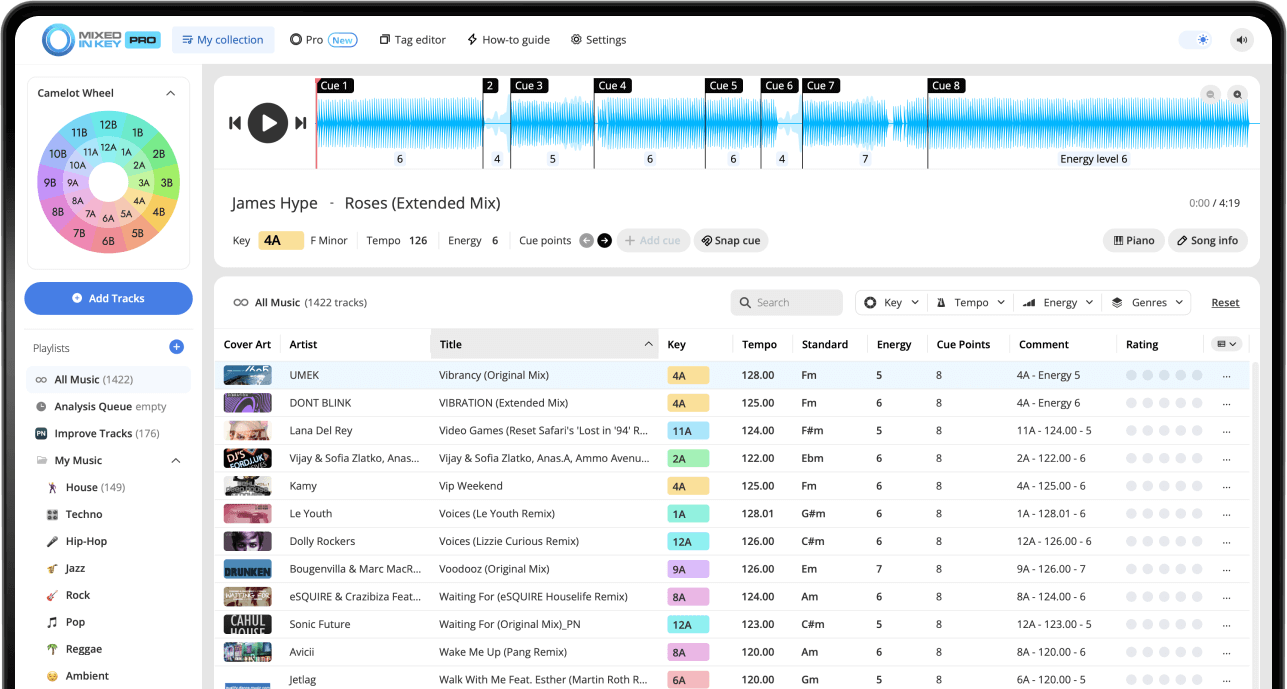
Mixed In Key 11 Standard and Pro analyze musical key, BPM, Energy Level and automatic Cue Points. Use those results to organize your collection and prepare transitions. Review cues against the beat grid, then follow the integration guide for your DJ software.
Pro adds mashup suggestions, deck players, stem playback and key changes so you can audition combinations before finishing them in your DAW.