


In this article
What is Captain Plugins songwriting software?
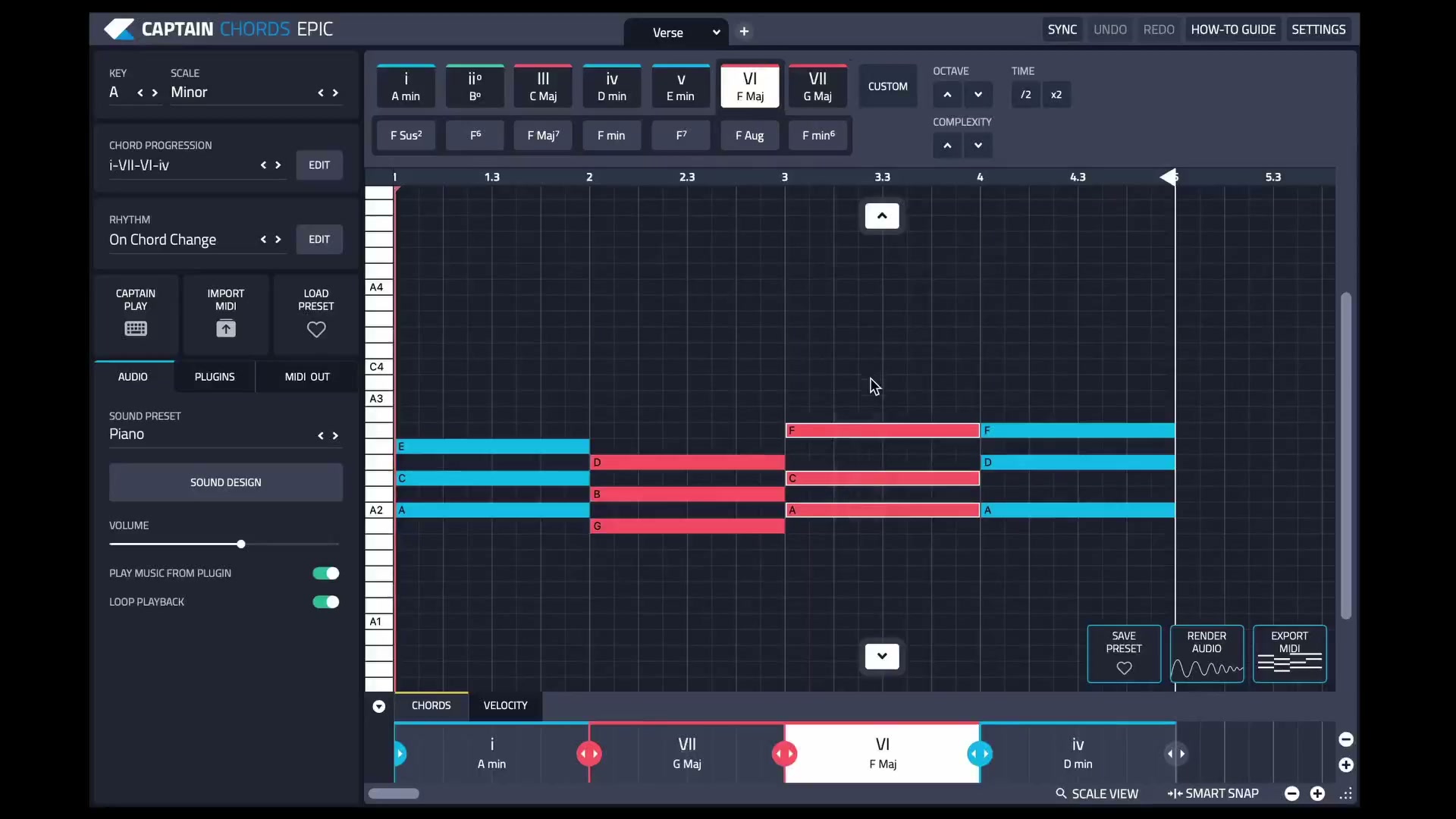
Captain Plugins is a music-composition suite from Mixed In Key. Captain Chords is the starting point for a progression; Captain Melody and Captain Deep help develop related melodic and bass parts. Captain Beat handles drum patterns, and Captain Play offers ways to perform notes and chords. The suite helps with writing the parts of a song. You still choose the musical direction, arrangement and final mix.
Choose the part you need to write
| Tool | Start here when | Listen for |
|---|---|---|
| Captain Chords | You want to create or refine the harmonic progression | Chord movement, voicing, rhythm and space for the lead |
| Captain Melody | The progression needs a melody | A recognizable phrase, useful tension and a clear ending |
| Captain Deep | The harmony needs a bass part | Register, movement and how the bass works with the kick |
| Captain Beat | You want to develop the drum groove | Pulse, accents, variation and space for the other parts |
| Captain Play | You want to perform and explore musical ideas | Phrasing and useful variations you can keep developing |
Start with the part that is missing. Building every available part at once can make it harder to hear which idea is actually working.
Build a short idea before arranging a full song
- Choose a musical direction. Set the key and scale for the phrase you want to write. If you already have a vocal or lead, use it as the reference while judging the accompaniment.
- Write a short progression. Start with a manageable phrase in Captain Chords. Compare chord order, duration and voicing with a simple sound before adding elaborate rhythm.
- Develop the bass. Use Captain Deep with the progression, then listen to the bass and kick together. A busy chord pattern may work better with a simpler low end.
- Add a melody. Use Captain Melody to explore a phrase that responds to the harmony. Keep strong motifs and leave breathing room where the main vocal belongs.
- Shape the groove. Add or refine the drums in Captain Beat and check how the accents support the other parts.
- Export a version. Put the parts on the DAW timeline and listen through a verse or chorus length. Arrangement decisions become clearer once the idea has a beginning, change and ending.
A useful first result might be eight bars that you can listen to repeatedly without wanting to add another layer. You can then create contrast through register, rhythm, sound and the number of active parts.
Edit the progression and hear the surrounding parts
The relationship between parts matters more than their complexity. Captain Chords, Melody and Deep are designed to work together, so changes to the harmony can guide the related parts. Listen after a change: an appropriate note can still arrive at an awkward moment or occupy the same register as the lead.
Try one edit at a time. Change a chord voicing, shorten the bass notes, or remove a melodic pickup. Compare the full phrase before deciding whether the edit helps. Save a version before making a larger change so you can return to the earlier musical idea.
See the Captain Plugins 8 workflow
The current update walkthrough shows the canvas and editing workflow. Use it alongside the individual plugin guides, then try the controls on a short phrase in your own session.
Can Captain Plugins export both MIDI and audio?
Captain Chords provides both MIDI export and rendered audio. Choose MIDI when you want to continue editing notes or use another instrument. Choose rendered audio when you want to keep the sound produced by the plugin. This distinction is useful when preparing a collaboration or moving an idea into the arrangement.
- For MIDI: drag the progression’s MIDI region into the DAW and place it on an appropriate instrument track. Assign a sound and check the clip’s timing and register.
- For audio: use Render Audio in Captain Chords, then drag the resulting clip onto an audio track.
- Check playback: turn off Play Music From Plugin when the DAW should supply the exported part, so the two versions do not play together unintentionally.
These are the documented Captain Chords controls; use the relevant plugin guide for other parts. Keep a reference render alongside MIDI when the sound and phrasing matter to the person receiving the session.
Read the Captain Chords guide or review MIDI chords, editing and export.
Write the notes, then choose the sound
A sound can change how a phrase feels. A short pluck reveals gaps; a pad can hide them beneath its release. Check the musical part with a straightforward sound first, then try timbres that fit the arrangement. When moving MIDI to another instrument, listen again rather than assuming the same velocities and note lengths will behave identically.
Captain Chords supports using compatible VST instruments and MIDI output routes described in its guide. Choose the route supported by your setup and verify that the session reopens as expected. The composition and the sound are related decisions, but keeping them separate makes editing easier.
Common questions
Do I need to play piano to write with Captain?
You can build and edit parts with the software’s controls. Playing an instrument can help, but you can also learn by changing one musical choice and listening to its effect.
Does a generated idea become a finished song automatically?
No. Develop the phrase, create sections and transitions, and make the production decisions in your DAW. The useful output is musical material you can shape.
Can I change the instrument after exporting MIDI?
Yes. MIDI describes notes and performance data rather than preserving the original instrument sound. Assign a new instrument and check register, note lengths and velocity response.