


How Cue Points Can Improve Your DJing
Updated
Cue points mark useful moments in a track so you can find them quickly. A good set of markers helps you start a transition on the right phrase, repeat a routine and avoid searching through a waveform while you play.

What should a cue point mark?
Mark the places that matter to your way of mixing: a clean intro, the first vocal, a drop, a breakdown or the beginning of a mix-out phrase. Use a consistent naming or color system in your DJ app so the same type of marker is easy to recognize.
The number of cues and the way you trigger them depend on your software and hardware. Choose the markers you will actually use instead of filling every available slot.
Start with automatic Cue Points

Mixed In Key 11 Standard and Pro include automatic Cue Point analysis. It gives you a starting set of positions to review during preparation. Check the markers against the track’s beat grid and arrangement, and move or remove them when a different phrase works better.
Automatic analysis cannot know the exact routine you want to perform. A marker that makes sense for a long club mix may be less useful for a short vocal cut.
Use cues to prepare a transition
Choose the incoming start and outgoing exit before rehearsing. Compare the phrase lengths, vocals and basslines. If the overlap sounds crowded, move a marker to a cleaner section or shorten the blend.
Use key, BPM and energy alongside the cues. Those labels help you narrow the choices; listening to the actual overlap is still the deciding step.
Transfer cues with the right integration
Follow the guide for your DJ application. Writing key and energy tags does not automatically transfer Cue Points everywhere. Confirm the file path, supported format and export option, then load one test track to check the result.
Back up existing cues and understand overwrite behavior before importing a large batch. Start at the DJ software integration hub.
Practice a repeatable cue routine
Choose a few tracks and practice returning to the same phrase without losing the groove. Begin with simple starts and cuts, then add a loop or a short performance phrase. Record the routine and listen to its timing and levels.
For an example of cue-based performance, watch this DJ Puffy routine.
Prepare your music with Mixed In Key 11
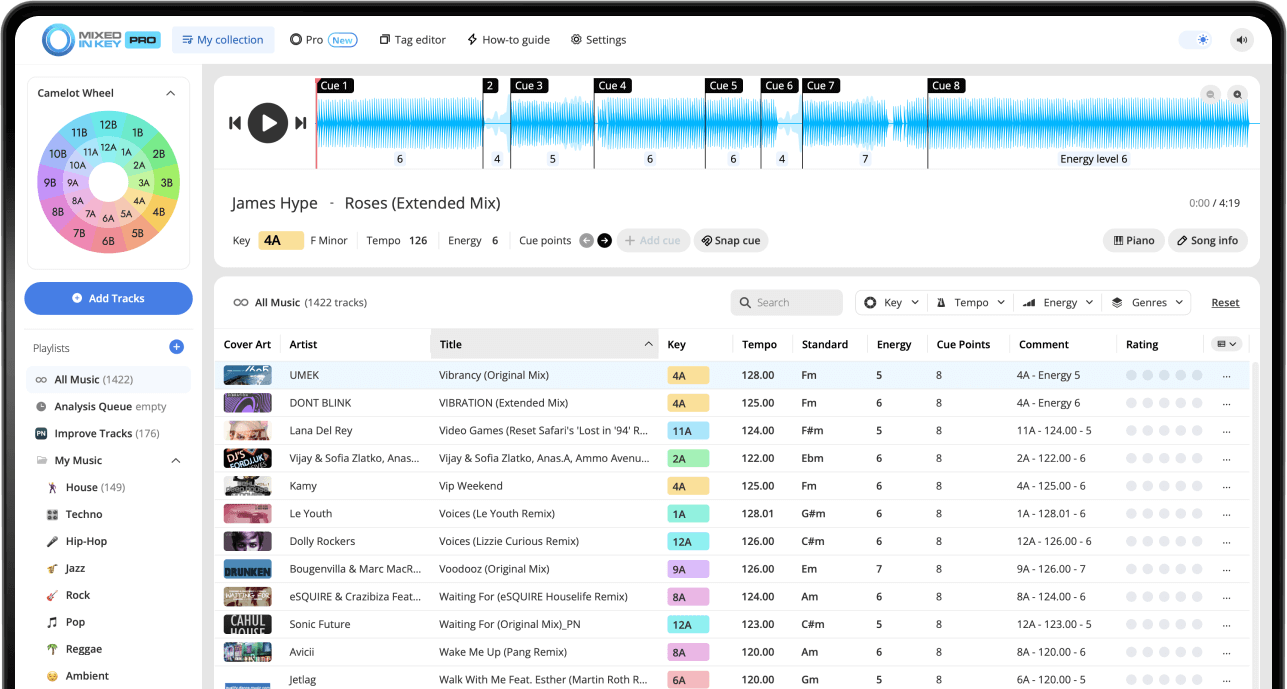
Mixed In Key 11 Standard and Pro analyze musical key, BPM, Energy Level and automatic Cue Points. Use those results to organize your collection and prepare transitions. Review cues against the beat grid, then follow the integration guide for your DJ software.
Pro adds mashup suggestions, deck players, stem playback and key changes so you can audition combinations before finishing them in your DAW.
Put it into practice
Original article by Adam Hignell.