


What Is Mixed In Key?
Mixed In Key 11 is music analysis and preparation software for DJs. Standard and Pro share the analysis; Pro adds tools for auditioning combinations and making mashups.
What Is Mixed In Key?
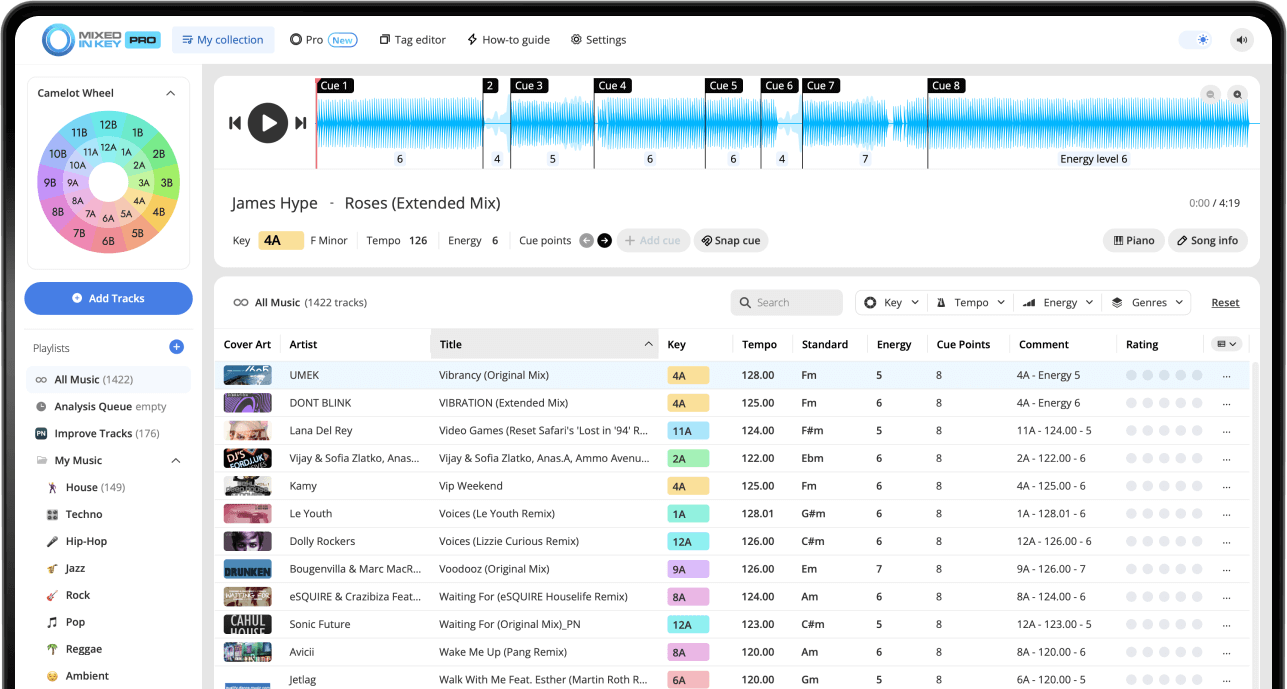
Mixed In Key 11 analyzes your local music files for key, BPM, energy and cue points. Use the results to organize tags and crates and prepare transitions in your DJ software. Standard includes the analysis and library tools. Pro includes everything in Standard and adds mashup suggestions, deck players, stems and key changes.
Key, BPM, energy and automatic Cue Points are included in Standard and Pro. Mashup suggestions, deck players, stems and key changes require Pro. Compare Standard and Pro.
Used by the world’s top DJs
Mixed In Key has become an industry-standard tool for DJs who care about harmonic mixing, music library organization, and set preparation. It is used by top DJs and producers around the world because it helps them prepare music faster and make more confident mixing decisions.
Whether you are organizing a large DJ library, preparing tracks for a club set, checking the Key of new music, or cleaning up your tags before exporting to DJ software, Mixed In Key gives you a consistent workflow for understanding your songs.
Why DJs rely on it
- Fast music library analysis
- Accurate Key detection
- Simple Camelot notation
- Energy Level ratings for set flow
- Cue Points for faster track navigation
Where it fits
- Before building playlists
- Before exporting tracks to DJ software
- While organizing new downloads
- When preparing harmonic transitions
- When cleaning up messy track metadata
What Mixed In Key does
Mixed In Key scans your music files and gives you analysis results that are useful for DJ preparation. Instead of working with a folder full of tracks with inconsistent metadata, you can see musical and organizational information that helps you understand how each song might fit into a set.
The core idea is simple: when you know the Key, BPM, Energy Level, Cue Points, and tag structure of your tracks, you can prepare playlists and transitions more intentionally.
Mixed In Key helps you:
- Analyze your music library
- Find the Key and BPM of your tracks
- Use Camelot notation for harmonic mixing
- Compare Energy Level between songs
- Prepare Cue Points for faster navigation
- Clean and organize ID3 tags
It is useful when you want to:
- Build smoother DJ transitions
- Prepare playlists before a gig
- Organize new music downloads
- Find songs that sound good together
- Make your DJ software library easier to browse
- Use a consistent tagging scheme across your collection
What information does Mixed In Key analyze?
Mixed In Key focuses on the information DJs use most when preparing music. These results help you make better decisions before and during your DJ workflow.
Key
Mixed In Key detects the musical Key of each track and shows it in Camelot notation, such as 8A or 9B. A means minor, and B means major.
BPM
BPM shows the tempo of a track, which helps you compare songs and choose tracks that can be mixed smoothly in your DJ software.
Energy Level
Energy Level helps you understand how intense a track feels, so you can build momentum, maintain a groove, or bring the set down at the right time.
Cue Points
Cue Points help you prepare useful places inside each track, such as intros, breakdowns, drops, and mix-out sections.
Turn your music library into a preparation tool
Once your tracks are analyzed, your library becomes easier to search and organize. You can look for compatible Keys, compare BPM, plan Energy Level changes, use Cue Points to move through tracks faster, and keep your metadata more consistent.
This makes Mixed In Key especially useful before a gig, while building playlists, or when organizing new music.
How DJs use Mixed In Key
Mixed In Key is usually used before opening your performance workflow. You analyze and organize your music first, then use the results to make better decisions in your DJ software.
Add your tracks to Mixed In Key
Start by adding your tracks, folders, or playlists to Mixed In Key. This can be your full library, a new batch of downloads, or a specific crate you are preparing for a gig.
Analyze your music
Mixed In Key analyzes your songs and shows useful DJ information such as Key, BPM, Energy Level, and Cue Points.
Customize and clean up your tags
Choose how you want Mixed In Key results to appear in your ID3 tags. This helps your library use the same formatting scheme across your files, playlists, and DJ software.
See the results in your DJ software
Follow the integration guide for your DJ app to refresh key/BPM metadata and transfer supported Cue Points. Test one local file first. Tags and cues use different workflows, and the transfer steps depend on the app.
Use the results to prepare better sets
Use key, tempo and energy to narrow your choices, then listen to the arrangement and rehearse the transition. Mixed In Key is a preparation tool; your DJ app remains the place to perform the set.
Mixed In Key and the Camelot Wheel
One of the most popular reasons DJs use Mixed In Key is harmonic mixing. Harmonic mixing means choosing songs with compatible musical Keys so transitions sound smoother and less dissonant.

The Camelot Wheel makes this easier by turning musical Keys into simple codes. For example, a track might be labeled 8A, 9A, or 8B. A means minor, and B means major.
If your current track is 8A, you can start by looking for songs in 8A, 7A, 9A, or 8B. These are reliable starting points for finding songs that may sound good together.
Can you use Mixed In Key results in DJ software?
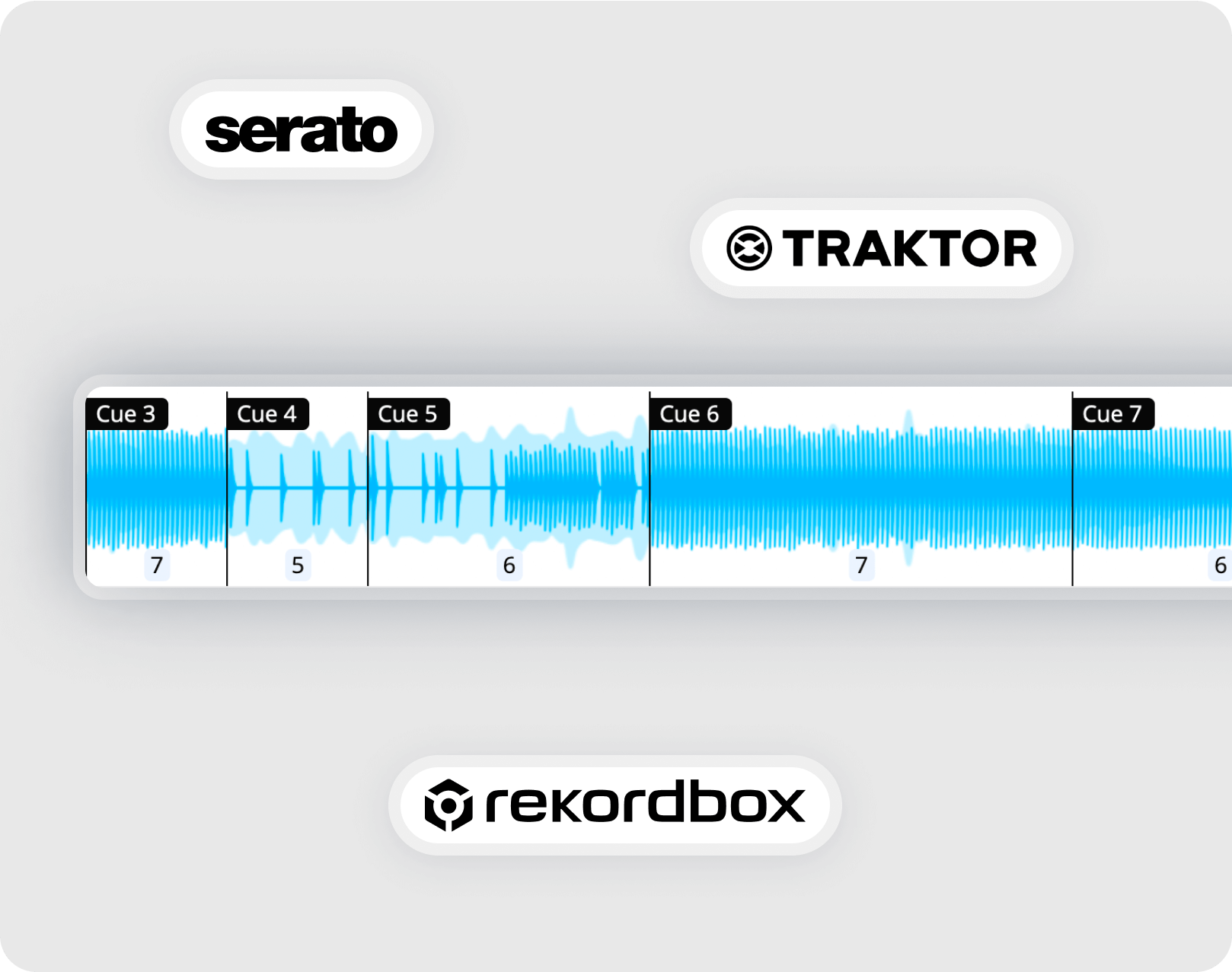
Yes. Mixed In Key is designed to fit into a DJ preparation workflow. After analyzing your tracks and organizing your tags, you can bring the results into your DJ software workflow, such as Rekordbox, Serato, Traktor, and others.
Prepare in Mixed In Key, DJ in your software
Mixed In Key gives you analysis results before you perform. Your DJ software is where you browse tracks, build playlists, load songs, and test transitions.
Follow the integration tutorial inside Mixed In Key for your specific DJ app so your Key, BPM, Energy Level, Cue Points, and tag information appear where you expect them.
What is Mixed In Key Pro?
Mixed In Key Pro is built for DJs who want to create better DJ sets, mashups, and transition ideas in less time. It combines Mixed In Key’s award-winning music analysis with Mashup Mode, DJ Mix Mode, stem separation, pitch shifting, looping, and real-time idea discovery.
Instead of only analyzing your library, Mixed In Key Pro helps you actively test what songs work together. You can preview mashup ideas, hear transition combinations, save favorites, and export stems for edits or mashups.
Find mashup ideas fast
In Mashup Mode, load a track into Deck A and Mixed In Key Pro shows possible mashup combinations from your music collection. You can preview ideas quickly and find combinations that would take much longer to discover manually.
Change Key to discover new matches
If you want a mashup idea that feels more unique, change the Key of a track and Mixed In Key Pro will show new mashup suggestions based on that updated Key.
Use stems for mashups and edits
Built-in stem separation lets you create acapellas and instrumentals, test different combinations, and export stems in the original or changed Key when you find an idea you like.
Build better DJ playlists
Switch to DJ Mix Mode to get ideas for songs that could work well together based on Key, Energy Level, and BPM. It is a powerful way to build playlists for your next gig, DJ set, livestream, radio show, or practice session.
Once you find promising song combinations, you can preview them to make sure they feel right together before saving your favorites and building your setlist.
Frequently asked questions
Mixed In Key is used to analyze music for DJ preparation. It helps DJs see Key, BPM, Energy Level, and Cue Points, clean up ID3 tags, organize tracks, prepare playlists, and find songs that may work well together.
No. Harmonic mixing is one of the main uses, but Mixed In Key also helps with library preparation, BPM checking, Energy Level planning, Cue Points, ID3 tag cleanup, and DJ software workflows.
The Camelot notation is a DJ-friendly way to show musical Key. The number shows where the Key sits on the Camelot Wheel, A means minor, and B means major.
Yes. Mixed In Key can help you clean up and organize ID3 tags so your track information follows a consistent scheme across your library and DJ software.
Yes. You can bring the Key, BPM, Energy Level, Cue Points, and tag information into your DJ software workflow, such as Rekordbox, Serato, Traktor, and others. Follow the integration tutorials inside Mixed In Key for setup.
No. Mixed In Key is a preparation tool. Your DJ software is where you browse tracks, build playlists, load songs, and perform. Mixed In Key helps you prepare better information before you DJ.
Analyze and organize your tracks with Mixed In Key.
Find Key, BPM, Energy Level, Cue Points, and cleaner ID3 tags so your music library is easier to organize, search, and use in your DJ sets.
Updated