


How to Make Acapella and Instrumental Mashups
Choose the vocal phrase you want to use. Test it over an instrumental, then check timing and musical clashes before exporting.
How to Make Acapella and Instrumental Mashups
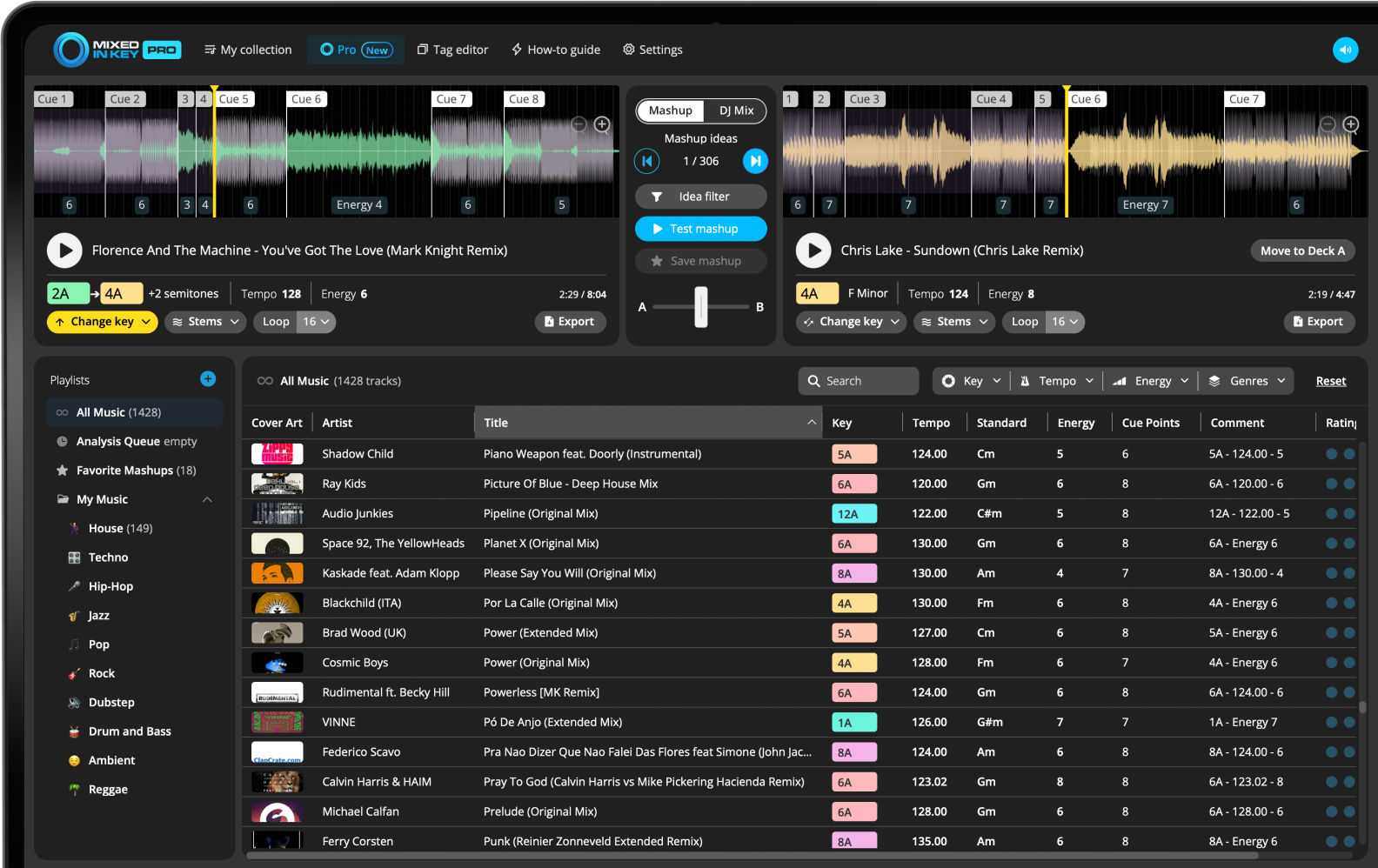
In Mixed In Key 11 Pro, load a reference track in Mashup Mode and use vocal or instrumental playback to audition suggested partners. Compare key, BPM and the actual phrases. Keep a pairing that leaves room for the vocal, export the parts you need and finish the arrangement in your DAW. Stem quality and timing still need a listen.
Key, BPM, energy and automatic Cue Points are included in Standard and Pro. Mashup suggestions, deck players, stems and key changes require Pro. Compare Standard and Pro.
Why acapella + instrumental mashups are so useful
One of the cleanest mashup formats is a vocal from one song over an instrumental from another. It gives you a clear focal point and avoids the mess of two vocals fighting each other.
Mixed In Key Pro makes this easier because you can isolate stems and test combinations before exporting anything.
Choose acapella or instrumental playback
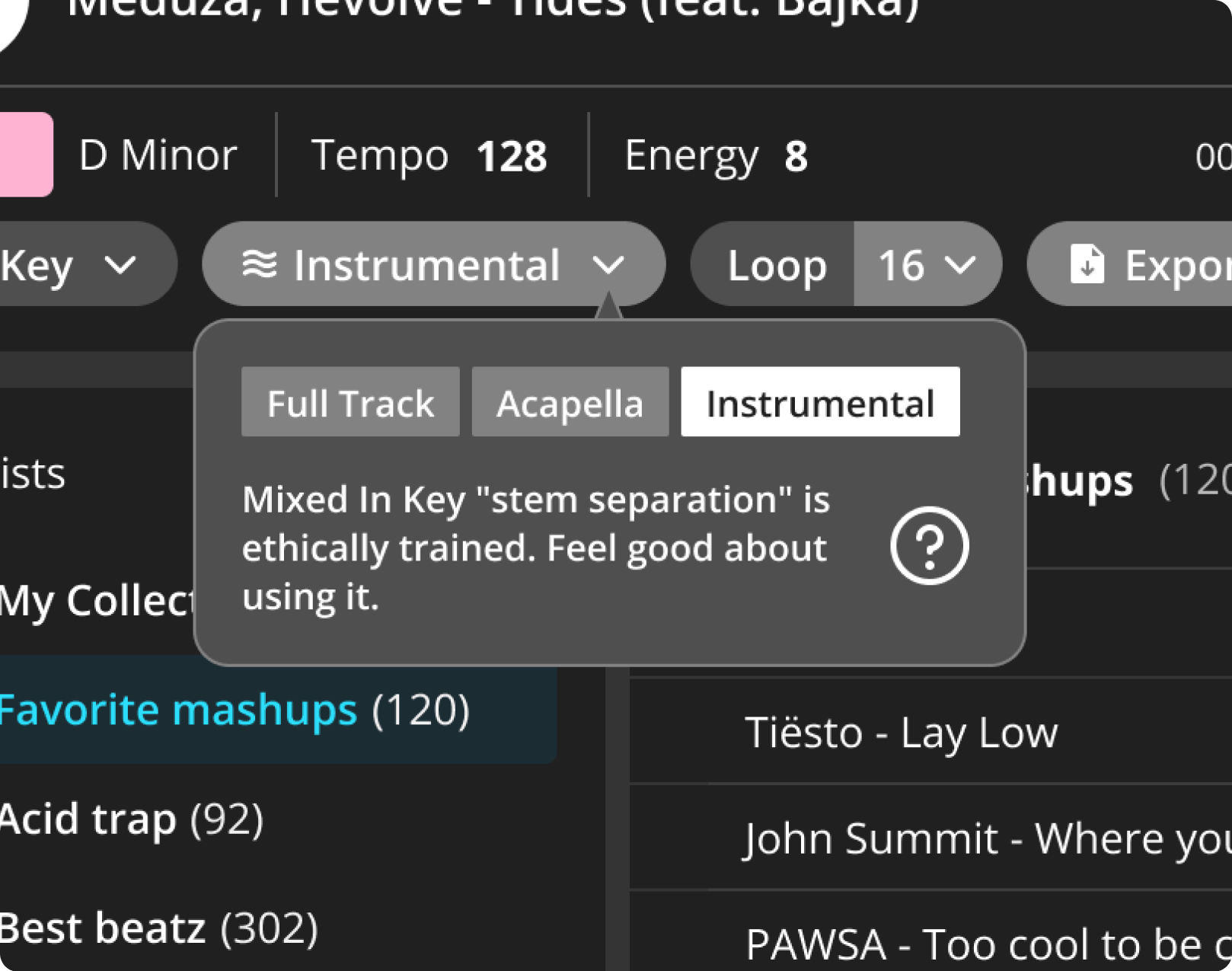
Mixed In Key Pro lets you switch each deck between full track, acapella, and instrumental playback.
Build around one vocal
Use the acapella from one song as the main idea, then test different instrumentals underneath it.
If the second song has a vocal, switch it to instrumental only so the two vocals do not compete.
Match the vocal and instrumental by Key
Key is one of the most important parts of an acapella mashup. If the vocal and instrumental clash harmonically, the mashup can sound wrong even if the timing is good.
Start with songs in the same Camelot Key or compatible Camelot Keys. If the idea is close, try changing Key in Mixed In Key Pro and test again.
Make sure the vocal and instrumental have the right energy
A vocal can feel too soft for a high-energy instrumental, or too intense for a relaxed groove. Use Energy Level to decide whether the two parts belong together.
Use Cue Points to test the best sections
Use Cue Points to jump to the best vocal phrases, instrumental drops, breakdowns, and mix-out sections. This helps you test the actual parts you would use in the mashup.
Export the acapella and instrumental
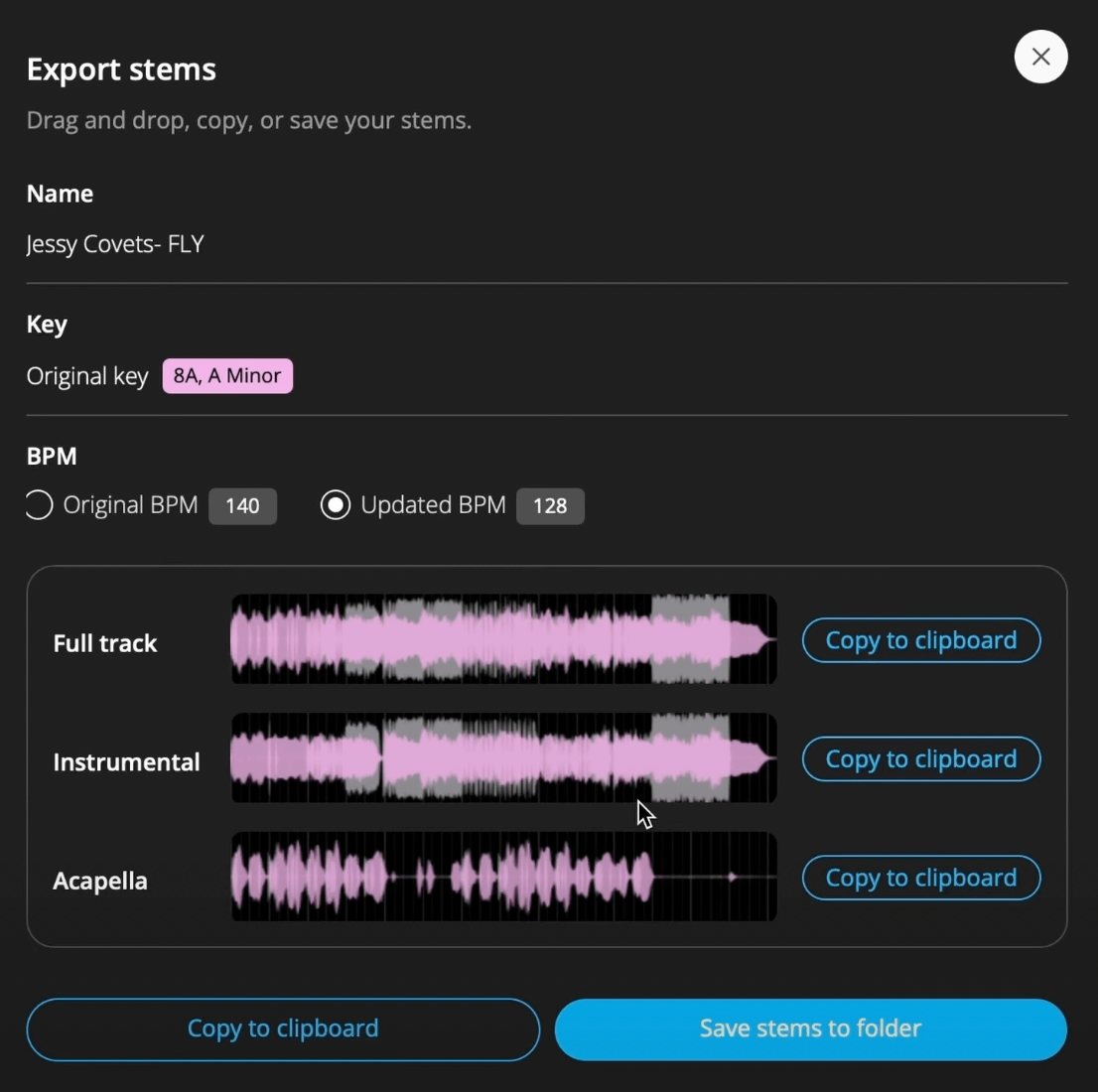
When the idea works, export the acapella and instrumental from Mixed In Key Pro. Then bring them into your DAW to finish the arrangement and mix.
Export the parts you need
Export only the acapella and instrumental if that is all you need, or export the full track too for reference.
How to make acapella and instrumental mashups
Analyze your tracks
Analyze your music so Mixed In Key Pro can use Key, BPM, Energy Level, and Cue Points.
Load a vocal track
Choose a song with a vocal you want to use and switch that deck to acapella.
Test instrumental suggestions
Audition the vocal over the instrumental at the intended phrase. Check the instrumental’s chord changes, competing melodies and the vocal’s sustained notes. A matching key label is a starting point; it does not guarantee that the full songs fit.
Check Key, BPM, and Energy Level
Make sure the vocal and instrumental feel compatible musically and rhythmically.
Export and finish in your DAW
Export the vocal or instrumental you need and import it onto an audio track in your DAW. Confirm pitch, tempo and start position against the preview, then edit the arrangement and levels. Keep the original files as references.
Frequently asked questions
Yes. Mixed In Key Pro can isolate acapella playback using stem separation.
Yes. You can export the instrumental for use in your DAW or DJ workflow.
Use acapellas and instrumentals in Mixed In Key Pro.
Test vocal and instrumental combinations, then export the stems you need.
Updated