


How Mixed In Key Helps DJs Prepare Their Music
Analyze and prepare your library before the gig. Take useful tags and cues into your DJ software, and use Pro when you want to audition combinations.
How Mixed In Key Helps DJs Prepare Their Music
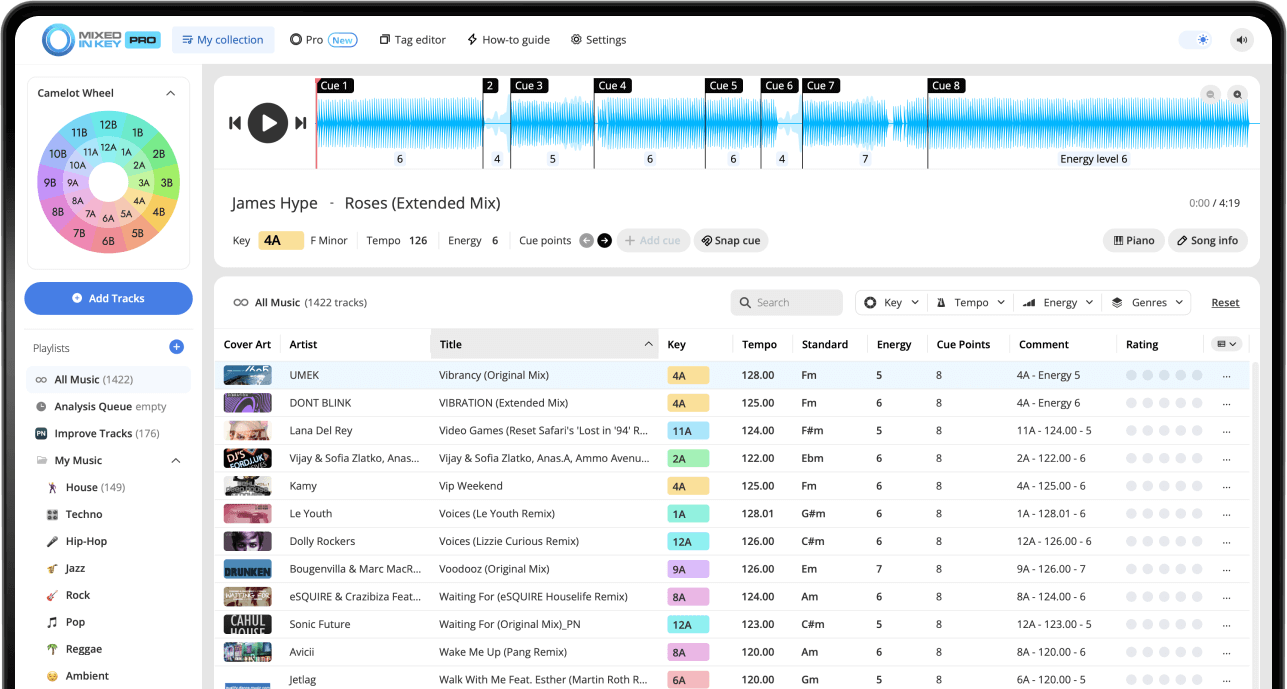
Mixed In Key 11 analyzes local tracks for key, BPM, energy and cue points. DJs use those results to organize crates, identify harmonic options and prepare transitions before performing in their DJ software. Standard covers the analysis and library tools; Pro includes those tools and adds mashup suggestions, deck players, stems and key changes.
Key, BPM, energy and automatic Cue Points are included in Standard and Pro. Mashup suggestions, deck players, stems and key changes require Pro. Compare Standard and Pro.
Why better set preparation matters
A strong DJ set is not just a list of good songs. The songs need to work together in terms of Key, BPM, Energy Level, groove, and timing. Good preparation helps you build a set that feels intentional instead of random.
Mixed In Key gives you a clearer view of your music library so you can make better decisions before the set starts. You can find songs that are harmonically compatible, compare energy, prepare useful Cue Points, and organize your tags so your library is easier to browse.
Better prep helps you:
- Find songs that work well together faster
- Build smoother sections of a set
- Plan energy changes more intentionally
- Prepare Cue Points before performing
- Spend less time guessing inside your library
It is useful for:
- Club sets
- Festival sets
- Mobile DJ gigs
- Livestreams
- Radio shows and recorded mixes
How Mixed In Key helps with DJ set preparation
Mixed In Key analyzes your music and gives you information that helps you prepare playlists and sets more confidently. Each result supports a different part of the DJ workflow.
Key
Key helps you find songs that are more likely to sound smooth together. Mixed In Key can show Key results in Camelot notation, such as 8A or 9B. A means minor, and B means major.
BPM
BPM helps you compare tempo and build playlists that move naturally. It is especially useful when planning sections of a set or organizing songs by tempo range.
Energy Level
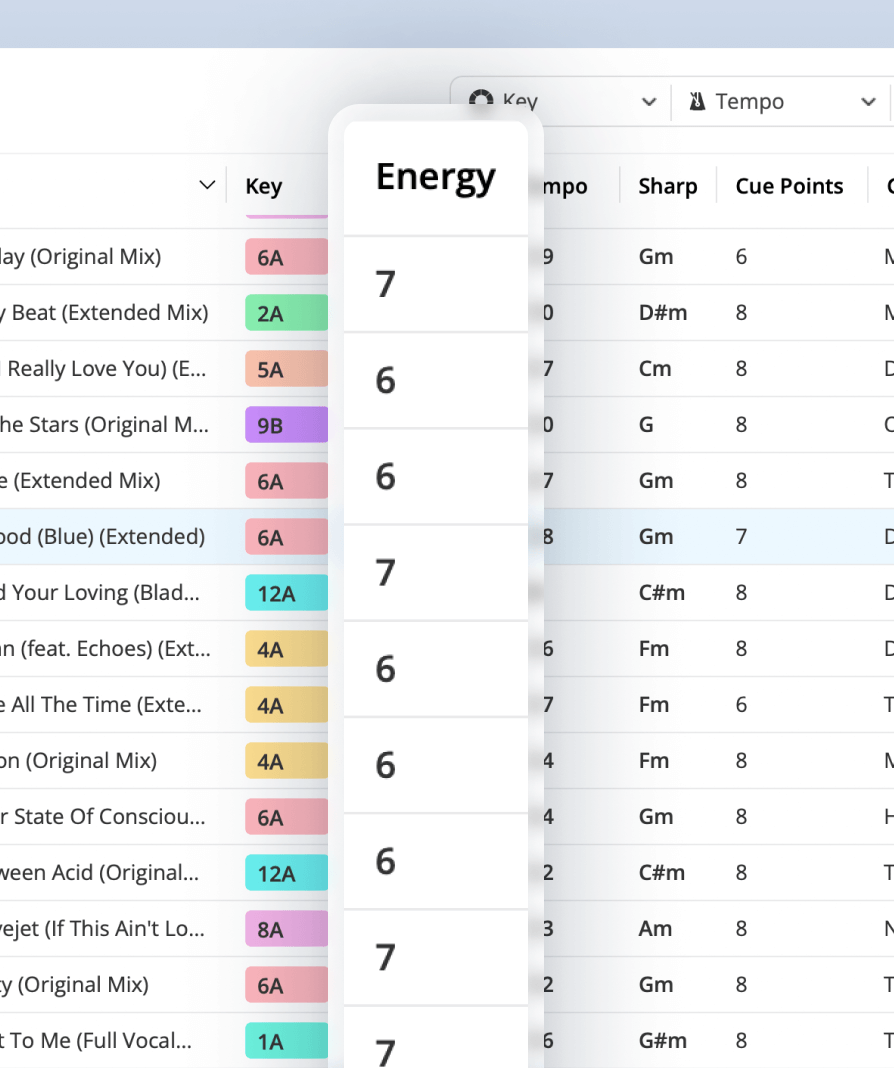
Energy Level helps you understand how intense a track feels. You can use it to build momentum, hold a groove, or bring the set down into a smoother moment.
Cue Points
Cue Points help you prepare useful places inside each track, such as intros, breakdowns, drops, and mix-out sections.
Build playlists with more musical direction
Mixed In Key helps you build playlists with more intention. Instead of scrolling through a large library and guessing what might work, you can start with tracks that make sense together musically and rhythmically.
Use Key, BPM, and Energy Level together
Key helps you find harmonic compatibility. BPM helps you keep the tempo movement realistic. Energy Level helps you shape the emotional direction of the set.
When those three pieces of information work together, it becomes much easier to build a playlist for your next gig, DJ set, livestream, radio show, or practice session.
Use Cue Points to prepare useful moments in each track
Cue Points help you move through tracks faster during preparation. Instead of listening from the beginning every time, you can jump to important sections and test how songs might work together.
This is especially helpful when building a playlist because you can quickly check intros, breakdowns, drops, and mix-out sections before deciding whether a track belongs in the set.
Useful places to prepare
- Intros
- Breakdowns
- Drops
- Mix-out sections
Why it helps set prep
- Test song combinations faster
- Find stronger transition sections
- Prepare important moments before the set
- Spend less time searching inside each track
How Mixed In Key Pro helps with set building
Mixed In Key Pro takes set preparation further by helping you actively discover song combinations. Instead of only analyzing your library, it gives you tools to explore what tracks could work well together.
This is especially useful when you are building a playlist for a gig, preparing a recorded mix, planning a radio show, or looking for fresh combinations inside a large library.
Discover song ideas faster
Mixed In Key Pro helps you find songs that could work together based on Key, BPM, and Energy Level. This gives you a stronger starting point when building playlists and setlists.
Save promising combinations
As you discover ideas that feel right, you can save favorites and start building a stronger setlist from the combinations you like most.
Preview before committing
After you find promising combinations, you can preview how they feel together before deciding whether they belong in your playlist.
Use it for more than club sets
DJ Mix Mode can help with playlists for gigs, livestreams, radio shows, recorded mixes, practice sessions, and any set where song flow matters.
Use DJ Mix Mode to find playlist ideas
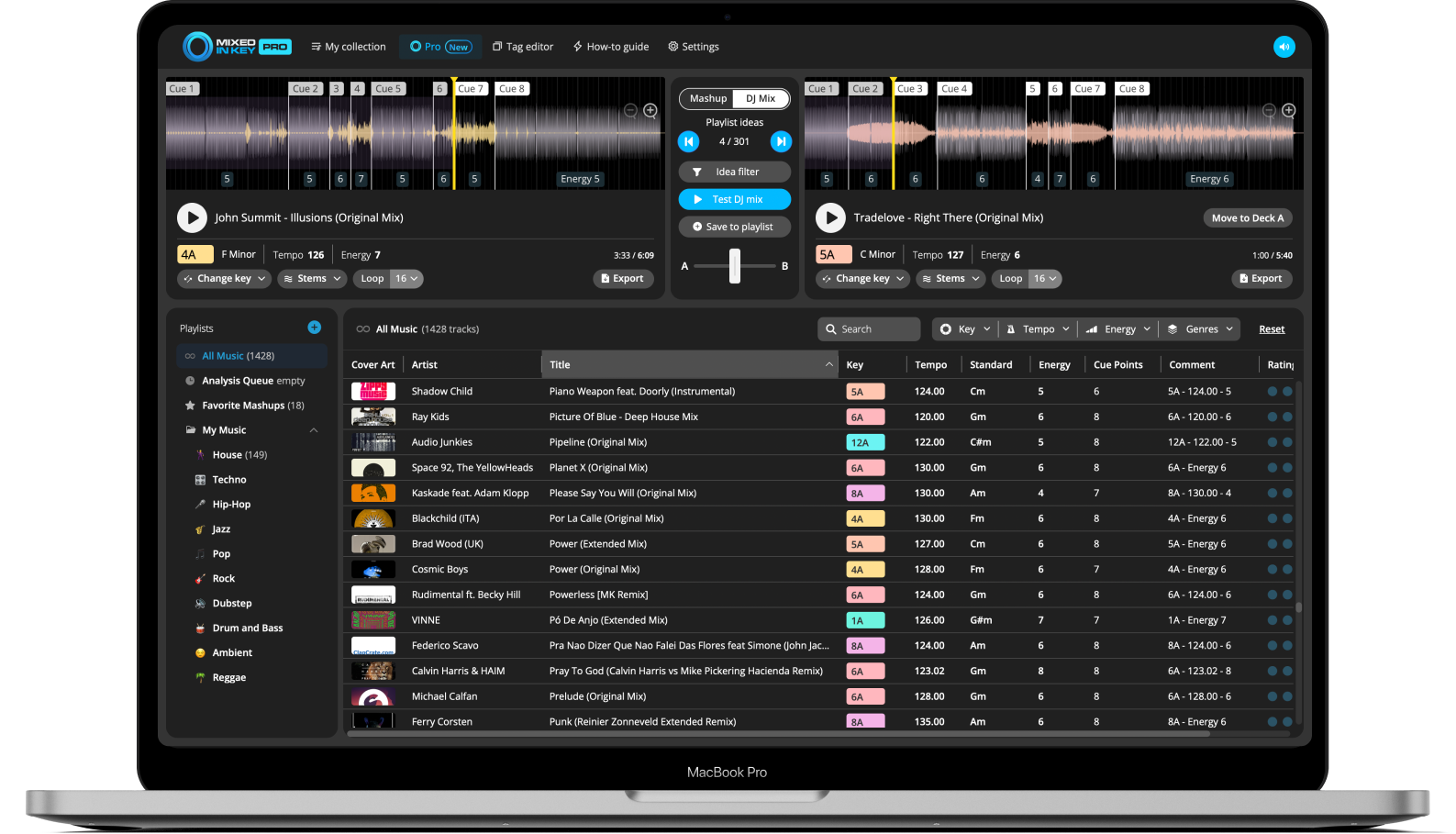
DJ Mix Mode in Mixed In Key Pro is designed to help you discover songs that could work well together. It gives you ideas based on musical and DJ-friendly information like Key, Energy Level, and BPM.
Build better DJ playlists in less time
DJ Mix Mode helps you explore your music library and find song combinations that make sense for your set. This is useful when you want ideas for your next gig, DJ set, radio show, livestream, or practice playlist.
Once you find promising combinations, you can preview them to make sure they feel right together, then save your favorites as you build your setlist.
A practical set preparation workflow
Analyze your music library
Start by analyzing your tracks in Mixed In Key so you can see Key, BPM, Energy Level, and Cue Points before you begin building the set.
Review the integration tutorial for your DJ software
Use the integration guide for your DJ app before writing tags or exporting cues. Metadata refresh and Cue Point transfer are different processes. Test one local file and confirm both the columns and cue positions before applying the setup to a whole library.
Organize your library with cleaner tags
Use your tag settings to keep Key, BPM, Energy Level, and other metadata organized in a consistent format. This makes your library easier to browse while preparing a set.
Build a playlist around Key, BPM, and Energy Level
Start choosing songs that work together musically and rhythmically. Use Key for harmonic compatibility, BPM for tempo planning, and Energy Level for the direction of the set.
Use Cue Points to test important sections
Use Cue Points to jump to intros, breakdowns, drops, and mix-out sections. This helps you test combinations faster and decide which songs belong in the set.
Use DJ Mix Mode for more playlist ideas
In Mixed In Key Pro, use DJ Mix Mode to get ideas for songs that could work well together based on Key, Energy Level, and BPM. Save your favorite combinations as you build your setlist.
Preview and refine the set
Use the analysis to shortlist tracks, then rehearse the actual transitions. Pro’s preview tools help you try combinations during preparation; keep your final crates and performance workflow in the DJ app you use at the gig.
Common DJ set preparation mistakes
Only choosing songs by Key
Key is useful for harmonic compatibility, but a strong set also depends on BPM, Energy Level, genre, arrangement, and how the songs feel together.
Ignoring Energy Level
Energy Level helps you shape the flow of the set. Use it to decide when to build, hold, reset, or create contrast.
Not preparing Cue Points
Cue Points help you find intros, breakdowns, drops, and mix-out sections faster. They can make set preparation much more efficient.
Not testing combinations
Mixed In Key gives you better starting points, but your ears should make the final decision. Preview important combinations before relying on them in a set.
Frequently asked questions
Mixed In Key helps DJs prepare sets by analyzing tracks for Key, BPM, Energy Level, and Cue Points. These results make it easier to organize music, build playlists, and find songs that may work well together.
Energy Level helps you understand how intense a track feels. You can use it to build momentum, hold a groove, create contrast, or bring the set down into a smoother moment.
DJ Mix Mode helps you discover songs that could work well together based on Key, Energy Level, and BPM. It is useful for building playlists for gigs, DJ sets, livestreams, radio shows, and practice sessions.
Yes. Mixed In Key gives you better starting points, but you should still preview important combinations and use your ears before finalizing a playlist or setlist.
Yes. Cue Points can help you prepare useful places inside each track, such as intros, breakdowns, drops, and mix-out sections.
Build stronger DJ playlists with Mixed In Key.
Analyze your tracks, compare Key, BPM, and Energy Level, prepare Cue Points, and use Mixed In Key Pro DJ Mix Mode to discover song combinations for your next set.
Updated