



In this article
A good instrument audition checks more than a preset demo. Use musical parts you actually write, test expressive control and confirm that the instrument fits your computer, projects and collaboration workflow.
Prepare three useful test phrases
Create a bass line with short and long notes, a chord part with changing velocity and a melody crossing a wide register. Reuse these phrases for every candidate. This exposes practical differences that a vendor demo may not show, such as uneven loudness, awkward release behavior or a patch that only works in one octave.
Compare the way you reach a sound
Some instruments emphasize deep synthesis, while others make a curated library easy to browse. Vital offers wavetable editing and modulation; Analog Lab Play offers a selection of playable presets. Time how long it takes to reach an appropriate sound without copying the demo. The better choice may be the one that keeps your writing session moving.
Check the response to performance
Play repeated notes at different velocities and listen to overlapping releases. Test pitch bend or other expression controls you use. A sound that feels impressive under a mouse may react differently from a keyboard performance. Adjust the response before judging the instrument, and save a patch that reflects how you actually play.
Listen with effects reduced
Large reverbs and delays can make several presets sound impressive in isolation while hiding their basic character. Reduce those effects and audition the patch inside your track. If the sound becomes unconvincing without its effects, decide whether that is acceptable for the role. An atmospheric texture and a dry lead have different requirements.
Test resources and recall
Open several realistic instances and watch whether the session remains responsive. Save, close and reopen the project, checking that samples and settings return correctly. Follow the vendor’s current system requirements and format guidance. Render important parts when sharing a project with someone who has a different library or plugin collection.
Decide from a completed musical result
Use the candidate in a short arrangement and export it before purchasing. Compare the result with a version made using your existing tools. A new instrument earns its place when it supplies a useful sound, clearer control or faster workflow. An attractive interface or a large preset count alone does not establish that value.
Try this in your project
Build a test project with bass, chords and melody. Audition a candidate instrument for each role, record the settings you changed and export a thirty-second arrangement. Reopen the project the next day and decide whether the instrument still solves the original need.
Quick reference
| Focus | What to try | What to listen for |
|---|---|---|
| Sound | Reuse the same MIDI phrases | A fair comparison across candidates |
| Performance | Vary velocity and note overlap | Predictable expressive response |
| Workflow | Save, reopen and arrange | A tool that fits real sessions |
Work with Captain Chords
Use Captain Chords to sketch the harmony, edit its voicing and rhythm, then develop the arrangement in your DAW.
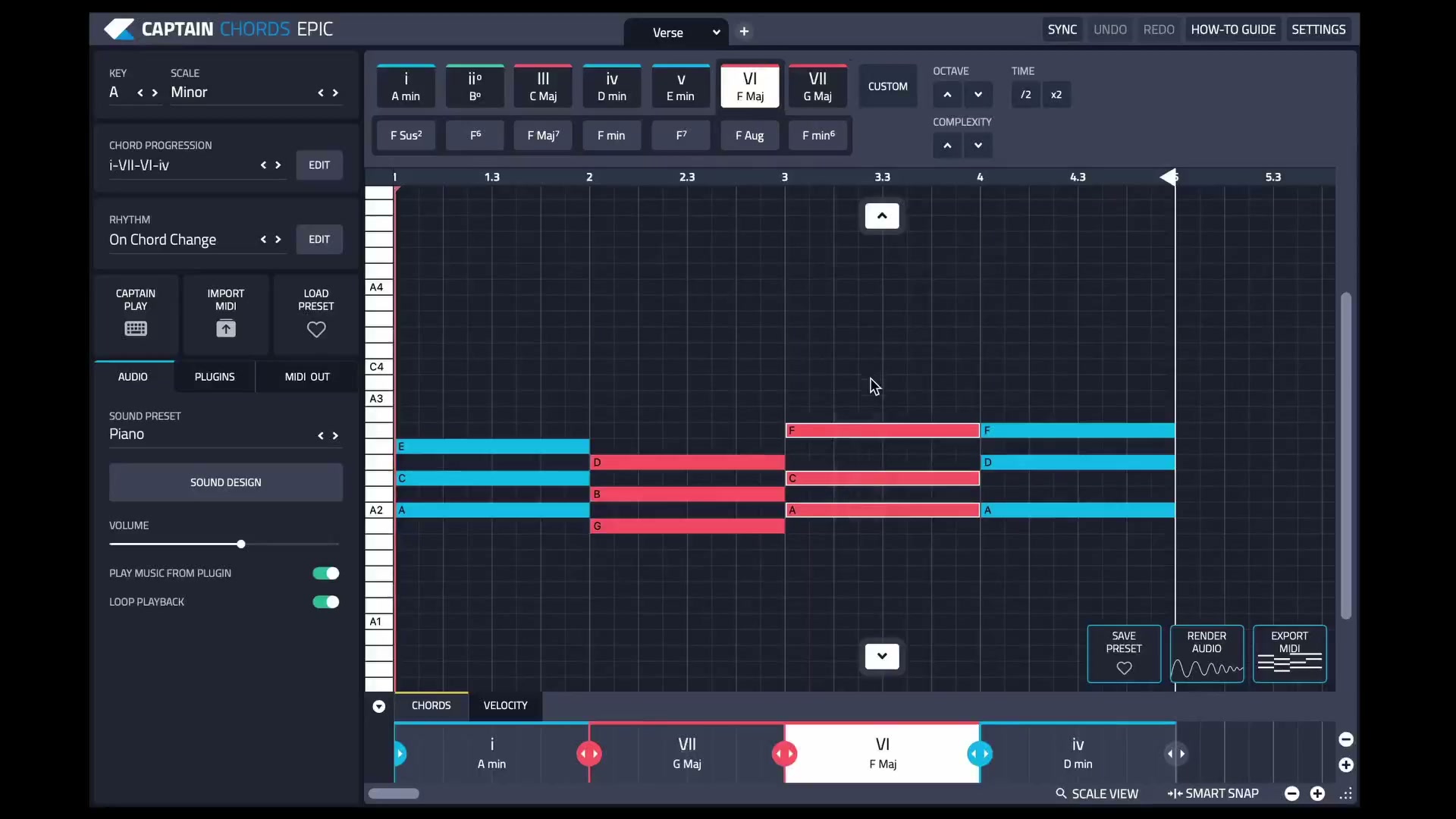
Captain Plugins 8 overview
See the update video for the current canvas and editing workflow.
Useful references
Common questions
Should I choose a synth or a sample library first?
Choose the role you need. A synth suits editable electronic timbres; a sampled instrument can suit a specific acoustic or recorded sound.
Can a demo prove that a plugin works in my projects?
It can help, provided you test your own setup and read any trial limitations. A short solo preset audition is only part of the evaluation.