



In this article
A composition tool is useful when it helps with a specific writing decision: choosing harmony, developing a phrase or finding a rhythm. Start with the musical task, then use the tool to explore options and keep the notes that serve the song.
Separate writing from choosing sounds
A striking preset can make almost any loop exciting for a moment. Begin with a clear, simple sound when deciding whether the notes work. Once the phrase has a useful shape, audition other instruments without changing the MIDI. This separates a stronger composition from a more dramatic tone, and makes it easier to hear which part needs attention.
Use chord tools to compare alternatives
Captain Chords is part of Captain Plugins 8 and provides a workspace for developing chord progressions. Try two versions with the same rhythm: one with simple triads and another with a different inversion or added note. Listen to the bass movement and top line, not only the chord names. Keep a version you can understand and edit rather than accepting every suggested change.
Give melody tools a defined role
Decide whether the melody is the main hook, a reply to a vocal or background movement. Captain Melody can help develop note ideas, but the useful result still depends on register, timing and phrase length. Keep a strong beginning and change the ending, or leave a rest where another part needs to speak. A generated phrase is material for a decision.
Build bass and drums around the harmony
Captain Deep can support a progression with a bass part, while Captain Beat provides a drum-writing workflow. Start with the minimum information: chord roots in the bass and a clear rhythmic pulse. Then adjust note lengths, accents and gaps. If every part is busy, simplify one before adding another instrument or searching for a more elaborate pattern.
Move the idea into an arrangement
Once the loop works, create a contrasting section. Remove a part, shift its register or change the chord rhythm before replacing the entire musical idea. Export or move the MIDI using the relevant product workflow and keep the source version. In the DAW, check that the sound, velocity response and note lengths still support what you wrote.
Choose tools by what you can finish
Compare how easily you can edit notes, save variations and return to a project later. A useful tool should make your next musical decision clearer. Test it with a small finished arrangement instead of judging it only by preset browsing. You may already have enough in your DAW; add a dedicated composition tool when its workflow solves a problem you repeatedly encounter.
Try this in your project
Write a four-bar progression, a bass part using mostly roots and a two-bar melody. Make a second section by changing only one of those parts. Export a short arrangement and note which tool helped you make a musical decision faster.
Quick reference
| Focus | What to try | What to check |
|---|---|---|
| Harmony | Compare chord order and voicing | A progression with useful movement |
| Melody | Set a role before generating notes | A phrase that leaves room for other parts |
| Arrangement | Change one part between sections | Contrast without losing the main idea |
Work with Captain Chords
Use Captain Chords to sketch the harmony, edit its voicing and rhythm, then develop the arrangement in your DAW.
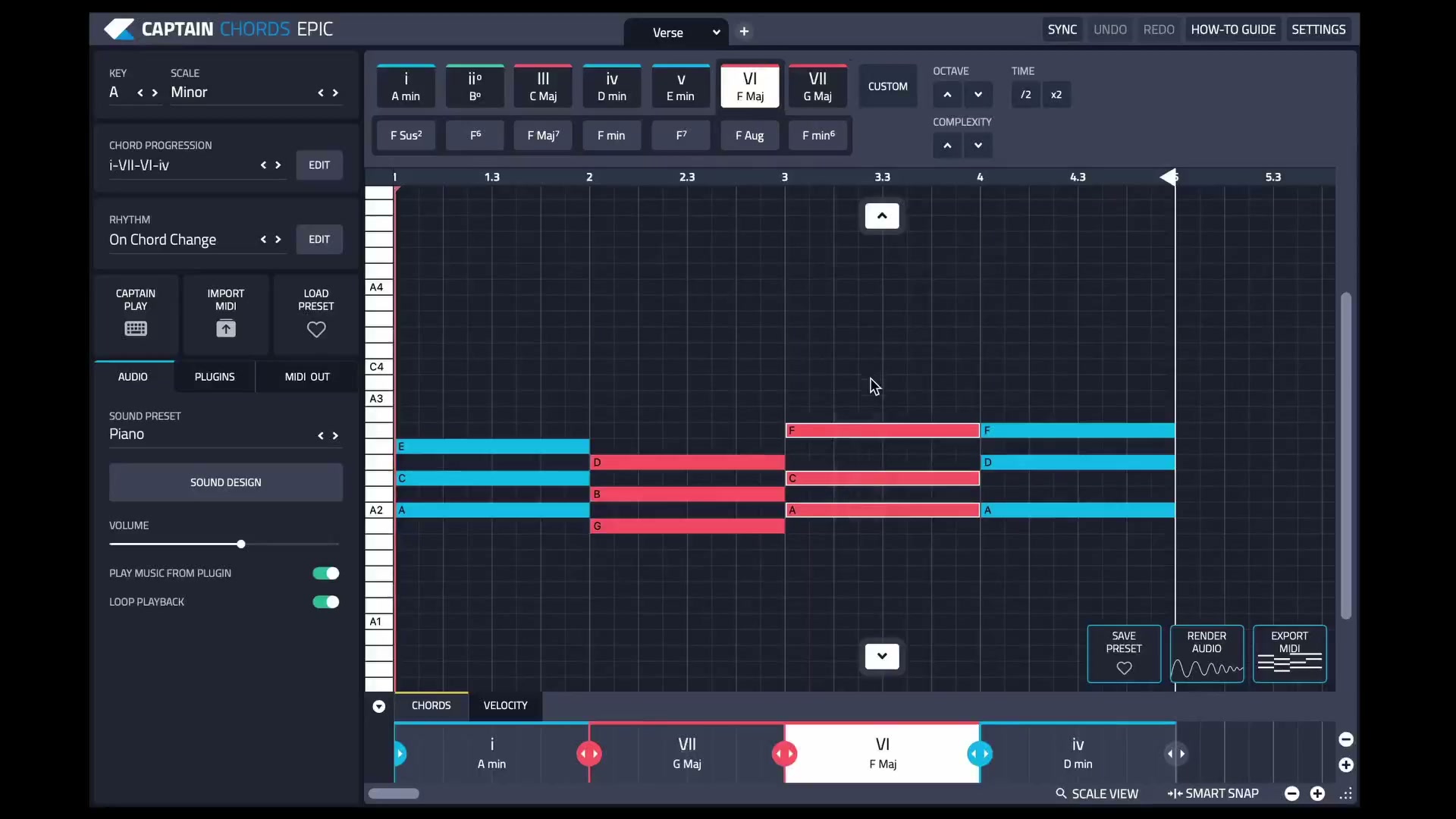
Captain Plugins 8 overview
See the update video for the current canvas and editing workflow.
Useful references
Common questions
Do composition tools replace music theory?
They can help you hear and explore relationships, but understanding those relationships makes editing easier. Use the result as something to listen to and learn from.
Should every part follow the same rhythm?
No. Shared accents can help, but contrasting rhythms often make the arrangement clearer. Listen for how the parts answer or leave space for one another.