



In this article
A trap chord part can use a single minor harmony, two chords or a longer loop. Start with a compact progression such as Fm–D♭–E♭–Fm, then shape the rhythm, register and top melody around the 808 and vocal. No particular key guarantees a trap sound.
Hear the examples.
Choose an example, then press Play. Compare the notes as well as the sound.
Fm–D♭–E♭–Fm
An original minor-key loop. Keep the upper part clear of the 808.
These are not Captain Plugins audio.Ready to play
Make a small harmonic idea
Write Fm as F–A♭–C. Add D♭ as D♭–F–A♭ and E♭ as E♭–G–B♭. Loop Fm–D♭–E♭–Fm slowly with one chord per bar. You can also reduce it to Fm–E♭ if the melody needs less movement.
Use the top notes as the beginning of a motif. A compact phrase with a rest can be stronger than constant arpeggios. Keep a plain version before reversing audio, adding effects or doubling layers.
Give the 808 its own space
Choose where the 808 lands against each chord. Roots are a useful first pass, but the bass can move through other notes deliberately. Check long slides and tails at the chord changes; a note left ringing can change the harmony.
Move the chord voicing above the main bass register. Removing the lowest chord note may help when the 808 supplies it. Do this by listening to both parts, rather than applying a fixed frequency or octave rule to every sound.
Use a dominant for a stronger return
In F minor, C major or C7 introduces E natural as the leading tone toward F. Compare Fm–D♭–E♭–Fm with Fm–D♭–C7–Fm. That one changed harmony creates a different approach to the tonic.
E natural is outside F natural minor, but it has a clear function here. Check the melody at that moment: a sustained E♭ against C7’s E natural may need a deliberate resolution or a shorter duration.
Develop the loop without filling every gap
Make eight bars by repeating your four-bar idea. Change the last note, remove one chord attack or raise a response phrase an octave on the second pass. Leave a useful space for the rapper or lead vocal.
Compare the beat with and without each musical layer. If the sample, bell and pad all state the same notes in the same range, mute one before adding a new chord. Sound choice and pocket are as important as the progression.
Hear the harmony in a full beat
The keyboard examples above isolate chord notes. This separate Mixed In Key tutorial beat adds drums, melody and an 808, so you can listen to the spacing and weight of a fuller arrangement. It is a different musical example, not an audio rendering of the displayed chord progression.
Full trap beat example
Listen for the space around the melody and the way the bass supports the drum pattern.
The isolated 808 part
Compare the length and placement of the low notes with their role in the full beat.
Audio from existing Mixed In Key tutorials. These are musical examples, not a demonstration of a specific current software version.
Keep the notes in view.
| Exercise | Chords | Focus |
|---|---|---|
| One-chord loop | Fm | Motif and rhythm |
| Two-chord loop | Fm–E♭ | Contrast with few changes |
| Natural-minor loop | Fm–D♭–E♭–Fm | i–VI–VII–i |
| Dominant return | Fm–D♭–C7–Fm | E natural leads to F |
Try it in Captain Chords.
Sketch the chord loop in Captain Chords and export MIDI to your chosen sound. Keep the 808 on a separate part so you can adjust its rhythm and register against the chords.
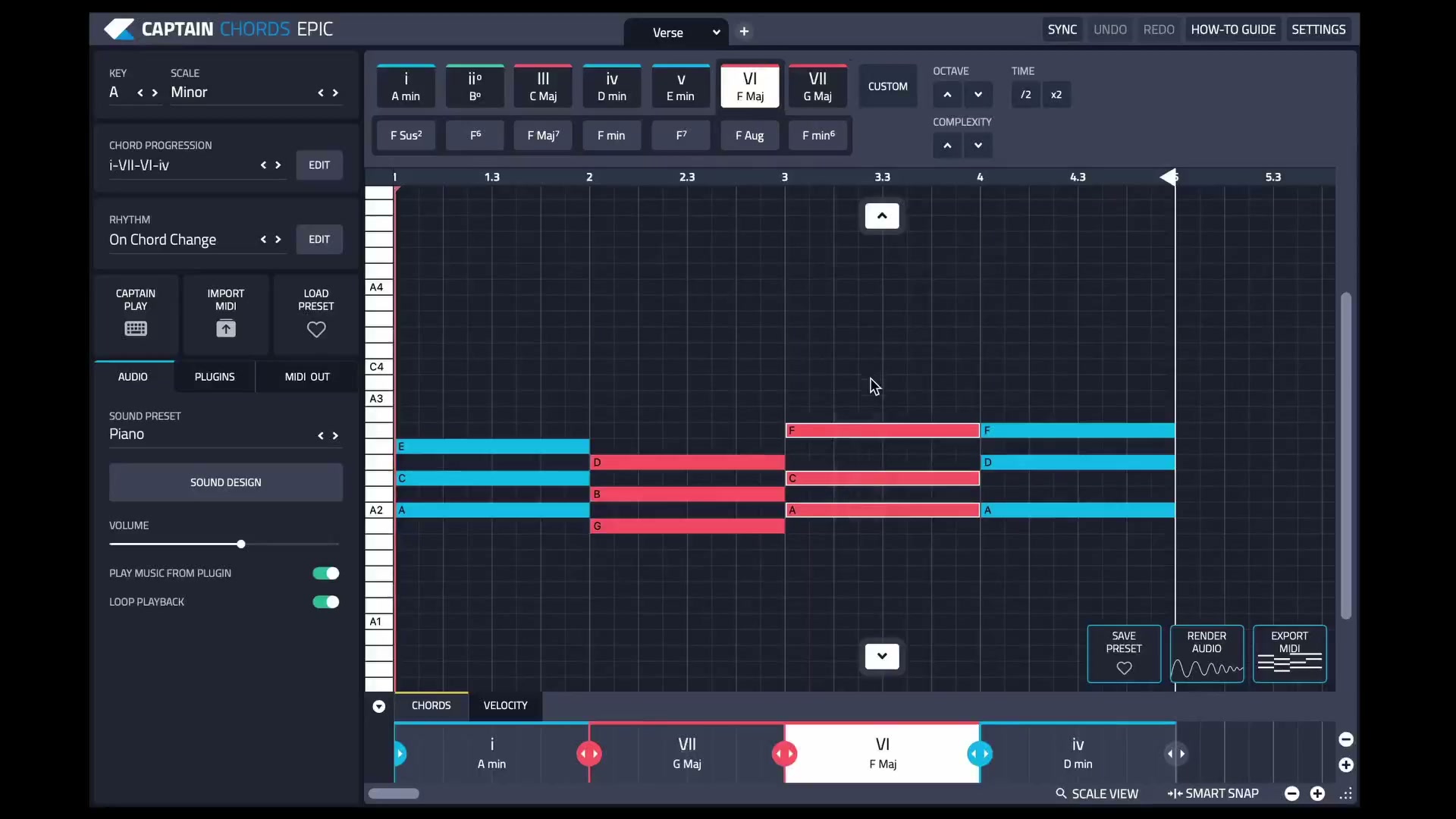
See the current editing workflow.
The Captain Plugins 8 update video shows the canvas and selection-based editing.
Common questions
What is the best key for trap?
There is no universal best key. Choose one that suits the melody, vocal and useful range of the bass sound.
Must every 808 note be a chord root?
No. Roots clarify the progression, but passing notes and slides can add movement. Check their timing and duration against the harmony.
Do trap beats need four chords?
No. A one- or two-chord loop can leave more room for rhythm, sound design and the vocal.