


How to Find Mashup Ideas From Your Library
Start with a vocal, instrumental or track you already know. Use Pro to find possible partners in your own library, then test a short overlap.
How to Find Mashup Ideas From Your Library
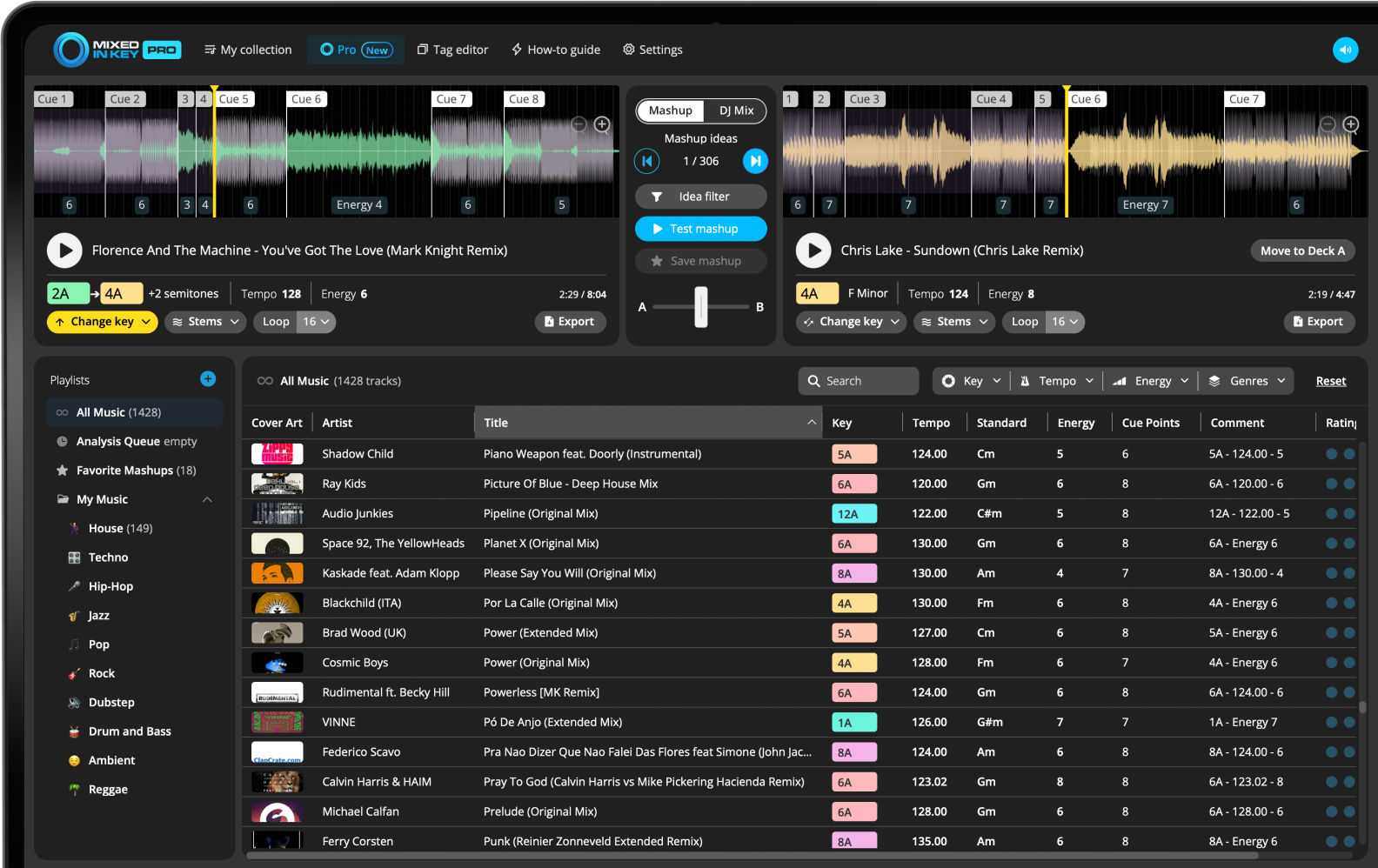
Analyze your local tracks, choose a reference song in Mixed In Key 11 Pro’s Mashup Mode and audition the suggested partners. Use vocal and instrumental playback to hear the combination clearly. Save the pairs that work at the intended phrases; suggestions are starting points for listening, not finished mashups.
Key, BPM, energy and automatic Cue Points are included in Standard and Pro. Mashup suggestions, deck players, stems and key changes require Pro. Compare Standard and Pro.
Your best mashup ideas may already be in your library
Many DJs search online for mashup ideas, but your own music library can be a better source. It contains the songs you already know, already play, and already trust.
Mixed In Key Pro helps you search that library in a more musical way, using Key, BPM, Energy Level, Cue Points, and stems.
Use your library to find:
- Vocal + instrumental ideas
- Songs in compatible Keys
- Tracks with similar Energy Level
- Unexpected genre pairings
- Unique combinations no one else is using
Why it works
Your library already reflects your taste. Mashup Mode helps you discover relationships inside that collection that may not be obvious from browsing folders manually.
Analyze your tracks before searching for mashup ideas
Mixed In Key Pro works best when your music is analyzed first. Analysis gives each song Key, BPM, Energy Level, and Cue Points.
This information helps Mashup Mode find stronger suggestions from your library.
Choose a reference track
Start with a song that has something useful: a strong vocal, a clean instrumental, a memorable hook, a groove, or a track you already want to use in a mashup.
Load that track into Deck A and use it as the foundation for your search.
Use Key, BPM, and Energy Level to narrow ideas
A strong mashup idea usually needs more than one match. Key helps avoid melodic clashes, BPM helps the rhythm feel natural, and Energy Level helps both songs feel like they belong in the same moment.
Key
Use Camelot compatibility to find songs that are less likely to clash harmonically.
BPM
Look for tracks that can sit together rhythmically or be adjusted without sounding forced.
Energy Level
Match intensity so the vocal and instrumental feel like part of the same idea.
Cue Points
Jump to useful sections quickly so you can test ideas without listening through the full track.
Use Mashup Mode to test suggestions
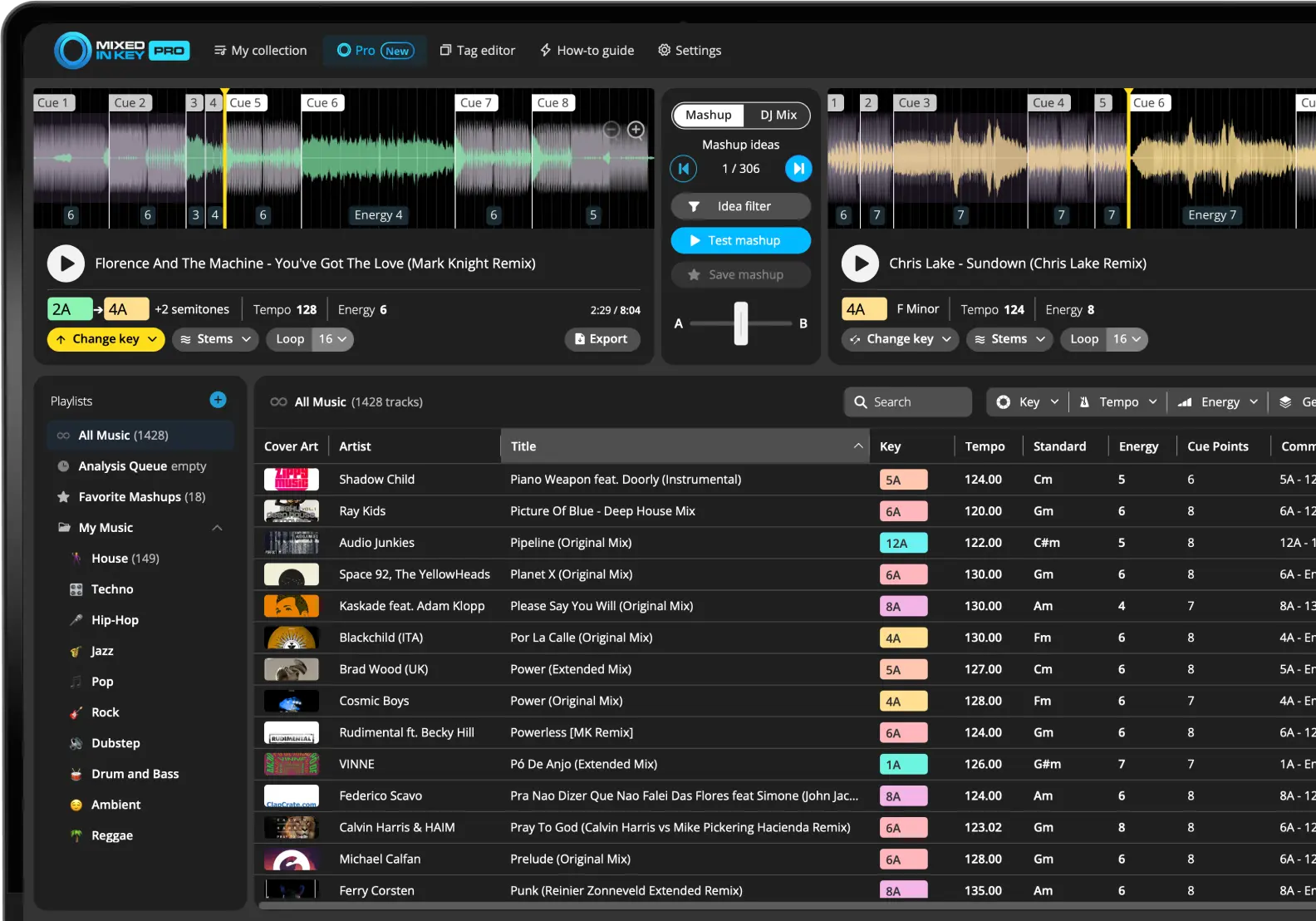
Mashup Mode shows possible song combinations from your library. You can audition the suggestions and decide which ones are worth saving.
Discover ideas faster
Instead of randomly dragging tracks into a DAW, Mashup Mode lets you test ideas quickly inside Mixed In Key Pro.
Use stems to hear the idea clearly
If two full songs sound too busy together, use stems. Try an acapella from one song over an instrumental from another.
This can reveal ideas that would sound messy if you only tested the full tracks.
How to find mashup ideas from your library
Analyze your music
Use Mixed In Key to analyze Key, BPM, Energy Level, and Cue Points.
Choose a starting song
Pick a track with a specific section you want to use, such as a vocal hook or instrumental drop. Knowing that phrase gives you a useful test for the suggestions, instead of browsing pairings without an arrangement in mind.
Open Mashup Mode
Load your starting song into Deck A and review the suggested matches.
Test ideas with stems and Cue Points
Compare a short vocal-over-instrumental section first. Use cues to find the phrase, listen for timing and competing melodies, then test a longer section. Reject pairings that only work for a few beats but clash when the harmony changes.
Save the best combinations
Save your favorite ideas so you can export or finish them later.
Frequently asked questions
Mixed In Key Pro can suggest possible mashup combinations from your own music library using Mashup Mode.
Same-Key combinations are often easier, but compatible Camelot Keys can also work. Always listen before making the final decision.
Use Mixed In Key Pro to discover new combinations from your own library.
Analyze your songs, test Mashup Mode suggestions, and save the ideas that work.
Updated