


How to Sort Songs by Energy Level
Use energy ratings to narrow the crate, then check the arrangement and the section you will actually play.
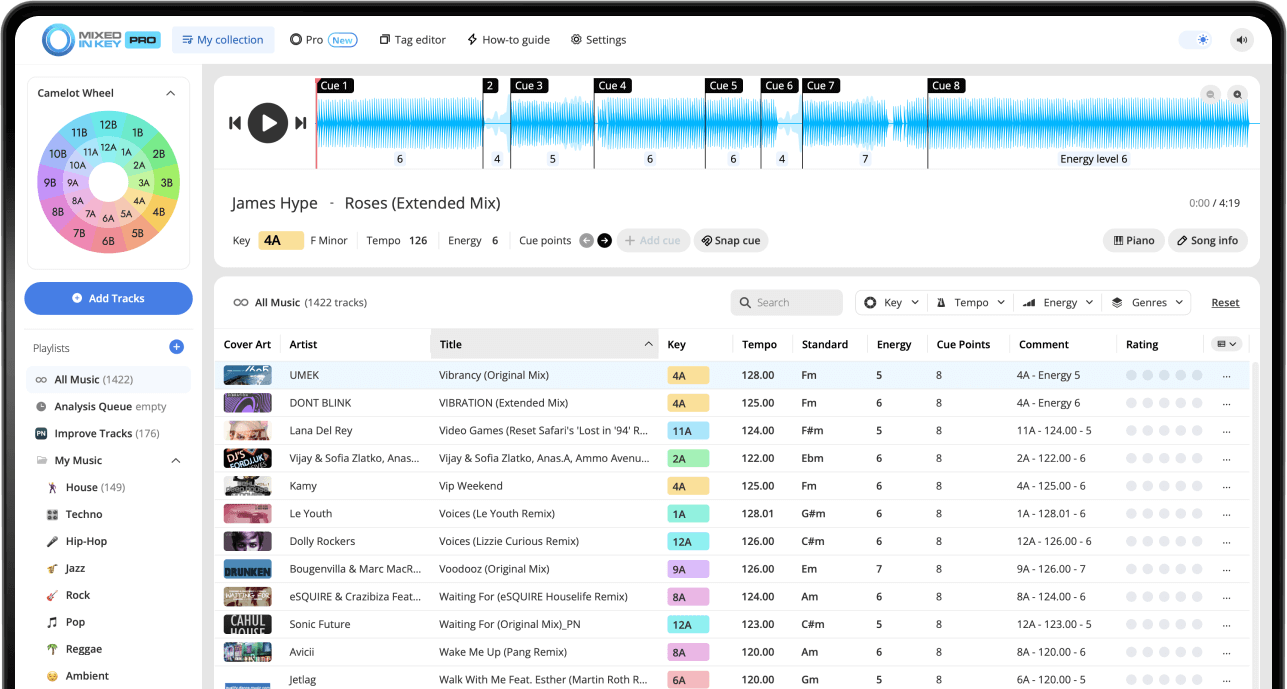
How to Sort Songs by Energy Level
Analyze your tracks in Mixed In Key 11, choose an energy tag format your DJ app can display and refresh the same local files there. Sort the relevant field and build crates for warmup, groove, peak time and resets. Combine energy with key, BPM and listening; equal ratings do not mean equal crowd response.
Key, BPM, energy and automatic Cue Points are included in Standard and Pro. Mashup suggestions, deck players, stems and key changes require Pro. Compare Standard and Pro.
Why sort songs by Energy Level?
Sorting by Energy Level helps you find the right intensity faster. Instead of browsing only by genre, artist, or BPM, you can quickly see which songs feel relaxed, danceable, upbeat, or huge.
This is especially useful when you are preparing a gig, building playlists, recording a mix, or trying to control the emotional flow of a DJ set.
Sorting by Energy Level helps you:
- Find warmup tracks faster
- Build peak-time playlists
- Avoid sudden energy drops
- Create smoother set progression
- Separate chill tracks from high-impact tracks
Use it when preparing:
- Club sets
- Warmup sets
- Festival-style sections
- Radio shows
- Livestreams
- Practice playlists
Understand the Energy Level scale
Mixed In Key shows Energy Level on a scale from 1 to 10. This value helps describe the intensity of each song, not just its tempo.
A 120 BPM song can still feel relaxed if the arrangement is smooth and the high-frequency content is limited. Another song at a similar BPM can feel much more intense if it has brighter percussion, sharper synths, and a more aggressive arrangement.
Energy Level 1–2
Very relaxed, chill, minimal, or atmospheric. A Level 2 song may not have a strong beat.
Energy Level 3–5
Lower to medium intensity. Level 5 can feel like lounge music or a steady groove.
Energy Level 6–7
More danceable and upbeat. Level 6 starts to feel danceable, while Level 7 can feel upbeat for many club situations.
Energy Level 8–10
High intensity. Level 9 and 10 tracks often feel like big club or festival moments, depending on the genre and crowd.
Analyze your songs in Mixed In Key
Before you can sort by Energy Level, analyze your tracks in Mixed In Key. The analysis gives you Energy Level along with Key, BPM, and Cue Points.
Once your songs are analyzed, you can use Energy Level to organize your library and make faster playlist decisions.
Mixed In Key shows:
- Key
- BPM
- Energy Level
- Cue Points
- Camelot notation
Use those results to:
- Sort songs by intensity
- Build playlists by vibe
- Find harmonic options
- Plan set energy
- Test transitions faster
Write Energy Level into a visible tag field
To sort by Energy Level inside your DJ software, make sure Energy Level is written into a tag field you can see. In Mixed In Key, open Settings → Tag Options and choose how the information should appear.
The best option depends on your workflow. Some DJs write Key and Energy Level into comments. Others write Energy Level into grouping or label fields, depending on how they organize playlists.
Useful Energy tag options include:
- Write Key and Energy Level
- Write Key, Tempo, and Energy Level
- Only write the Energy Level
- Write Energy Level in front of grouping
- Overwrite Label with Energy
Where you might show it:
- Comments
- Grouping
- Label
- Song name
- A custom field supported by your DJ software
Sort Energy Level inside your DJ software
After Mixed In Key writes Energy Level into your tags, open your DJ software and refresh or reload the updated track information. Rekordbox, Serato, Traktor, and others can each handle tag refreshes differently, so follow the integration tutorial inside Mixed In Key for your setup.
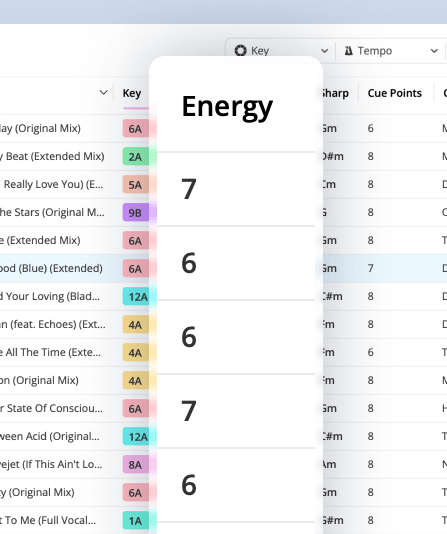
Once the Energy Level is visible, you can sort the column, search for specific values, or build playlists around energy ranges.
Sort low to high
Useful when you want to build a playlist that gradually increases in intensity.
Sort high to low
Useful when you want to identify peak-time songs, big moments, or tracks that need careful placement.
Search specific levels
Search for Energy Level 5 or 6 when building groove playlists, or Energy Level 8 and above for bigger moments.
Combine with crates or playlists
Use Energy Level sorting inside genre, gig, or time-of-night playlists to make each playlist easier to use.
Create playlists based on Energy Level ranges
Energy Level sorting becomes more useful when you turn it into playlists or crates. Instead of one large folder, create focused playlists for different parts of the night.
You can make these playlists broad or specific. The goal is to make it easier to find the right intensity when you are preparing or performing.
Warmup / low energy
Use lower Energy Level tracks for early-night sets, background grooves, or smoother openings.
Groove / medium energy
Use medium Energy Level tracks for steady movement, lounge sections, or controlled dancefloor moments.
Build / rising energy
Use tracks that move gradually from one Energy Level to the next when you want to build momentum.
Peak-time / high energy
Use higher Energy Level tracks for big moments, stronger drops, and the most intense parts of the set.
Use Energy Level with Key and BPM
Energy Level becomes more powerful when you combine it with Key and BPM. Energy tells you intensity, Key tells you harmonic compatibility, and BPM tells you tempo range.
This helps you avoid choosing a song that has the right vibe but does not work harmonically or rhythmically with the current track.
Sort by Energy, then refine by Key and BPM
Start by choosing the Energy Level you want. Then look for songs with compatible Camelot Keys and a practical BPM range.
For example, if your current track is 8A, 124 BPM, and Energy Level 6, you might look for songs near 124 BPM in 8A, 7A, 9A, or 8B with Energy Level 6 or 7.
Use Cue Points after sorting by Energy Level
Sorting by Energy Level helps you find the right candidates. Cue Points help you test whether the songs actually work together.
Use Cue Points to jump to intros, breakdowns, drops, and mix-out sections. This helps you hear whether the energy change feels natural, too sudden, or exactly right.
Test these sections:
- Intros
- Breakdowns
- Drops
- Mix-out sections
Listen for:
- Whether the energy lift feels smooth
- Whether the drop feels too sudden
- Whether the next song fits the moment
- Whether the transition supports the playlist direction
Use DJ Mix Mode to find songs by Energy Level, Key, and BPM
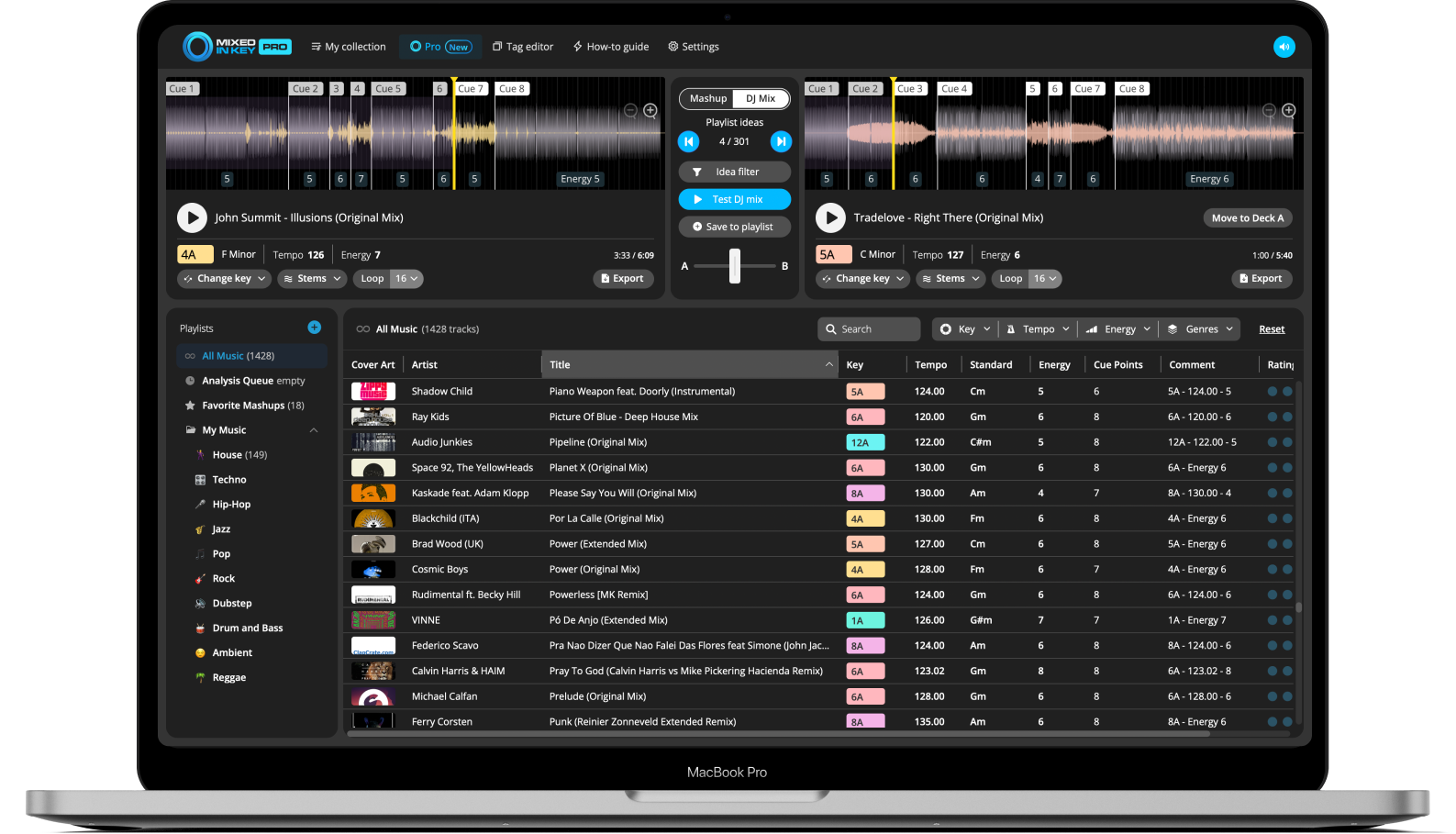
Mixed In Key Pro can help you find playlist ideas faster with DJ Mix Mode. This is useful when you want to find songs that could work together based on Key, Energy Level, and BPM.
Instead of manually searching your entire library, use DJ Mix Mode to find songs that support the energy direction of your playlist or set.
Find energy-friendly song combinations
Use DJ Mix Mode when you want songs that hold the groove, lift the energy, create contrast, or help you reset the room.
Preview combinations, save your favorites, and use them as building blocks for better playlists.
How to sort songs by Energy Level
Analyze your tracks in Mixed In Key
Add your music to Mixed In Key and analyze it so you can see Key, BPM, Energy Level, and Cue Points.
Open Settings → Tag Options
Choose how Energy Level should be written into your tags. Pick a field you can easily see and sort inside your DJ software.
Write Energy Level into your files
Choose the tag field and format in Mixed In Key’s Tag Options, then check one writable local file in your DJ app. Keep the format consistent and preserve any comments you need before changing a large batch.
Refresh or reload tags in your DJ software
Open your DJ software and refresh or reload the updated tag information so the Energy Level appears in your library.
Sort the Energy Level field
Display and sort the field that contains the energy rating. Check numeric order with a few known tracks, especially when the rating shares a comments field with text. Refine the shortlist by tempo, key and set purpose.
Create focused playlists
Group songs into warmup, groove, build, peak-time, reset, or closing playlists based on Energy Level ranges.
Refine by Key and BPM
After sorting by Energy Level, use Key and BPM to find songs that also work harmonically and rhythmically.
Test transitions with Cue Points
Use Cue Points to test intros, breakdowns, drops, and mix-out sections before finalizing the playlist.
Example ways to sort songs by Energy Level
These examples can help you turn Energy Level sorting into practical playlists.
Chill / warmup playlist
Use lower Energy Level songs for early-night sets, lounge moments, or smoother openings.
Groove playlist
Use medium Energy Level songs when you want steady movement without pushing too hard.
Build playlist
Use songs that move gradually upward in Energy Level, such as Level 5 to Level 6 to Level 7.
Peak-time playlist
Use higher Energy Level songs for the biggest moments of the set.
Reset playlist
Use lower or medium Energy Level tracks to bring the room down in a controlled way before building again.
Emergency options playlist
Keep flexible tracks across several Energy Levels so you can adapt if the crowd changes direction.
Common mistakes when sorting by Energy Level
Sorting by Energy Level only
Energy Level is useful, but you should still check Key, BPM, arrangement, and whether the songs actually work together.
Making big drops by accident
Moving from a Level 9 song into a Level 5 song can feel like a sudden drop unless you are intentionally resetting the room.
Confusing BPM with energy
A fast song is not always high-energy, and a slower song can still feel intense. Use Energy Level and BPM together.
Ignoring special crowd songs
Some songs work because the crowd knows them. Use Energy Level as a guide, but trust your knowledge of the room.
Using inconsistent tag formats
If Energy Level appears in different fields across your library, sorting becomes harder. Choose one consistent tagging system.
Not testing the actual transition
Sorting helps you find candidates. Cue Points and listening help you decide if the transition really works.
Frequently asked questions
Energy Level is a 1 to 10 intensity value. Lower numbers usually feel more relaxed, while higher numbers usually feel more intense.
Open Mixed In Key Settings → Tag Options and choose a format that writes Energy Level into a visible tag field. Then refresh or reload tags in your DJ software.
Sorting low to high is useful when you want to build a set gradually. Sorting high to low is useful when you want to find your strongest peak-time songs.
No. BPM measures tempo, while Energy Level describes intensity. Two songs can have similar BPM values but very different Energy Levels.
Mixed In Key Pro includes DJ Mix Mode, which can help you find songs that work well together based on Key, Energy Level, and BPM.
Use Mixed In Key to organize songs by intensity and vibe.
Analyze Energy Level, Key, BPM, and Cue Points, then use your DJ software to sort and build better playlists for every part of the night.
Updated