


How to create a mashup.
Start with a vocal and an instrumental that have room for each other. Check their key and tempo, line up the musical phrases, then build an arrangement around the parts you want to hear.
Updated October 6, 2026
Watch the Mixed In Key 11 Pro tutorial.
See how to test track pairings, audition vocals over instrumentals and develop a mashup idea in Pro.
The practical route: use Mixed In Key to analyze your library, use Pro to discover and audition pairings, and finish the arrangement and mix in your DAW. Pro’s stem exports give you the audio parts to work with; they are not a finished mashup arrangement.
Choose parts that leave each other space.
A vocal over an instrumental is a useful first mashup. Choose a vocal with a clear hook and an instrumental with sections that can support it. Two full tracks with busy vocals and basslines often need more editing to work together.
Start with material you know well. Listen to the intro, verse, chorus, breakdown and drop, and mark the sections you want to use. A pairing that works for eight bars may need a different arrangement to hold up for a whole track.
Check the key, tempo and phrasing.
Key
Analyze both tracks and use their Camelot keys to find promising combinations. The same key is a simple starting point. Adjacent positions and relative major/minor keys give you more options, but the melody still needs to fit the backing. Use the Camelot Wheel guide to understand those relationships.
Tempo
Compare BPM, then audition both parts at the same playback tempo. Large tempo changes can make a vocal or groove sound unnatural. Listen for timing drift and stretching artifacts across the sections you plan to use.
Phrasing
Align musical phrases as well as beats. Try placing the start of a vocal phrase at the start of a new instrumental section, then check where the hook, build-up and drop land. Move the phrase if the instrumental changes before the vocal has finished its idea.
Choose the tool for each stage.
| Tool | Use it for | Keep in mind |
|---|---|---|
| Mixed In Key Standard | Analyze key, BPM, energy and cue points; organize tracks before choosing a pairing. | Standard does not include Pro’s deck players or stem separation. |
| Mixed In Key Pro | Find suggested pairings, audition two decks, try acapella/instrumental playback and key changes, and export stems. | Use the preview to develop the idea. Finish a detailed arrangement and mix in your DAW. |
| Your DAW | Edit the audio, align phrases, arrange sections, automate transitions and export the finished mix. | The final file format and export settings are set in your DAW. |
Find and test a pairing in Pro.
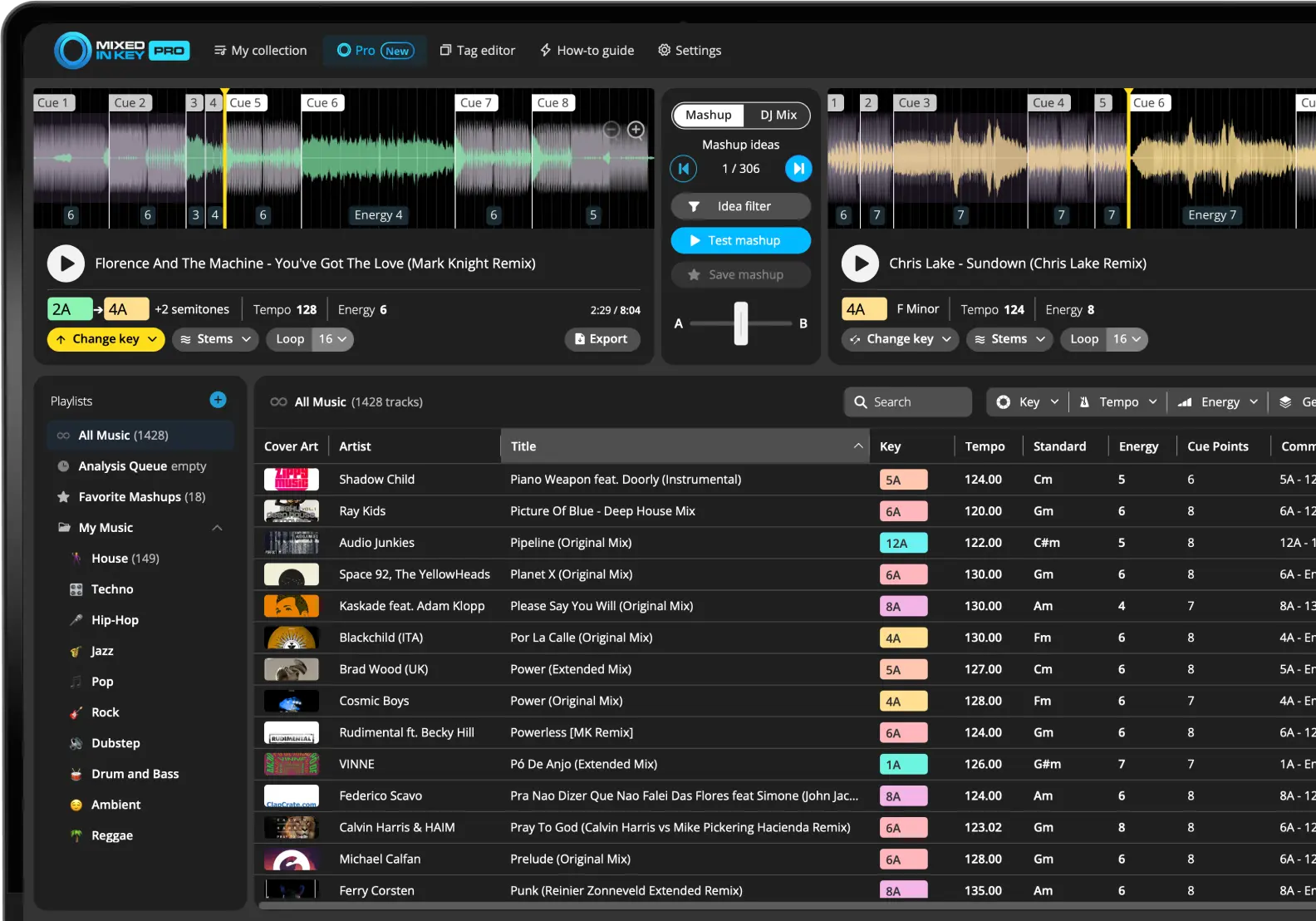
- Analyze your library. Review key, BPM, energy and cue points before choosing your starting track.
- Open the Pro tab and select Mashup Mode. Load the track you want to build around into Deck A.
- Audition suggestions in Deck B. Listen to several options, including the sections you intend to use.
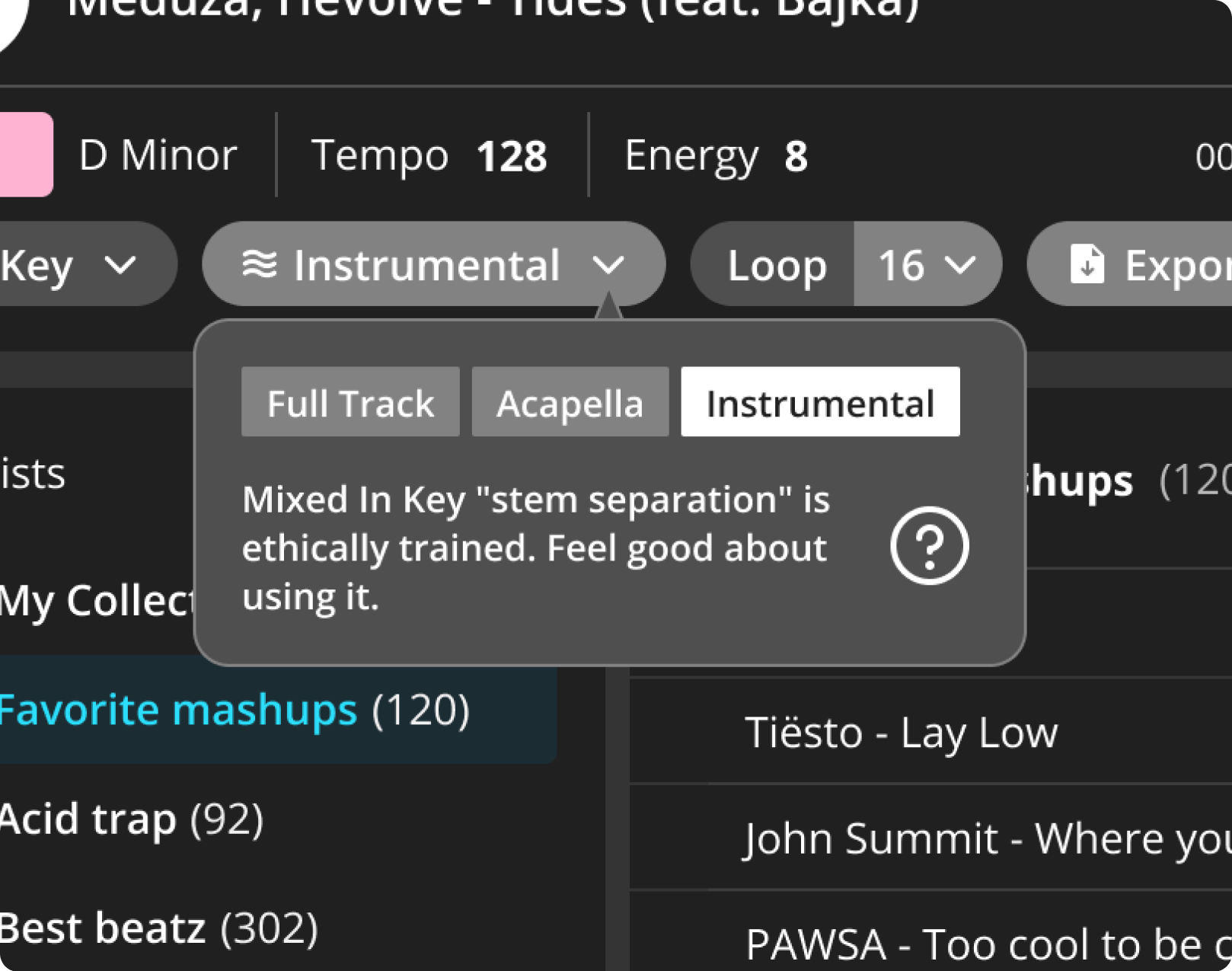
- Try vocal and instrumental playback. Use the acapella and instrumental options to hear how the parts fit without two full arrangements competing.
- Adjust and compare. Try a key change when needed and use loops to check a phrase. Compare with the original pairing so you can hear whether the adjustment helps.
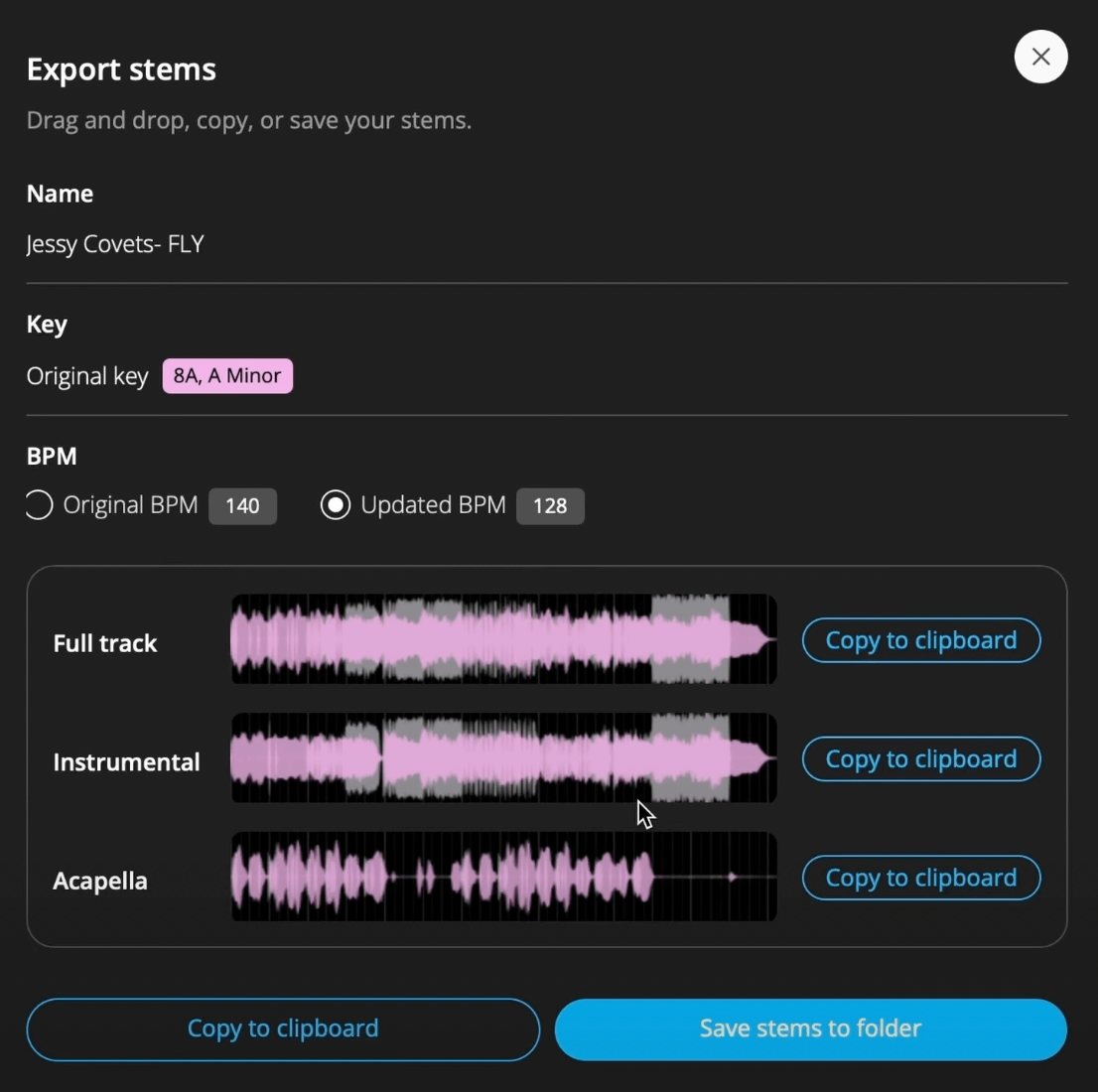
- Save the idea and export the parts. Export the full-track, instrumental or acapella audio you need, then continue in your DAW.
Hear the vocal over a different backing.
Switch one deck to acapella and the other to instrumental. This gives you a clearer way to judge the pairing than playing two full arrangements at once.
Check the sections you intend to use and listen for separation artifacts before exporting.
Build the arrangement and export the mix.
Take the parts into your DAW.
Export the full track, instrumental or acapella you need. In the export dialog, check the key and BPM settings before saving your stems.
Keep the exported parts together so you can return to the idea when you build the arrangement.
Import the exported parts into separate DAW tracks. Set the project tempo, check alignment across the whole passage, and arrange the vocal around the instrumental’s sections. Trim, move or repeat phrases where needed rather than leaving both songs running from beginning to end.
A starting arrangement to try
Use an instrumental intro for the mix-in. Bring in the vocal at the next phrase boundary, let the hook meet a section with enough space, then return to an instrumental passage for the mix-out. Adjust the length to suit your tracks and how you plan to play the mashup.
Check the vocal and instrumental together, then listen to each part on its own. Listen for stem artifacts, competing basslines, abrupt edits and unwanted timing drift.
Balance levels, shape transitions with EQ and automation, and leave headroom on the master. Export the finished arrangement from your DAW using a format your DJ software supports. Listen to the rendered file before adding it to a performance playlist.
Before distributing a mashup, check that you have the rights or permissions needed for the recordings and composition. Being able to export an audio file does not by itself give permission to publish it.
Keep developing the idea.
Key and tempo help narrow down the options. The useful test is whether the vocal and backing work across the arrangement you want to play.
Explore Mixed In Key Pro for discovery and auditioning, or browse the DJ Workflow Hub for library preparation, harmonic mixing and mashups.