Get special upgrade deals!Sign in to see if you qualify for deals.
Your cart is empty
There are no items in your cart
Taxes:Calculated at checkout
Subtotal:$0.00
Keep shopping
You own this software | Purchased on
Included Software:
Get special upgrade deals!Sign in to see if you qualify for deals.
Join Mixed In Key
Please log in again to continue.
Please sign in to view your owned products.
or
Email address
Please enter a valid email address.
By signing in, you consent to receive marketing emails and text messages from Mixed In Key. You may opt out at any time.
To verify your email, we've sent an email to . This code will expire in
You can resend your code in ()
Didn't get a code?
You've entered an invalid code. Please try again
Your code has been resent, check your inbox. If you're having trouble check your junk mail.
Tell us about yourself
Please enter your first name
Best VST Plugins
It can be an exhaustive task finding the best VST plugins, with so many on the market. There are thousands to choose
from, many designed for common tasks, such as time-effects like reverb and delay, and others for more unique and
specialised tasks.
A common question amongst music producers is: Which VST plugins are the best? The answer to that is subjective, what
one producer needs to create their music, will usually vary from another producer.
For example, an artist who writes mainly Chill Out music is less likely to have a strong desire for a drum machine.
Whereas, a Techno producer will undoubtedly have a drum machine high up on their ‘wishlist’.
With this in mind, we’ve compiled a list of what we feel are the best VST plugins on the market, with something for
every music producer!
Write Chords Faster with Captain Chords
Use Captain Plugins to write your own Chord Progressions, Hooks, Melodies and Basslines
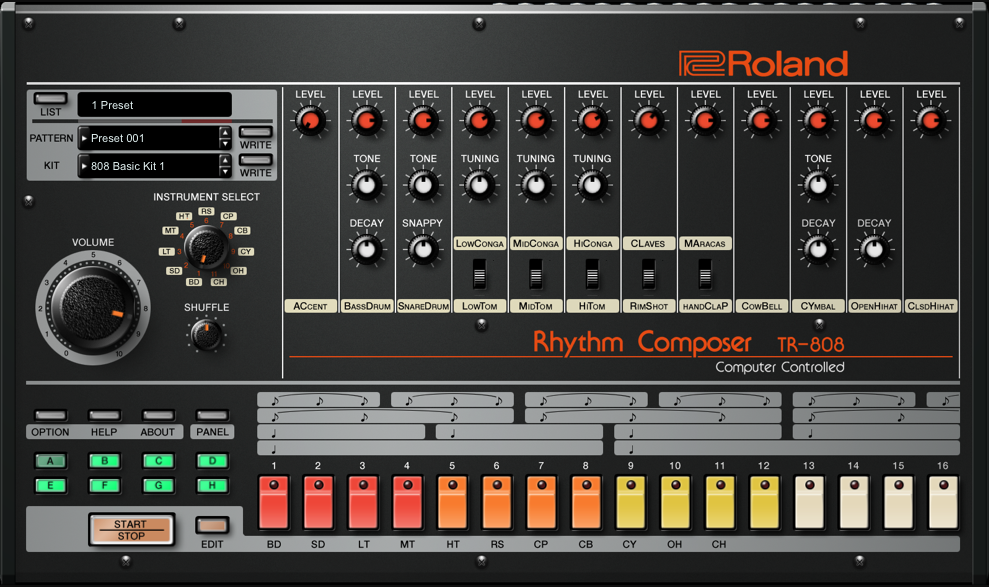
For most electronic producers and knowledgeable dance music fans, names such as TR-808, SH-101 and Juno-106 are
household names. Many of dance music’s early hits were produced using these classic machines. A Guy Called Gerald
‘Voodoo Ray’ being a notable example.
Unfortunately, most of these classic units were discontinued in the 80s and 90s.
Cue, Roland Cloud.
What is Roland Cloud exactly? In short, a range of VST/AU instrument plugins designed to look and sound exactly the
same as the classic models. In Roland Cloud they are referred to as the Legendary series. Additional synths are
split into several categories such as Essentials, Flavr and Aira. Roland have also added some new excellent new
features to the instruments not found on the originals. Being cloud based also gives the ability to push-out updates
and new additions to the plugin range, at no extra cost to the user.
How do they sound? In one word, amazing! It should be noted that 100% replication of an analogue synth through
software emulation is impossible. However, due to these new plugins featuring the same Analogue Circuit Behaviour
(ACB) technology Roland developed for the Aira and Boutique range, they come as close to the originals as the new
hardware offerings. It would be fair to say that most people agree that the new hardware models sound extremely
close when compared to the original models. Another stand-out feature of these new plugins is the ability to load
them directly into the Roland System-1 and System-8 keyboards. Named ‘Plug-out’, this inventive feature means you
can take any of the new soft-synths on the road by loading them directly into the System-1 or System-8. No
connection to your DAW or laptop is required once loaded.
I am massively impressed with the offering. If you’re a fan of Roland’s classic synths and drum machines, then I
would highly recommend adding Roland Cloud to your studio.
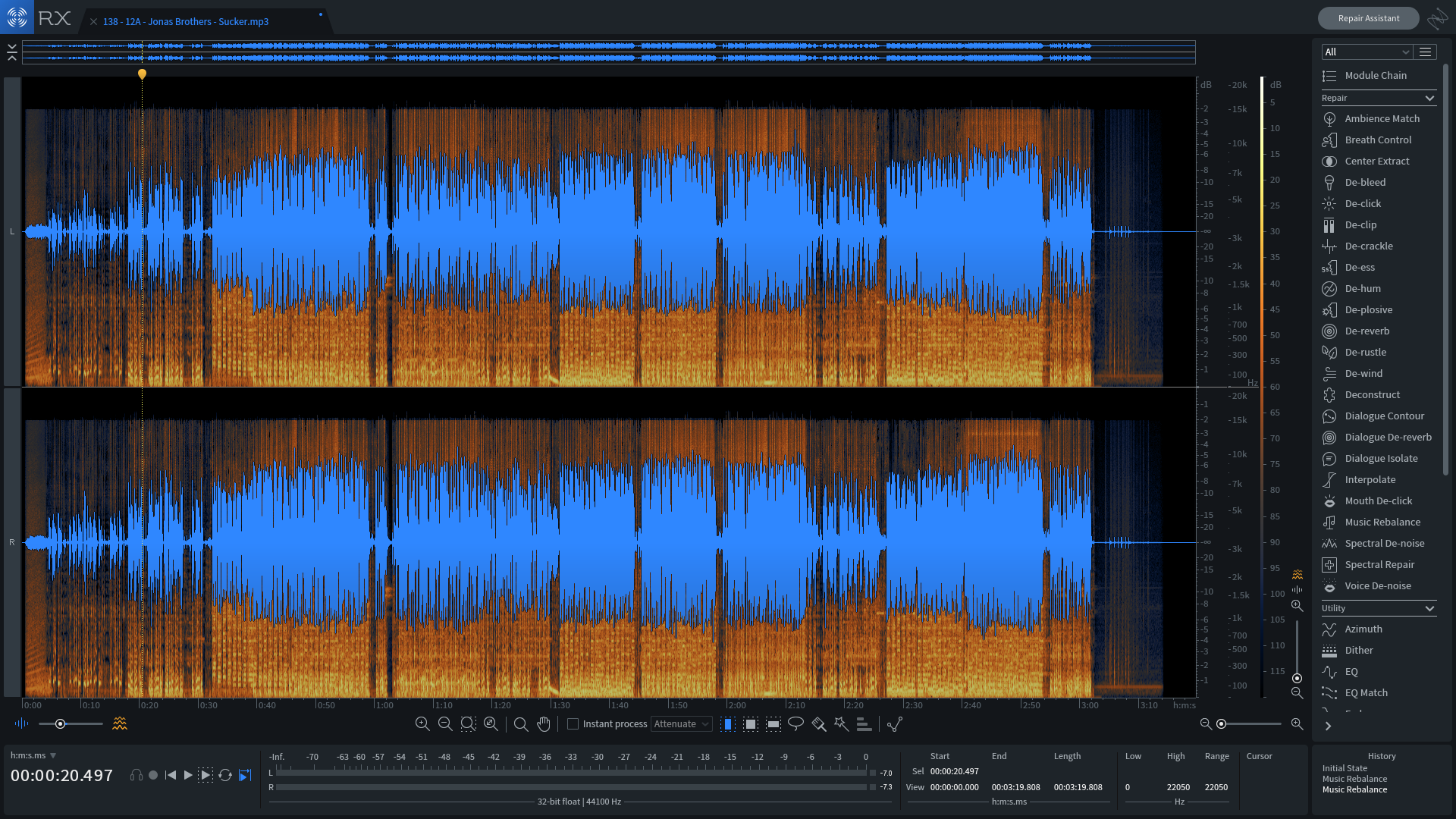
OK, so it’s not exactly a plugin – RX7 Audio Editor is standalone with an included bundle of individual audio
clean-up plugins for your DAW. Ideally suited to both production and post-production, RX-7 comes with some really
unique, stand-out features.
Fix clicks, pops, hum or noise effortlessly with Repair Assistant. Music Rebalance allows the separation and
individual level control of vocals, bass, percussion and other instruments. This means you can rebalance existing
pre-masters – even with no multi-track available! Or, strip away parts from existing songs to create vocal
acapellas, instrumentals or stems to use for remixes, mashups or DJ sets.
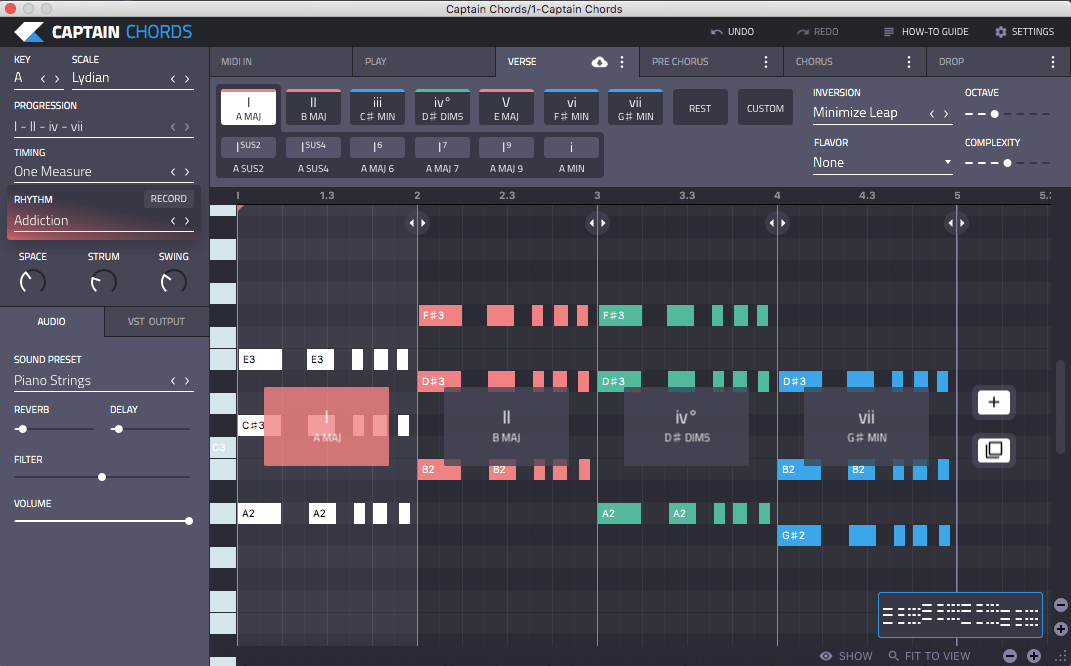
Captain Plugins by Mixed In Key presents a unique and intuitive way to aid music composition. There’s a plethora of
plugins on the market designed to create or effect sounds within your DAW. However, until recently, the availability
of music composition plugins to assist in music theory have been limited.
Music theory is a complex and often ‘mind boggling’ science, and with so many other aspects to consider when
producing music, it can often be an area of knowledge which is overlooked. Luckily, for those who are not
classically trained in music theory, Captain Plugins offer an intuitive and fun way to produce stunning chord
progressions, basslines, drums and melodies; while increasing your workflow, allowing you to spend more time on what
matters most, making music.
Captain Plugins comes complete with five plugins for a one-off payment of only $99. These are named Captain Chords,
Melody, Deep, Play and Beat and they’ll help you with every aspect of your songwriting. They also connect to each
other within your favorite DAW to make sure you have full control over rhythm, tension and more.
Captain Plugins is a must-have for any producer who wants to improve their songwriting skills.
Native Instruments produces a wide range of products, from synthesizers to instruments and effects. No matter what style you produce, their plugins will inspire you to create in the studio. Those who are new to their products may want to check out Komplete 12, which is a comprehensive bundle that includes 60+ products including Massive X, Kontakt 6, TRK-01, Discovery Series and 10 Expansions.
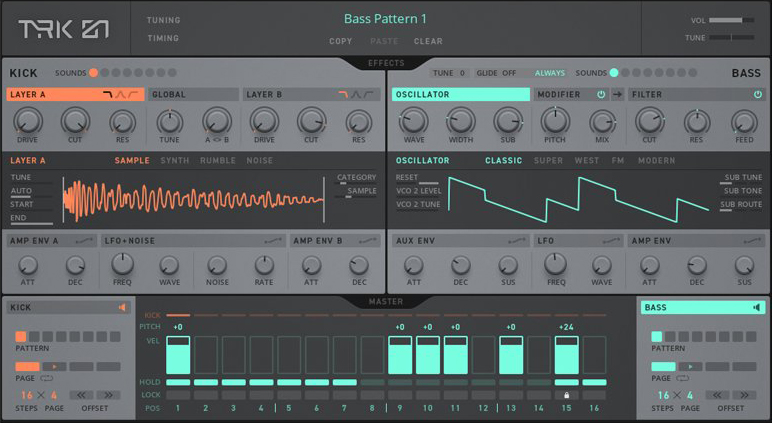
One of my favorite Native Instruments products is Reaktor 6, a modular DSP Lab that allows producers to build custom synths, samplers, effects and sound design tools. Massive X is their latest synthesizer, it offers a wide range of sonics for advanced sound design. Another of my go-to tools is TRK-01, a creative kick and bass instrument for creating powerful kick and bass sounds. It offers intuitive sequencing and modulation capabilities, and is a must have for producers. TRK-01 can be used inside Reaktor or the free Reaktor player.
Native Instruments offers unique sampler plugins, like the Kontakt 6 player. Kontakt has a large selection of sampled instruments, and can be used to create or play sampled instruments. In addition, their company creates great sounding effect plugins, including Guitar Rig 5 Pro, the Solid Mix Series of EQ’s and compressors, reverb classics including RC 24 and RC 48, distortion effects like Driver and dynamic effects like Transient Master to enhance drums and percussion.
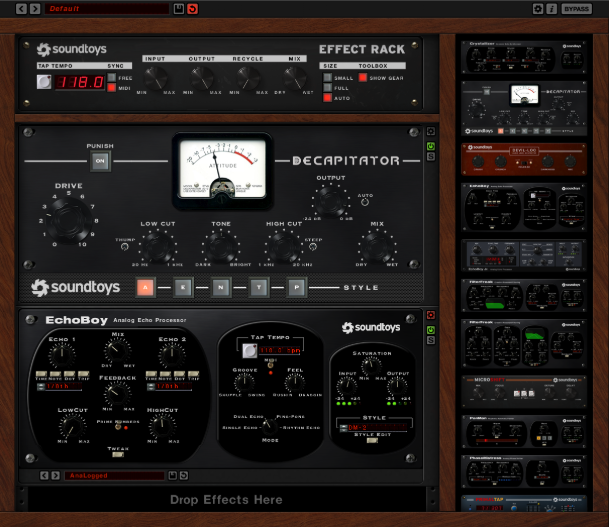
When it comes to studio effect plug-ins designed to warp and mangle audio, there seems to be endless choices
available on the market. I stumbled upon Soundtoys by chance and was delighted when I loaded them into my effect
insert slots and heard the results.
Recommended to me by a producer friend, I added the latest bundle to my ever expanding list of plug-ins. Firstly,
with no less than 20 plug-ins contained within the bundle, it would be impossible to react to all of them for this
feature, so I’ll stick to the highlights. These fantastic plug-ins bring colour, character and creativity to your
digital music studio. They merge the sound and vibe of classic analogue gear, with modern and musical twists. The
results being limited only by the imagination of the user.
For crazy and spaced out delays, ‘Echoboy’ offers tons of tweaking options. Or for those throaty formant-shifted
vocals, akin to many current ‘Deep House’ records, the aptly named ‘Little Alter Boy’ delivers a fantastic effect.
If you like kick drums distorted and harsh then look no further than ‘Decapitator’, with its ‘punish’ setting!
Mixed In Key Studio Edition analyzes your sample collection in real-time and enables you to match the perfect
one-shot, loop, vocal or any other sample to your music production, remix or mashup.
It will instantly tell you the key, scale and tonality of any audio sample.
With Mixed In Key Studio Edition you can base compositions around a sample with total confidence. You’ll know exactly
which notes are already present, giving you a great foundation for composition.
This is extremely useful in Logic, as even though Logic does have Flex Pitch and Tuner, there is no built-in key and
scale detection. Having the ability to find the key and scale of your samples in real-time really opens up the
possibilities with Logic’s existing features.
Have you ever spent hours upon hours meticulously fine tuning your track’s bass frequencies, only to find that when
played back in your car or at a gig it sounds way to boomy or thin?
Mixing the low end of music is generally a much harder task then the upper mid and high frequencies. This will
exacerbate the situation if your listening environment has acoustic issues, such as standing waves or other modal
problems.
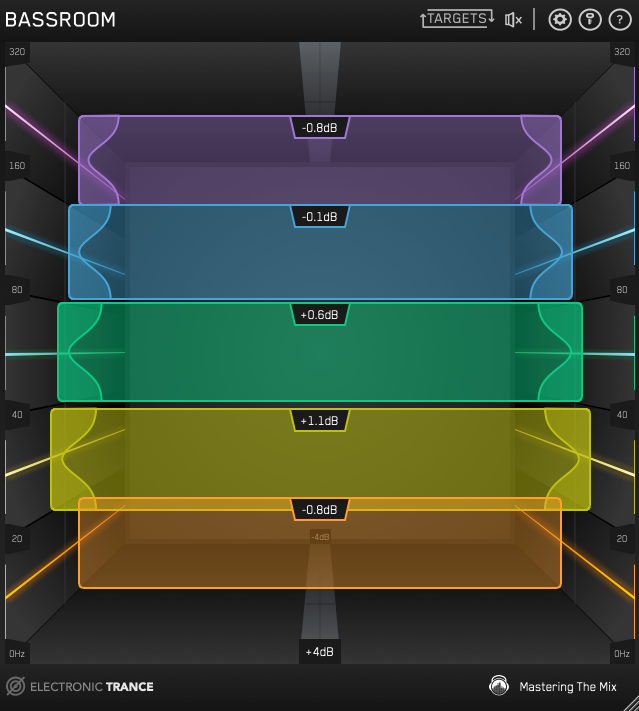
Well those days might be gone! Mastering The Mix have launched Bassroom, an advanced EQ unit which is designed to be
inserted on the master bus in your DAW. Rather than using the traditional linear style EQ, they have opted for a
rather intuitive, easy to use 3D user interface. Dial in your chosen genre and Bassroom will suggest cuts and boosts
across five lower mid, bass and sub-bass frequency bands. You can even import your favorite songs for analysis to
help achieve that low end you’ve always dreamt of!
With hundreds of reverb plugins on the market, finding one that stands out can be challenging. Look no further,
especially if you want a reverb plugin which can do more than simply create a sense of space.
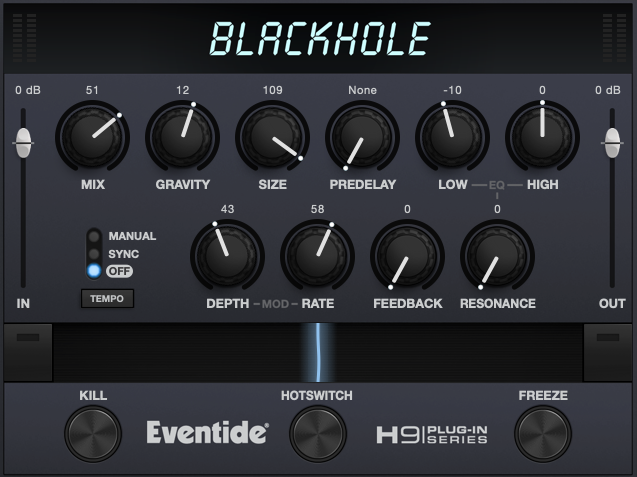
Blackhole by Eventide is more than a reverb unit. In fact, I’d go as far as to call it a reverb instrument. This is
due to its various non-standard reverb parameters, such as Freeze and Hotswitch. These allow you to bend, warp and
create amazing sonic delights by using multiple parameters at once. You can then sustain the output signal for as
long as you want, without any nasty feedback!
Not only is this a great sounding reverb plugin in the traditional sense. Its vast array of controls allow the
creation of unique textures, while maintaining a familiar and intuitive user interface.
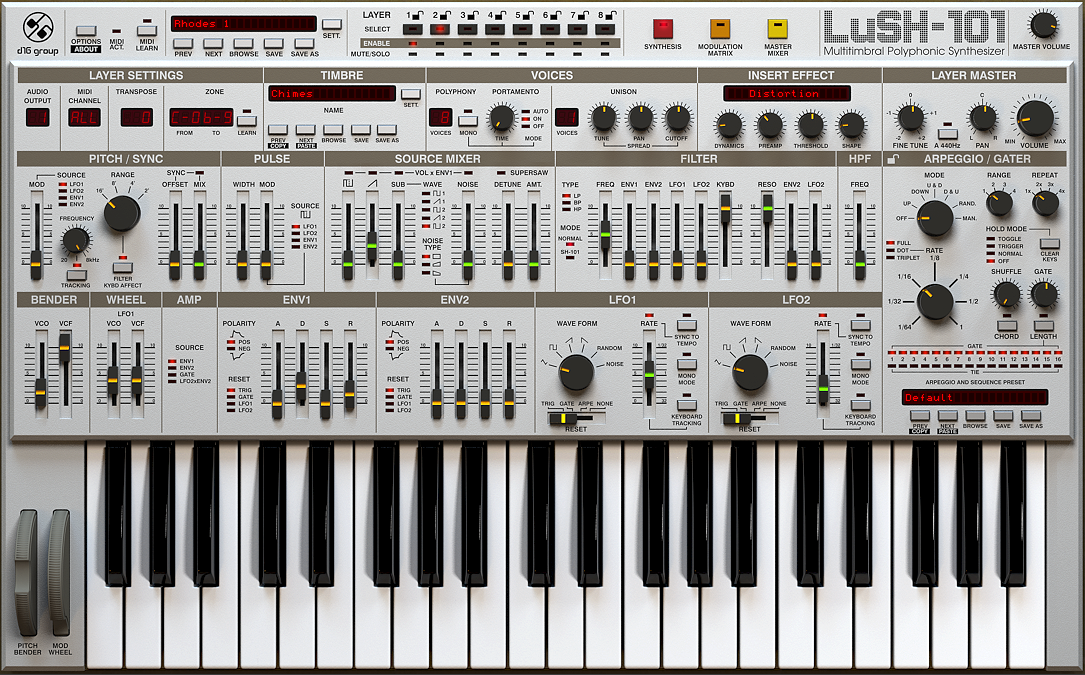
I’ll be honest and say I was sceptical about this plugin instrument when I first installed it. The legendary SH-101
by Roland has had countless clones and imitations. So how could the LuSH-101 by D16 bring anything new to the table?
Thankfully my concerns were not warranted. D16 have created a multi timbral, polyphonic monster of a soft-synth! A
quick scroll through some of the presets demonstrates just how powerful the LuSH-101 is. If you’re more the preset
producer type, and many of us are, then this synth offers a really solid and useable soundset straight out of the
box. Preset patches are split into two main zones, multiple and single. Single zone presets are the regular bass,
chords, drum, fx, mono lead and poly lead sounds. Whereas, multiple zone sounds include drum kits and splits. These
splits enable the user to play multiple preset layers across various keyboard octaves.
The user interface is busy but intuitive, with a classic design. Most of the common synth parameters, such as ADSR
and filters are simple to access and familiar in layout. The LuSH-101 has a few extra tricks up its sleeve with a
arpeggio/gater and a range of insert effects. Being 8-part multitimbral, with a mixer to blend each timbre, means
the sonic capabilities are vast. This ability reminds me of another famed synth, the Access Virus Ti.
On first glance the LuSH-101 does resemble the classic Roland SH-101. However, the similarities don’t extend too much
further. Of course you can use the LuSH-101 to recreate classic SH-101 sounds. But as the former was only a single
oscillator monophonic synth, its sound pallette was far more restricted than that of D16’s multitimbral polyphonic
beast!
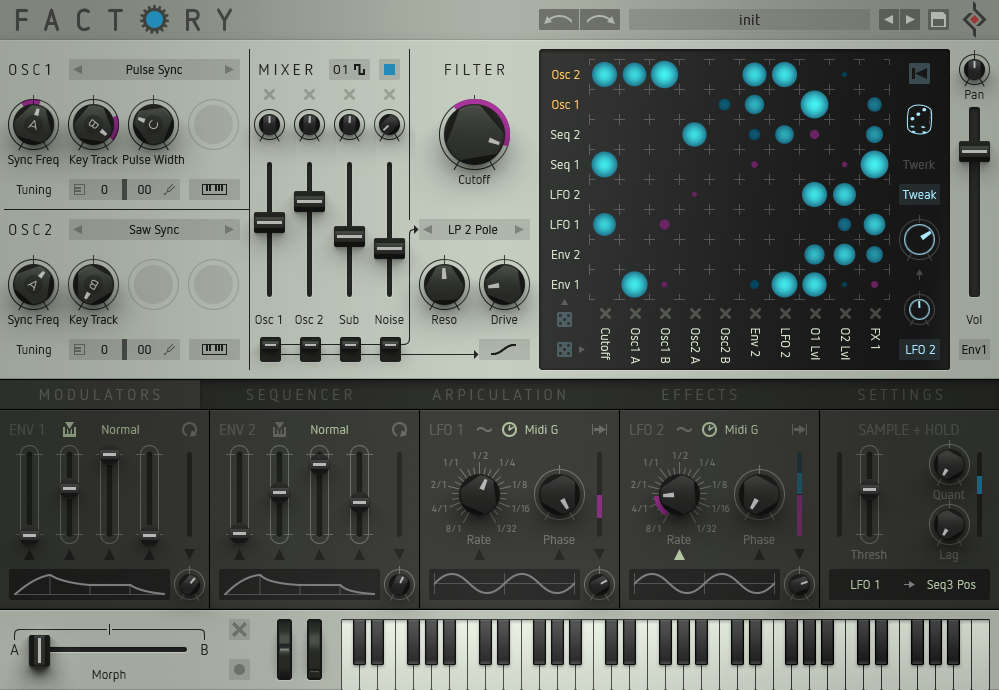
If you’re the type of producer who likes to experiment with synthesis, then I highly recommend checking out Factory
by Sugar Bytes.
Centered around two Oscillators, each sporting 10 waveform types, this mega polyphonic soft-synth can create the most
unusual and evolving textures. If a specific timbre is what you’re after, then Factory might not be the right
choice. However, if you’re looking for something unique with almost endless modulation options, then look no
further!
Starting with the oscillators, before the mixer and then filter section, the well laid out and intuitive UI allows
the creation of your own sounds in seconds. Once you have the foundations of your sound, the magic really begins in
the matrix section. This section allows the routing of multiple modulators such as LFOs and envelopes to the other
synth parameters. If you need inspiration then simply roll the dice option in the matrix and you’ll be blown away
with how the sound is morphed, mangled and warped.
Factory comes bundled with lots of presets, which are great for demoing the synth’s capabilities. However, this synth
is not really about using presets. It’s clearly designed for experimentation and creating completely unique and
interesting timbres.
Produce your own tracks using Captain Plugins
Create your own chords, melodies and bass-lines with Captain Plugins. Visit the official Captain
Plugins homepage and see how it will help you explore music and write your own original productions.