Your Cart

Get special upgrade deals! Sign in to see if you qualify for deals.
Cart Empty

Your cart is empty

There are no items in your cart

Taxes: Calculated at checkout
Subtotal: $0.00

Keep shopping

Product Image
MixedInKey Logo

You own this software | Purchased on

Included Software:

Get special upgrade deals! Sign in to see if you qualify for deals.

Installing Mixed In Key Live on an Intel Mac

After installation these quick and easy three steps will get you up and running

Instructions for Macs with Intel chips:

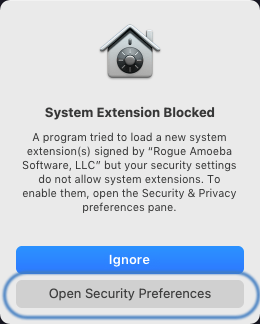
1. After installation you will see “System Extension Blocked” click “Open Security Preferences”

System Blocked click Open Security Preferences

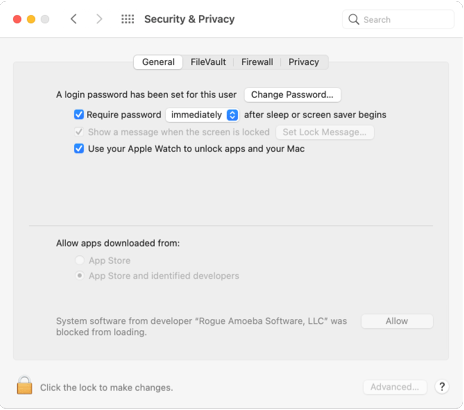
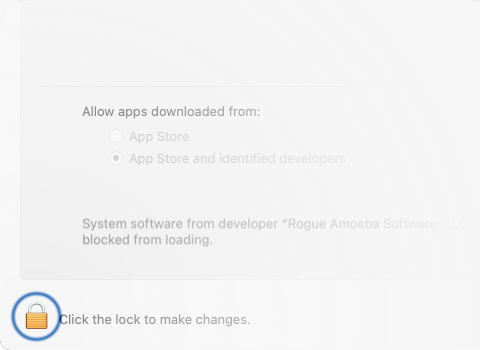
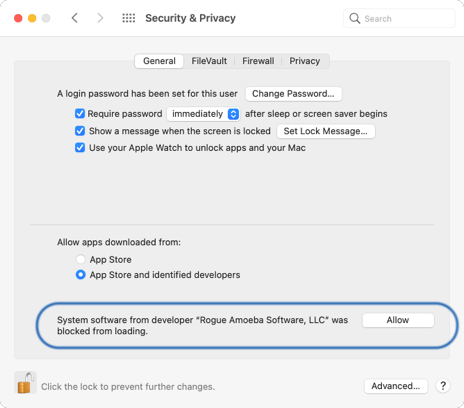
2. Unlock Security & Privacy preferences and click “Allow” to permit ACE to run

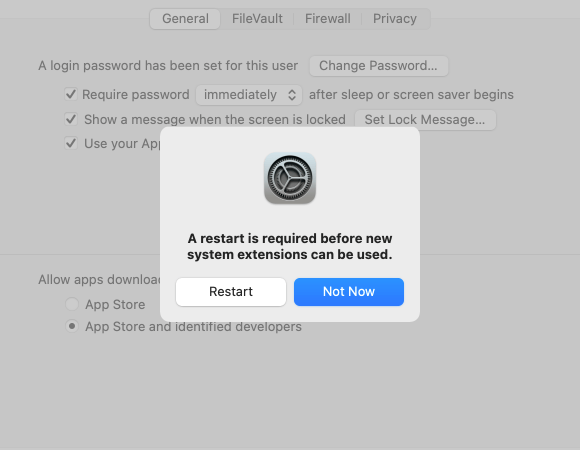
3. Click Restart when prompted, then log into your account, and you’re all set to start using Mixed In Key Live!

ACE is actually a standard audio plug-in, not a kernel extension. However, it receives enhanced privileges to access your system’s audio, so Apple uses their existing kernel extension verification system on MacOS 11 and MacOS 12 to allow ACE to load.