Your Cart

Get special upgrade deals! Sign in to see if you qualify for deals.
Cart Empty

Your cart is empty

There are no items in your cart

You might also like

Loading recommendations...
Unable to load recommendations
Taxes: Calculated at checkout
Subtotal: $0.00

Keep shopping

Product Image
MixedInKey Logo

You own this software | Purchased on

Included Software:

Get special upgrade deals! Sign in to see if you qualify for deals.

Wingman 2.0 is here

Wingman 2.0

Get chords and bassline ideas that fit the audio in your DAW.

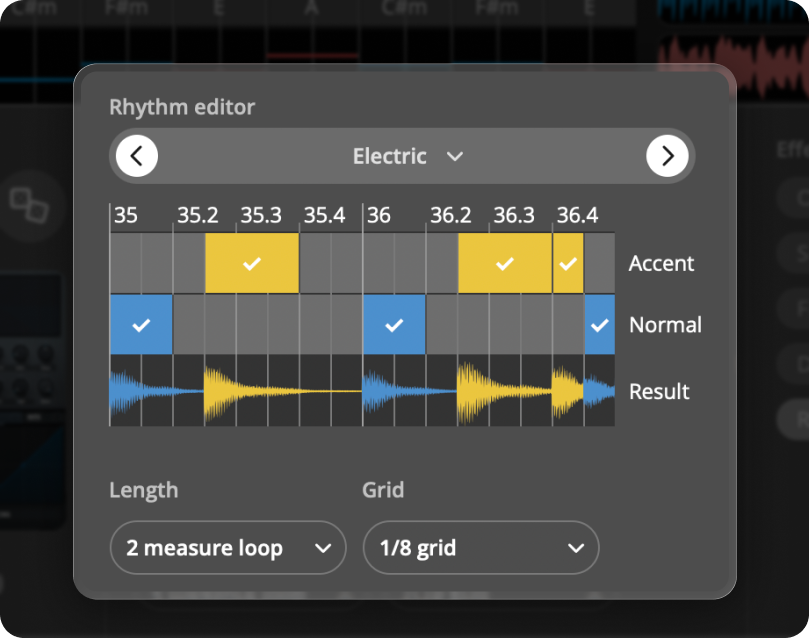
Now with new rhythm presets, a rhythm editor, support for your own VST synths, groove-shaping Accents, and built-in effects.

Buy now
Trusted by artists

What producers are saying about Wingman

Real feedback from artists using Wingman in the studio.
What Wingman does

Musical ideas based on the sound in your DAW

Wingman listens to your audio and suggests chords and basslines that fit what you’re already working on. In Wingman 2.0, you can shape those ideas further with your own VSTs, rhythm presets, accents, and built-in effects.

  • Listen to vocals, loops, stems, or full tracks
  • Generate chords and basslines that fit
  • Preview ideas with your own sounds
  • Export ideas as MIDI or WAV
 
Core features + new in 2.0

Explore the tools inside Wingman

From core idea generation to the latest 2.0 additions, these are the tools that help you move from audio input to usable musical ideas.

Buy now
Core feature

Context-Aware Idea Generation

Generate chords and basslines based on the actual audio playing in your DAW. Wingman listens first and returns suggestions that fit your track’s key, rhythm, and feel.

Core feature

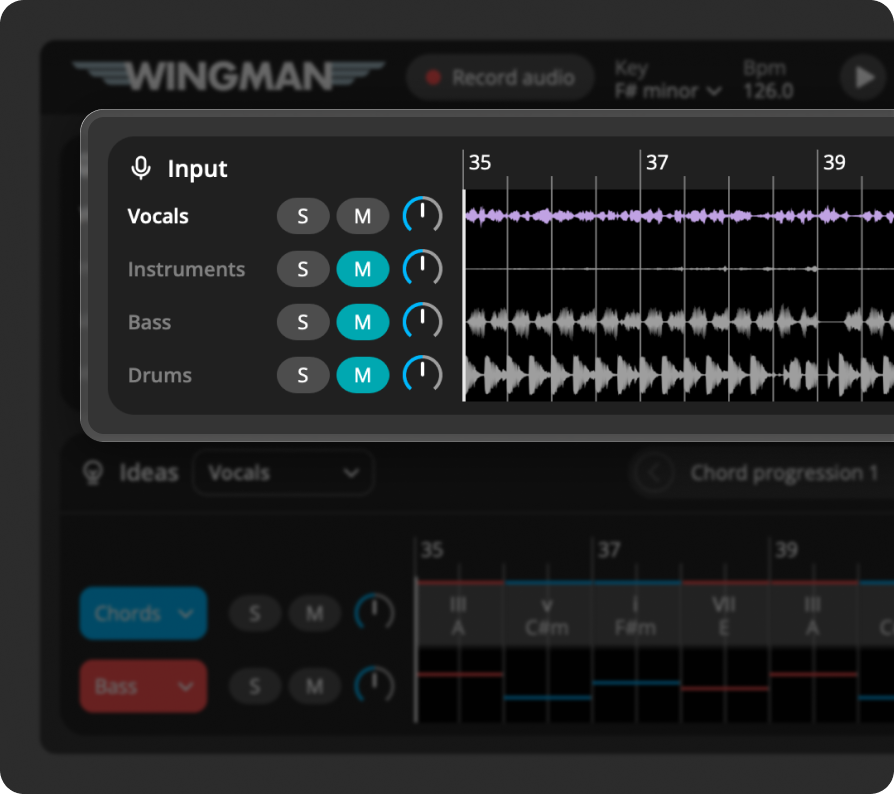
Instant Stem Separation

Separate your audio into vocals, bass, drums, and other stems. Perfect for remixing, idea generation, or isolating the parts you want to build from.

Core feature

Audio to MIDI Conversion

Turn any audio you’re working with into editable MIDI. Rebuild melodies, layer harmonies, or reshape your sample with more control.

New in 2.0

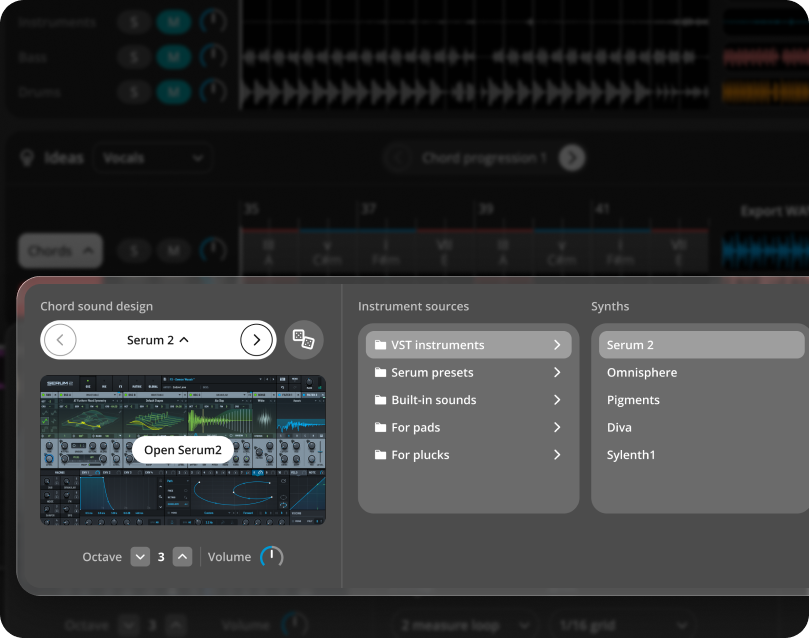
Use Your Own VSTs

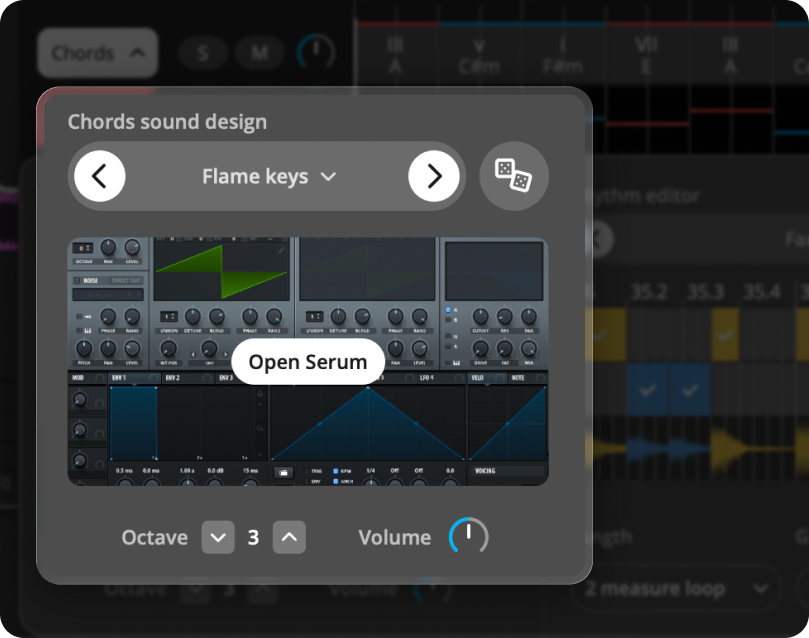
Preview ideas with the sounds and presets you already use in your productions, so everything feels closer to your own workflow right away.

New in 2.0

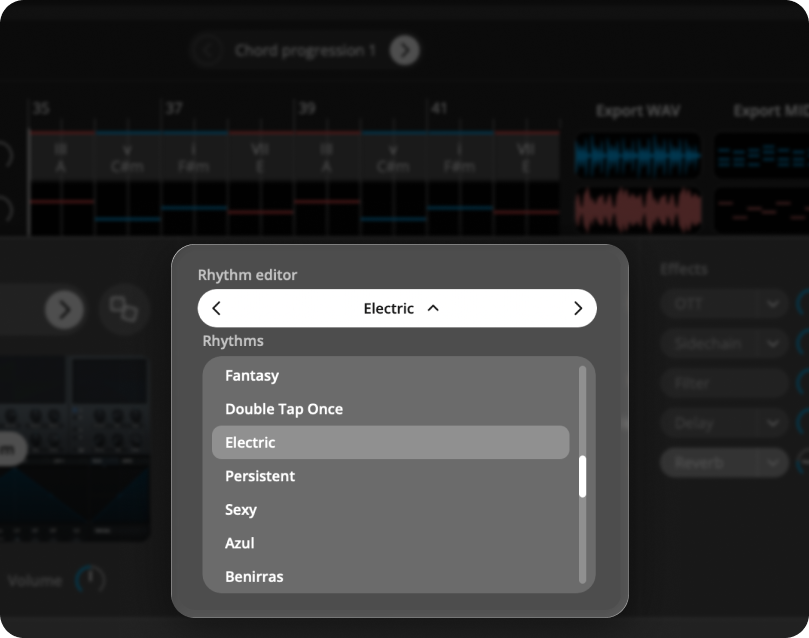
Chord and Bass Rhythm Presets

Quickly try different rhythmic patterns for chords and basslines, so you can explore more grooves and find the right feel.

New in 2.0

Accents and Built-in Effects

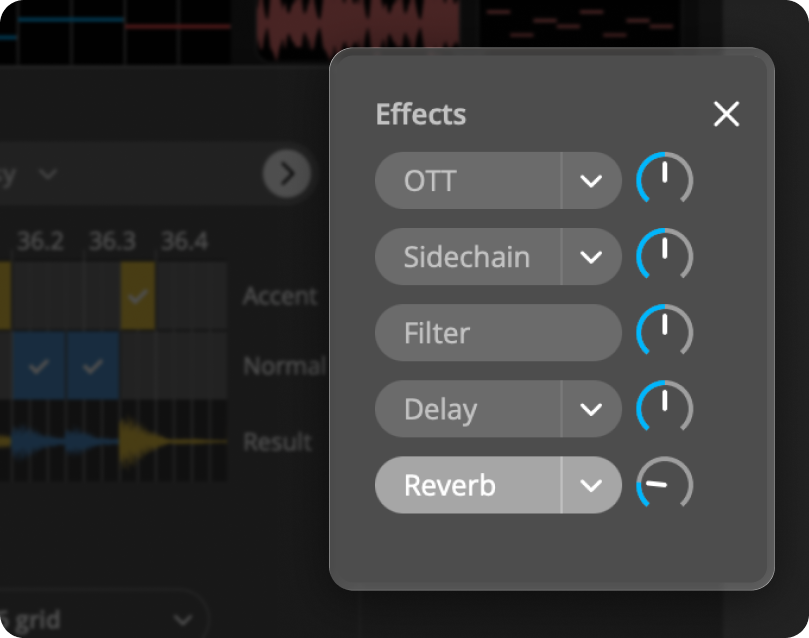
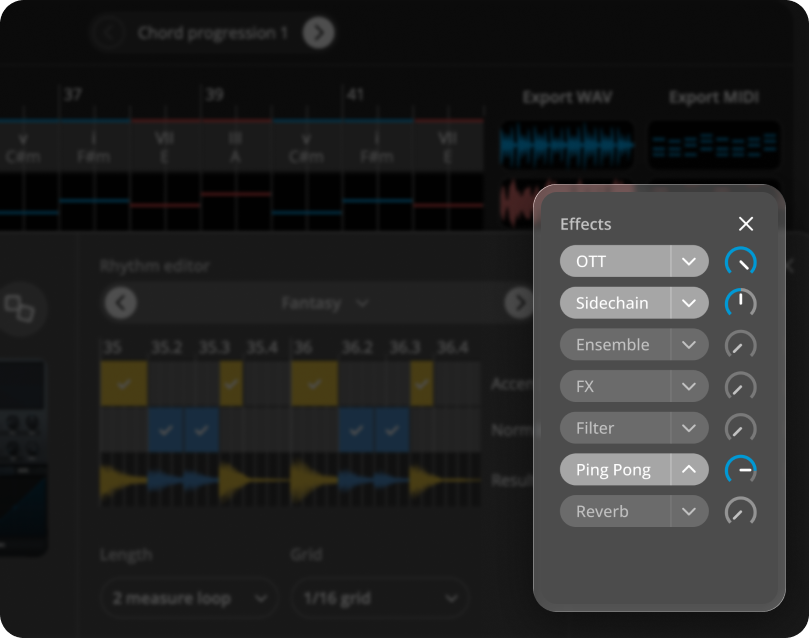
Add movement, dynamics, and sound shaping with accents, filters, delay, reverb, OTT, sidechain, and more without breaking your workflow.

Take a closer look
inside the plugin

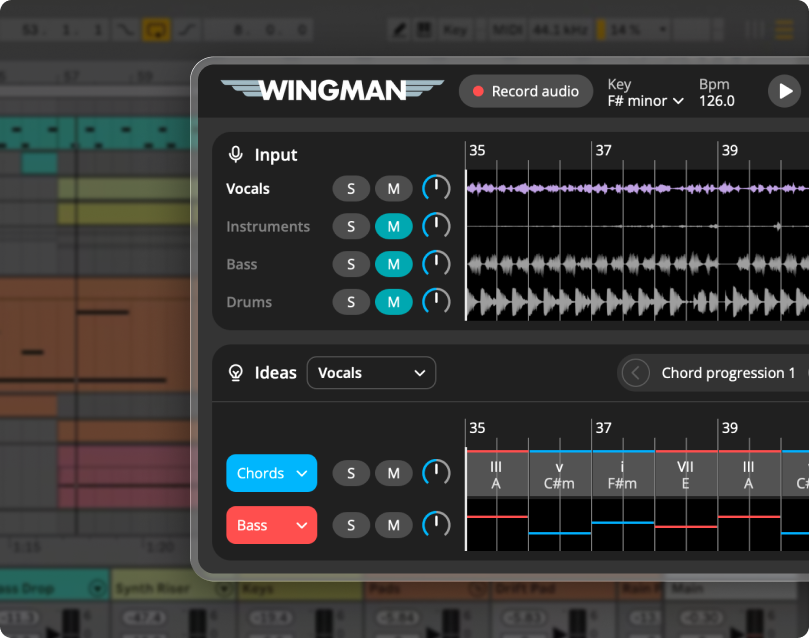
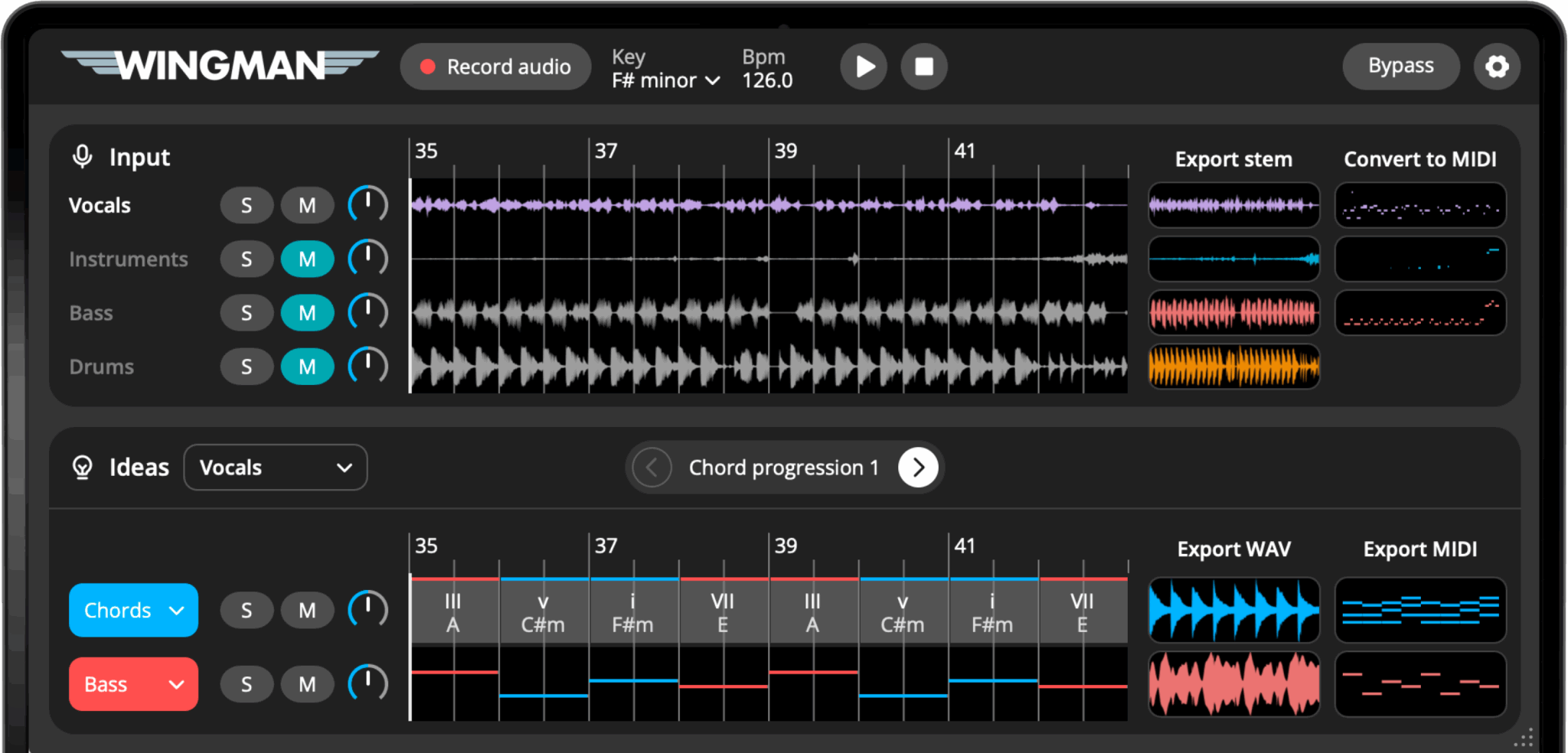
Here’s a preview of Wingman’s layout — everything is designed to help you move quickly from audio input to creative output. Hover over any icon to see what it does.

Tooltip icon

Key

Change the detected key of your audio. Wingman instantly updates its suggestions so you can explore chords and basslines in a new key.

Tooltip icon

Record Audio

Click to capture the audio from your DAW channel. Wingman listens in real time and uses this recording to generate stems, MIDI, chords, and bassline ideas.

Tooltip icon

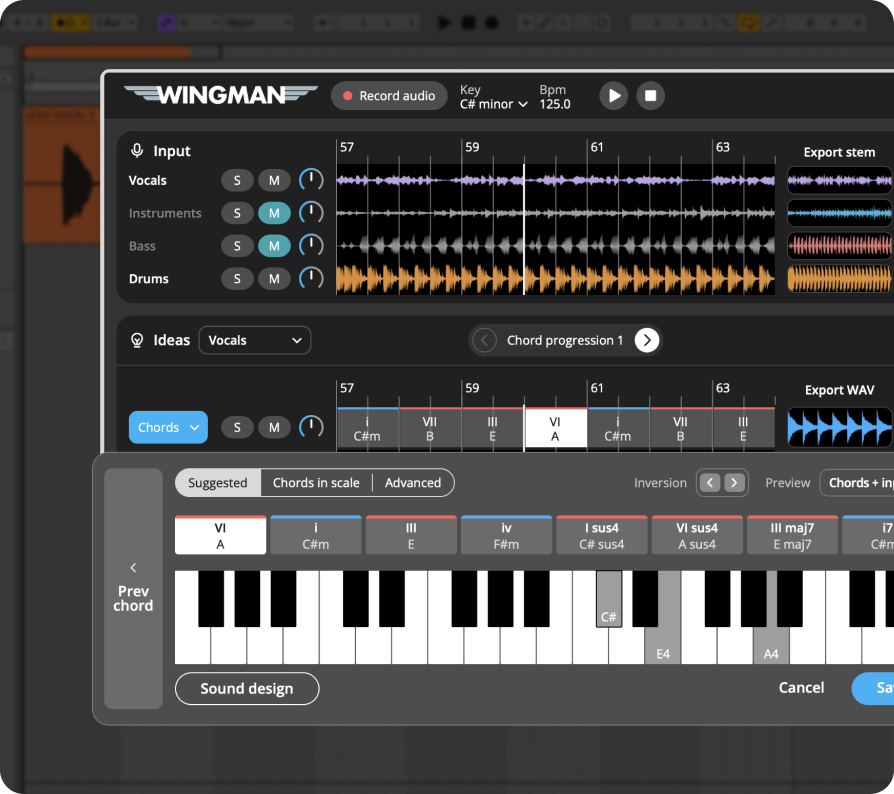
Edit Chords

Click any chord to explore alternatives. Wingman shows you what fits your track, so you can stay in key or experiment with new ideas.

Tooltip icon

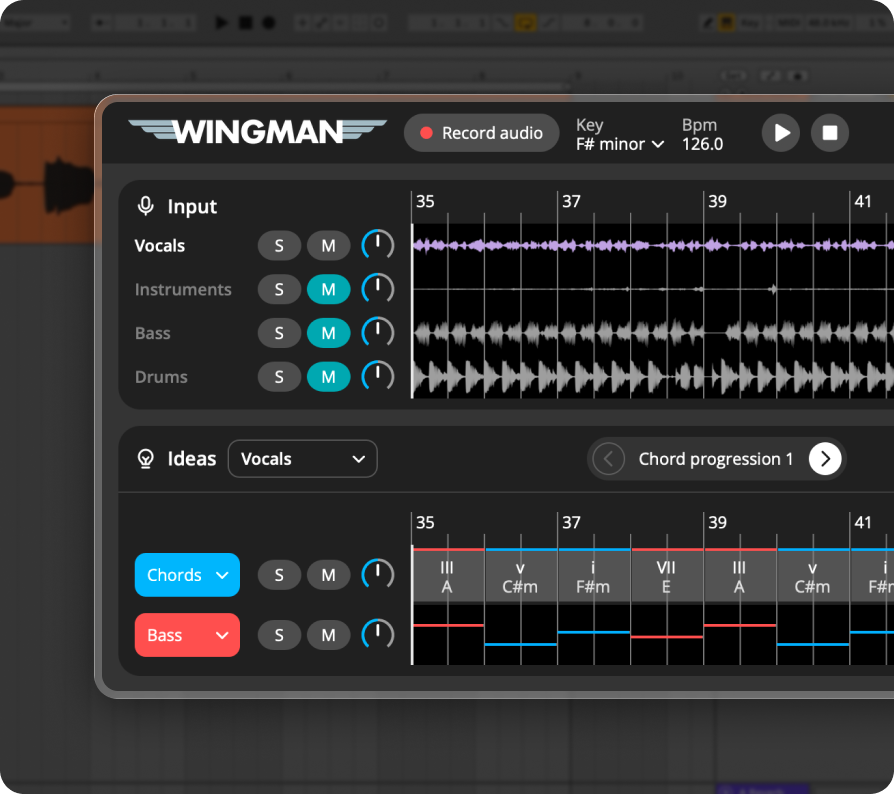
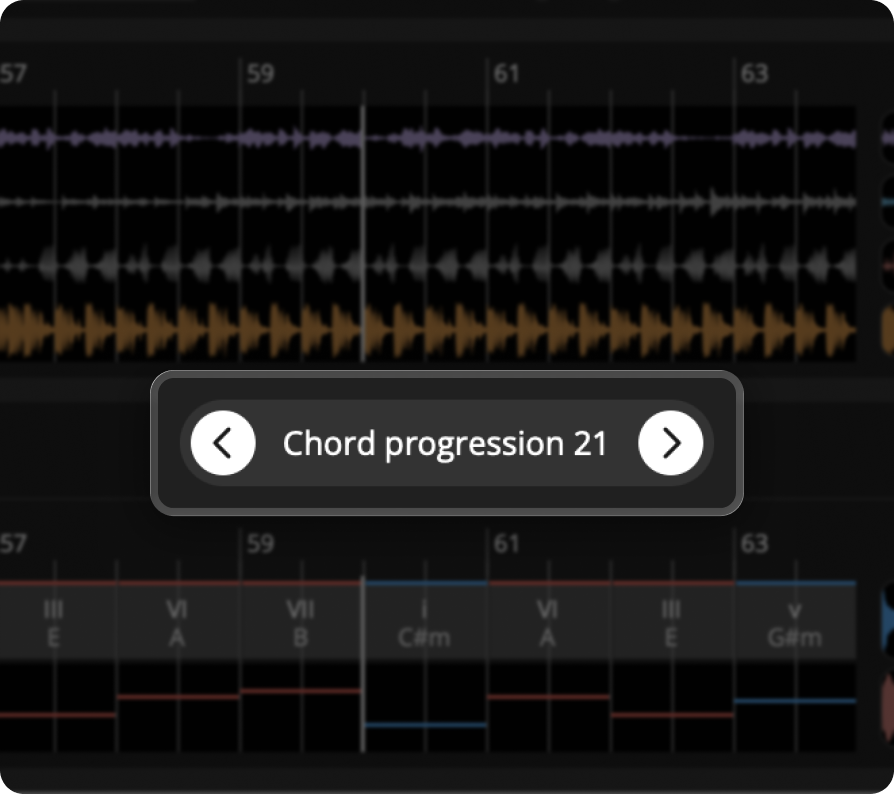
Chord Progression Ideas

Click to audition different chord progressions generated by Wingman. Each progression is tailored to the audio you recorded.

Tooltip icon

Chord controls

Choose your chord rhythm, select the sound, user your own VST synths add accents, and apply effects directly inside Wingman.

Tooltip icon

Bass controls

Choose your bass rhythm, select the sound, add accents, and apply effects directly inside Wingman.

Tooltip icon

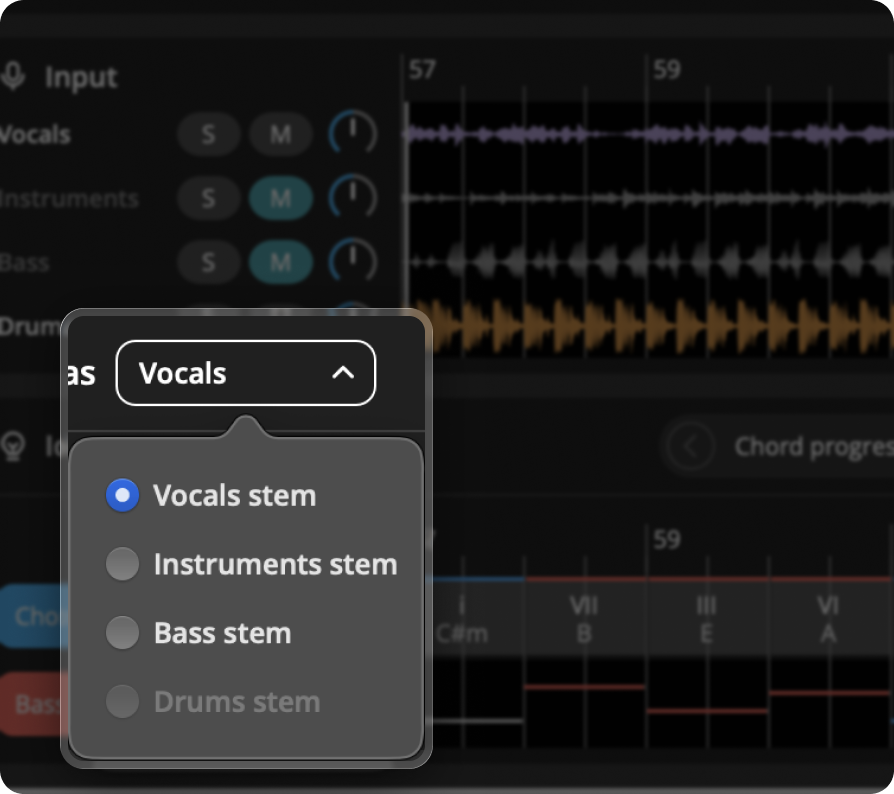
Based on

You can base ideas on Vocals, Instruments, Bass, or Drums for more accurate musical suggestions.

Tooltip icon

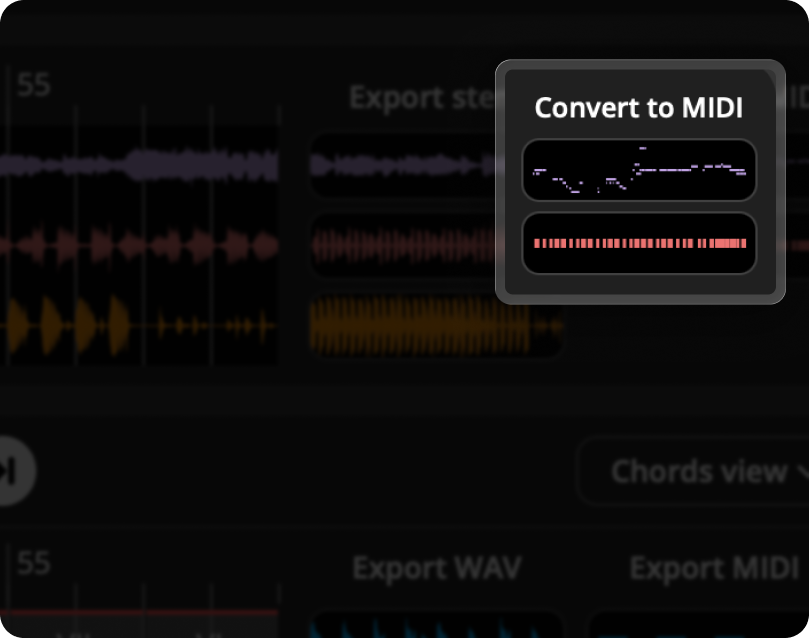
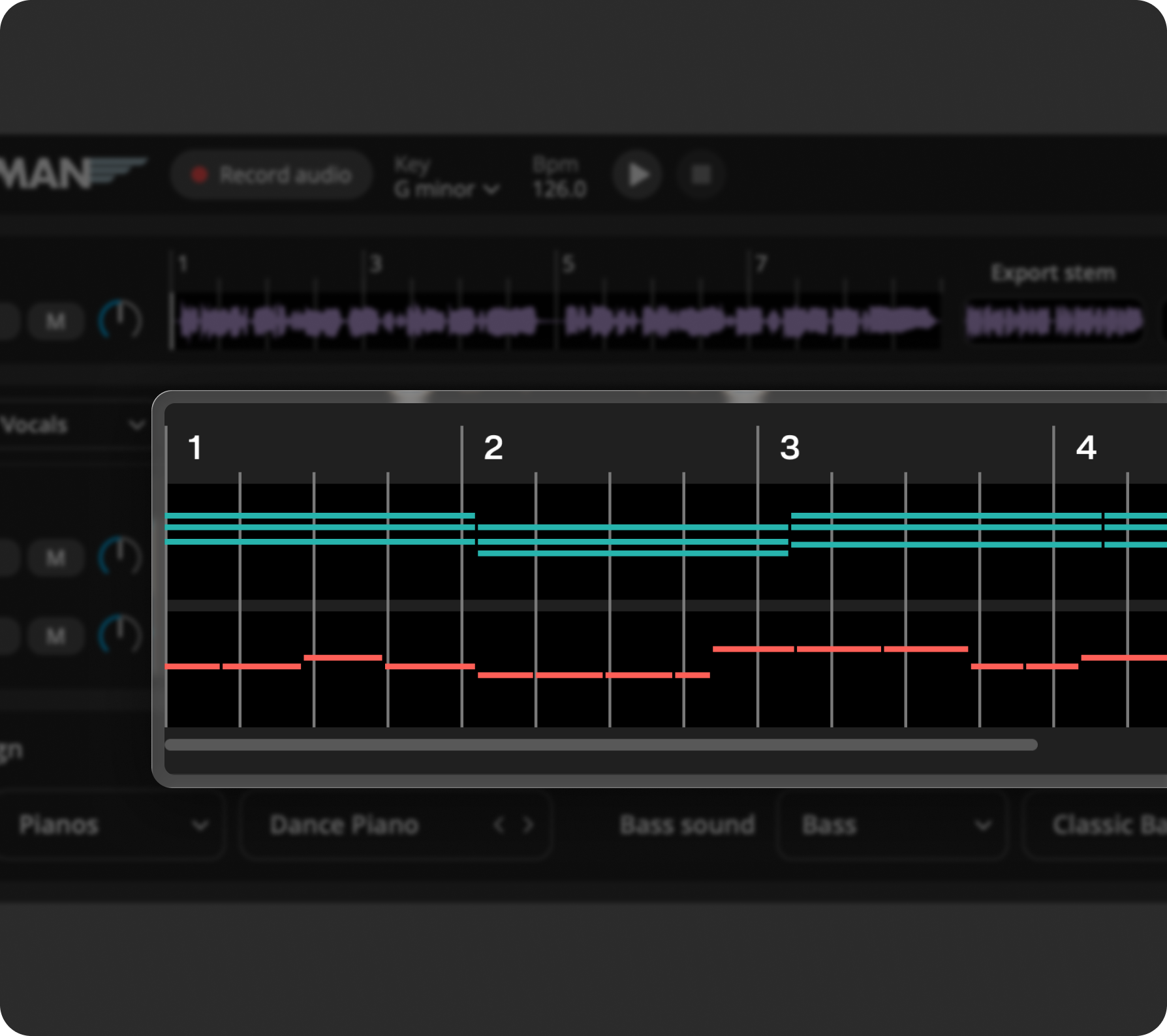
Convert to MIDI

See the MIDI version of your recorded audio. Export the MIDI to your DAW and use it to create melodies, harmonies, or new arrangements.

Tooltip icon

Bypass

Use this to temporarily mute all sound from the plugin without affecting your session.

Tooltip icon

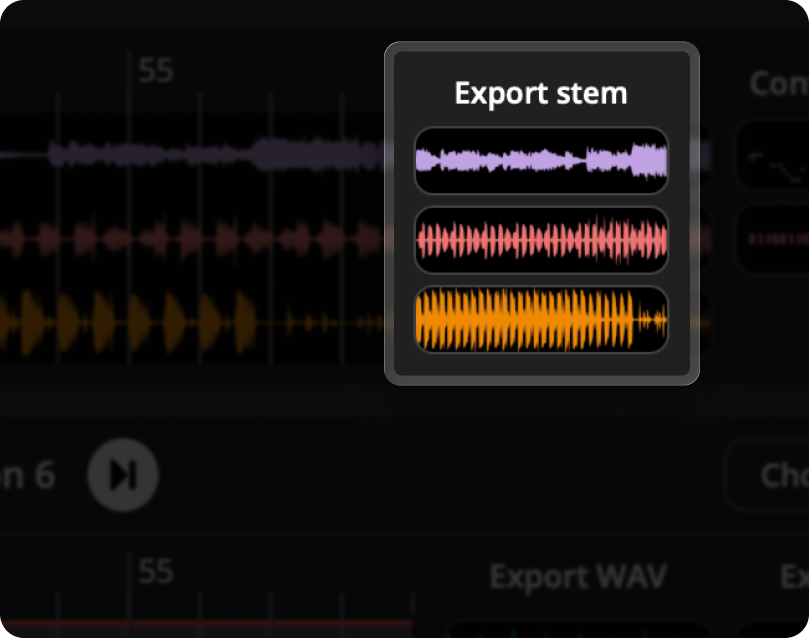
Export Stems

Export the separated vocals, instruments, bass, or drums created by Wingman. Drag them straight into your DAW to continue working on your track.

Tooltip icon

Export WAV

Export ready‑to‑use WAV audio for your chord or bassline idea. Perfect for dropping directly into your project timeline.

Tooltip icon

Export MIDI

Export the MIDI for your chord progression or bassline idea. Use it in your DAW to customize, layer, or rearrange the part.

Wingman interface

Watch tutorial

A quick walkthrough of Wingman 2.0

Start with any sound.

Wingman analyzes your audio and suggests chord progressions that sound great with it.

Wingman gives you chords and basslines based on your audio. It’s like getting songwriting suggestions that fit your track.

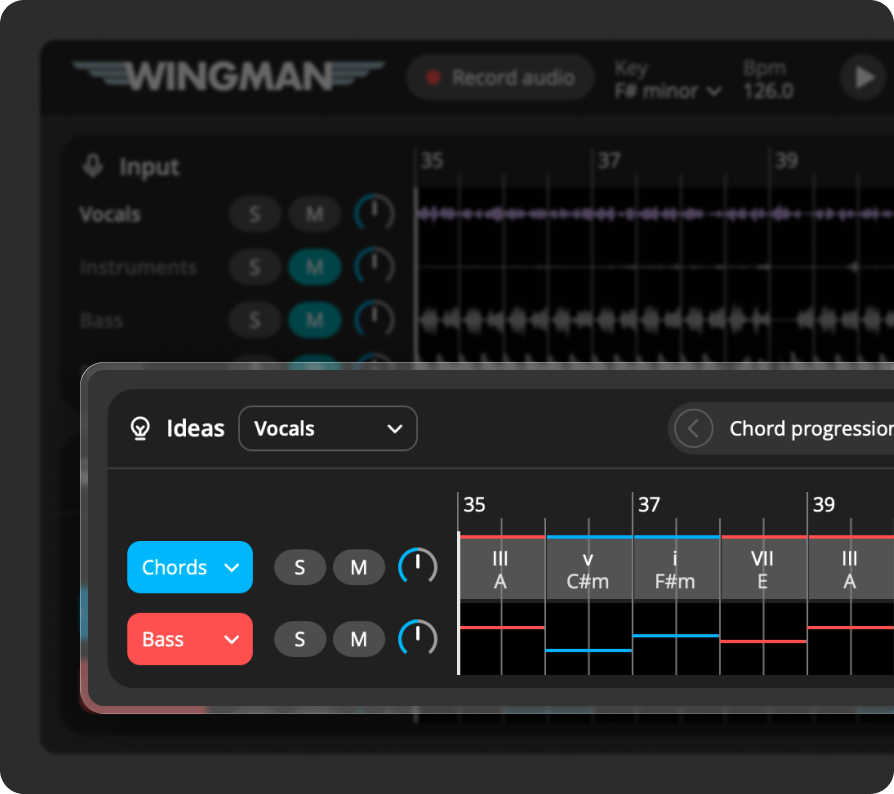
Start with just a vocal. Wingman helps you craft chords and bassline that fit your production.

Explore ideas. Keep what works.

Click any chord to explore alternatives. Wingman shows you what fits your track, so you can stay in key or experiment with new ideas.

Isolate vocals, drums, and instruments to work with only the parts you need.

Choose whether to base your chord and bass suggestions on vocals, instruments, bass, or drums. Wingman tailors its output to the stem you care about most.

Browse through multiple musical ideas for each input and keep what inspires you.
Edit Chords in Wingman
Stem Separation in Wingman
Generate Chords from Stems
Explore Musical Variations
Wingman 2.0

How the workflow has changed

These new features help ideas feel more usable, more musical, and closer to a final result.
Before

Ideas were limited to a smaller set of sounds inside Wingman.

Now in 2.0

You can audition ideas with your own VSTs, so they feel closer to your actual production workflow.

Use your own VSTs inside Wingman
Before

Chord and bass ideas could feel rhythmically simpler at the start.

Now in 2.0

Rhythm presets and accents make it faster to try grooves with more movement, variation, and feel.

Chord and bass rhythm presets plus accents
Before

More sound shaping had to happen after exporting ideas into your DAW.


Now in 2.0

The built-in effects chain lets you shape and refine ideas earlier, without breaking your flow.

Built-in effects chain inside Wingman

Buy Wingman

Wingman helps you generate musical ideas, extract stems, and convert audio to MIDI.
No subscriptions.

Wingman

One time purchase

Buy now
Features included
  • Stem separation
  • Generating ideas

  • Audio to MIDI Conversion
  • Export as MIDI or WAV
  • Generates chords that fit
  • Key detection

Works with your DAW

Wingman 2.0 is designed to work smoothly with your favorite DAW.

Ableton
Logic Pro
FL Studio
Studio One
Cubase
Pro Tools

Trusted by world-class artists

See what beloved DJs, producers, and creators have to say
about using Wingman.

Diplo
Diplo

“Wow I wish I had this 20 years ago, when Yakov was still at school”

Pete Tong
Pete Tong

“Wow, Wingman is a very clever creative tool. I’ve found it very intuitive in terms of generating ideas for my projects.”

Karra
Karra

“This is a plugin I genuinely use in my workflow as someone who understands basic piano playing, but struggles with finding unique/more advanced chord progressions!”

Reid Stefan
Reid Stefan

“I’ve always needed a plugin to help me with chords. Wingman is the SAUCE!!”

Gui Boratto
Gui Boratto

“Wingman is the software that offers the 3 main tools in one! You separate, you replace, you create.”

Junior Sanchez
Junior Sanchez

“Wingman is that silent partner every producer wishes they had.”

Mendo
Mendo

“Wingman is a great tool for quickly generating musical ideas and exploring new creative directions in the studio.”

DJ Chus
Chus

“Wingman is a powerful tool for uncovering new musical ideas. Its guidance reveals harmonic possibilities beyond the conventional workflow.”

Mathame
Mathame

“Wingman is definitely the best creative remixing tool we have ever tried. It’s a total beast, a truly game changer.”

Pan-Pot
Pan-Pot

“I played around with Wingman and I gotta say it’s a really great tool, especially if you like to work with audio loops and samples. It really lifts up creativity and gives a lot of opportunities to people who aren’t too experienced with harmony knowledge.”

Pig & Dan
Pig&Dan

“Wingman is an incredibly powerful and inspirational tool for creators at any level. It’s helped me to think outside of the box by suggesting structures I would never have considered.” – Dan Duncan (Pig&Dan)

Soel
Soel

“I’ve been using Wingman a lot lately, and it’s quickly become one of my favorite tools when I hit a creative wall. It helps create ideas without overcomplicating the process and gives just enough direction to move forward while leaving room for your own creativity.”

Ocean
Ocean

“Wingman gives you musical ideas that match the vibe of the songs, which is perfect for remixing.”

Sifasile
Sifasile

“For me, Wingman is like a GPS. It lets you move much faster without going through intensive music theory training.”

Jay Cactus
Jay Cactus

“This is a really powerful plugin because it’s going to take the audio from the sample, isolate the vocals, and give us chord progression ideas based around the vocals.”

Beautiful Beats
Beautiful Beats

“This plugin might be a little too good.”

Larry Ohh
Larry Ohh

“This plugin will generate chords and bass lines based on the audio in your DAW.”

RVMEN
RVMEN

“It takes the audio, splits it into stems and MIDI, then recommends an idea based on it.”

BLANK66
BLANK66

“It’s perfect for remixes, alternate versions, or when you need a touch of inspiration.”

Harry Romero
Harry Romero

“I’ve always been a producer that constantly looks for ways to get inspired. Wingman does just that. I can literally record any music into Wingman and have it write me some new chords and bass line which I can then take and start my own composition. Best part is it is super easy to use.”

More improvements in Wingman 2.0

A few more upgrades that make Wingman 2.0 broader, smoother, and easier to use across more setups.

Official Pro Tools support

Wingman 2.0 now officially supports Pro Tools, so more producers can use it directly in their studio workflow.

Hundreds of Serum presets

If you own Serum, Wingman now includes hundreds of presets you can start browsing and using right away.

Presets with built-in effects

Some presets now include effects by default, so sounds can feel more polished the moment you load them.

Performance improvements

Wingman 2.0 also includes broader performance updates for a faster, smoother experience across the plugin.

Frequently Asked Questions

Everything you need to know about Wingman

No, Wingman is a plugin that runs inside your DAW. It listens to audio from a track and generates ideas based on it.

Yes! Wingman is now officially available for Windows and Mac computers.

You can add any audio to a DAW channel—vocals, instrumentals, loops, or full tracks. Wingman listens and generates ideas based on what it hears.

Yes, you can export the generated chords and basslines as MIDI or WAV files and use them directly in your DAW projects.

Wingman is compatible with major DAWs like Ableton Live, Logic Pro, FL Studio, Cubase, and Studio One. If you’re unsure, reach out to our support team.

Wingman supports macOS 12 and above. All features work on both Apple Silicon and Intel Macs, except Stem Separation, which requires an Apple Silicon chip (M1/M2/M3/M4/M5).

Wingman supports Windows 10 and above. For Stem Separation, we recommend using a dedicated GPU with at least 4GB of RAM.